ServiceNow Mappings
ServiceNow Integration is available for teams with a Remediate subscription.
To install ServiceNow, use the installation instructions.
The Mappings Manager lets you map fields from Dradis projects to fields you use in ServiceNow so that ServiceNow tickets can have content sorted into the relevant required and/or optional fields you use in ServiceNow tickets.
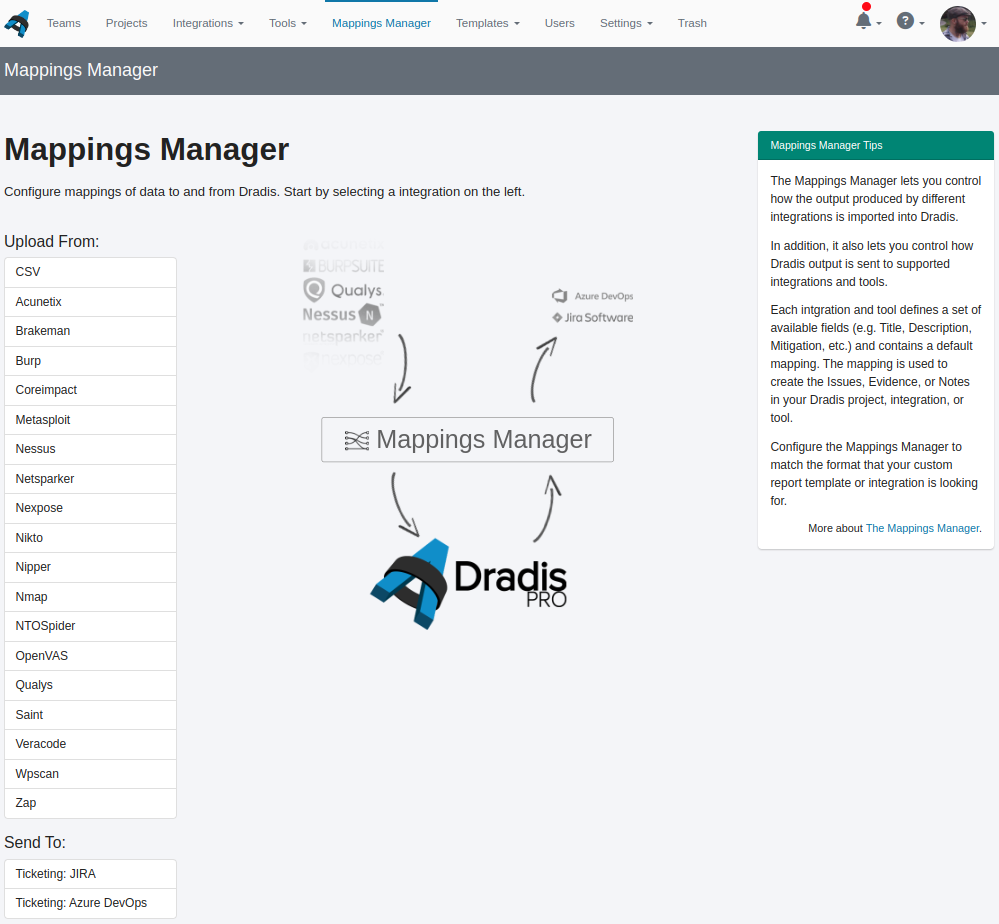
To get started, go to the Mappings Manager and click on Send To: Ticketing: ServiceNow.
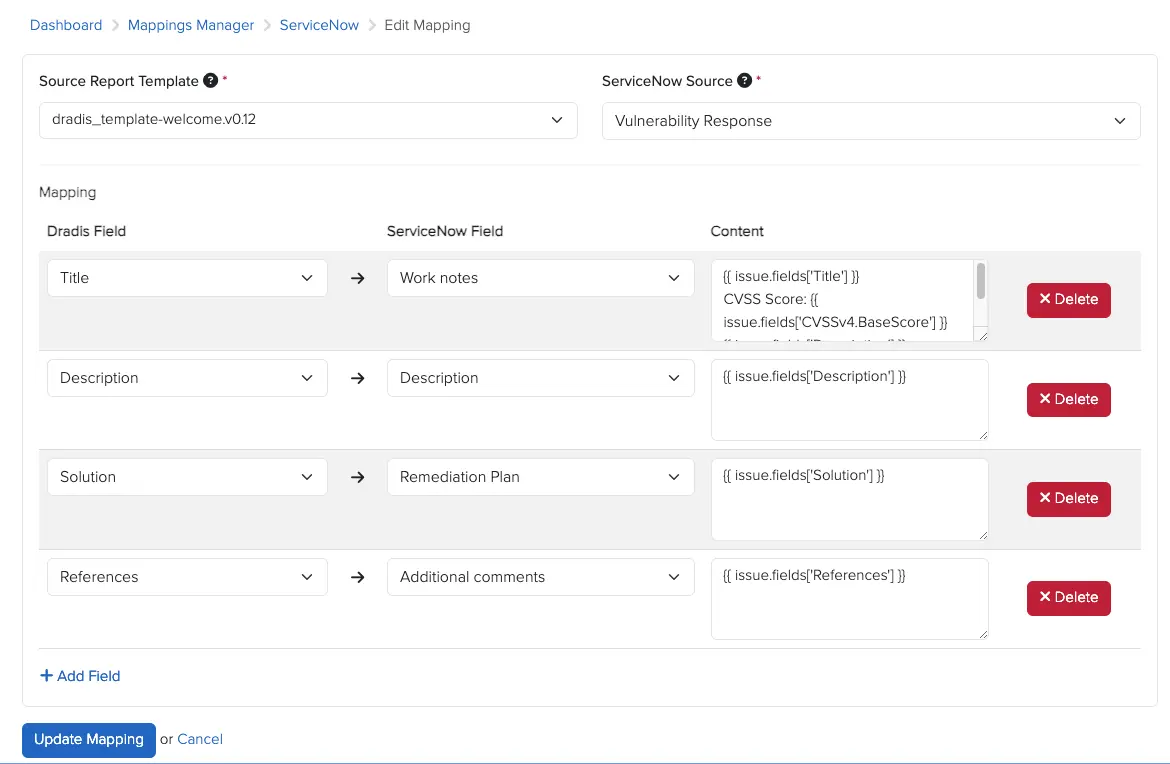
This is where you configure the mapping. You will need to select the Source Report Template; this is the template with report template properties assigned that is typically associated with the projects you want to synchronise with ServiceNow. The fields to be used in Dradis are taken from these report template properties.
Then set the ServiceNow Source, which controls which ServiceNow Vulnerability Response module the Vulnerable Item is created in: Vulnerability Response, Application Vulnerability Response, or Container Vulnerability Response.
Next, start mapping the Dradis fields to the ServiceNow fields you would like to use. When you pick a Dradis field, e.g. Title, the Content field will be pre-populated with the Liquid syntax for that Issue field, e.g. {{ issue.fields['Title'] }}. Then pick the ServiceNow field you want to populate with that Dradis field.
You can also combine multiple Dradis fields as well as fixed content in the Content field. Select a Dradis field as a starting point, e.g. Description, the ServiceNow field you want populated, e.g. Description, and then set the Content to the combination of content you want to show. For example, if the Content looks like this:
{{ issue.fields['Description'] }}
CVSS vector: _{{ issue.fields['CVSSv3.Vector'] }}_
References:
{{ issue.fields['References'] }}Then the Description field in ServiceNow tickets will be filled out with the Description, CVSS Vector, and References in the formatting as per the above.
Click Create Mapping to save.
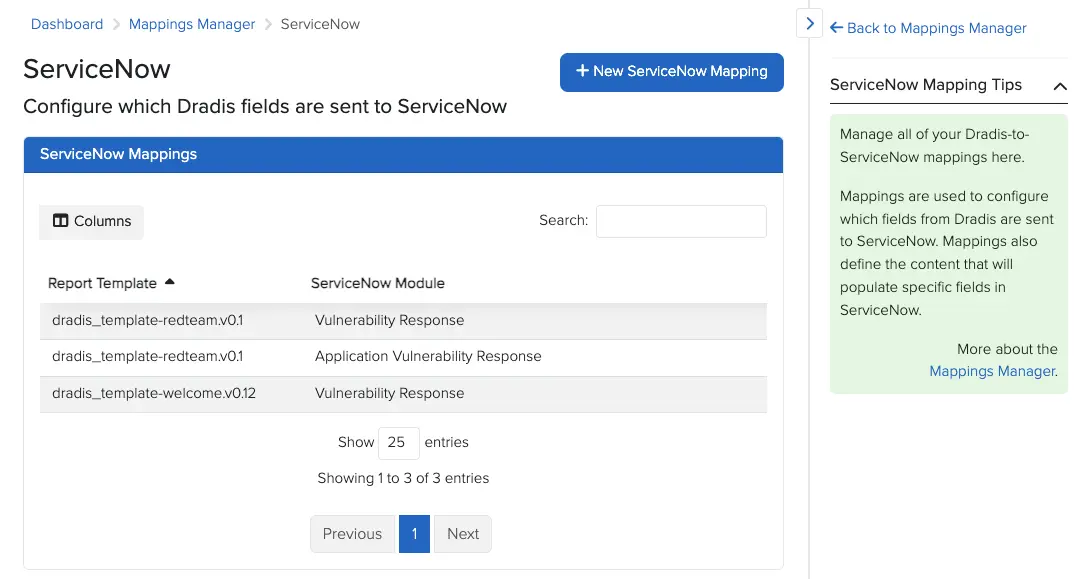
You can of course set multiple mappings, if you work with multiple projects or are sending multiple issue types from Dradis to ServiceNow. Naturally you can also Edit or Delete mappings from the Ticketing: ServiceNow view of the Mappings Manager.
Next help article: Azure DevOps Mappings →