Trigger events, enforce standards, map frameworks, and sync to the tools you already use - all on your infrastructure.
Standardise outputs across tools, templates, and ticketing
Standardize findings as data comes in
Privacy-first shared context for humans and agents
Event-driven delivery automation


Failure points when automation is bolted on across too many tools.
Trigger events, enforce rules, map frameworks, enrich locally, and dispatch to the systems you already use.
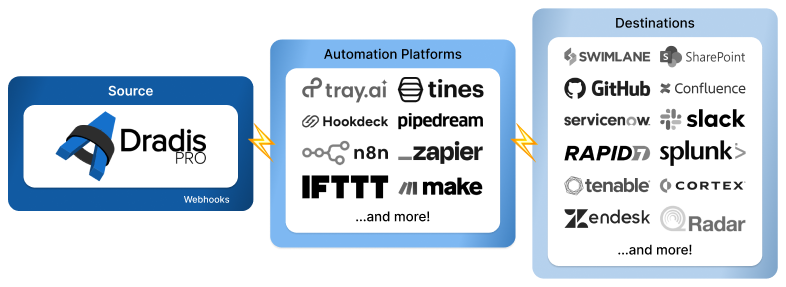
Webhooks let Dradis trigger actions from real events - like new contributor requests, remediation progress, and project completion - so your delivery workflow doesn’t rely on manual follow-ups.
Connect to the tools you already use: kick off an onboarding flow when a client submits a request, post Slack updates as work progresses, and keep ticket status aligned across systems.
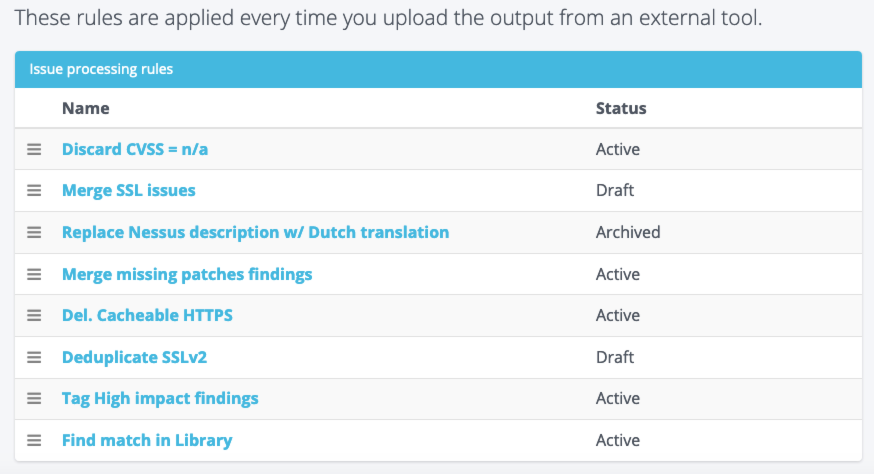
Rules Engine turns noisy scanner output into clean, report-ready findings. Consolidate results from 47+ tools, merge duplicates, discard low-value noise, and normalize titles and severity.
Match findings to your Issue Library and automatically swap in your team’s approved descriptions and remediation guidance.
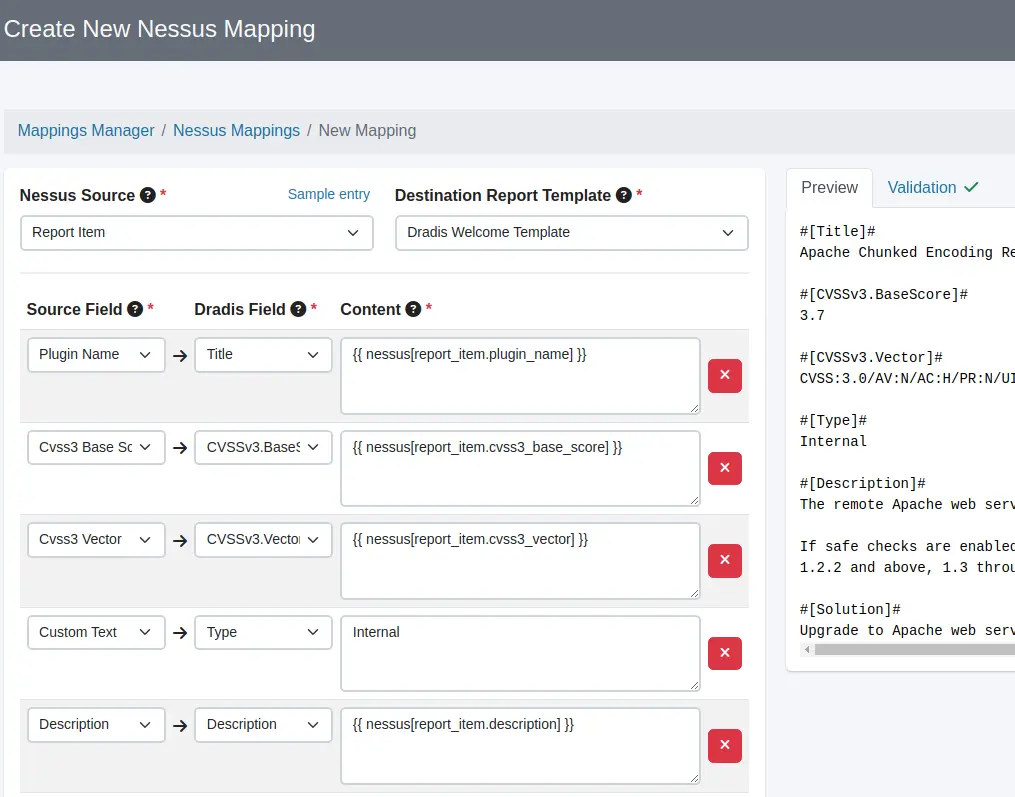
Mappings Manager lets you define how incoming tool data maps into Dradis, by setting source fields and destination fields for each upload type.
That means cleaner imports, fewer one-off fixes, and consistent output whether you’re generating a report or sending findings to a ticketing system.
You can also map/normalise fields used for frameworks (e.g., CVSS vectors/scores) so outputs are consistent.
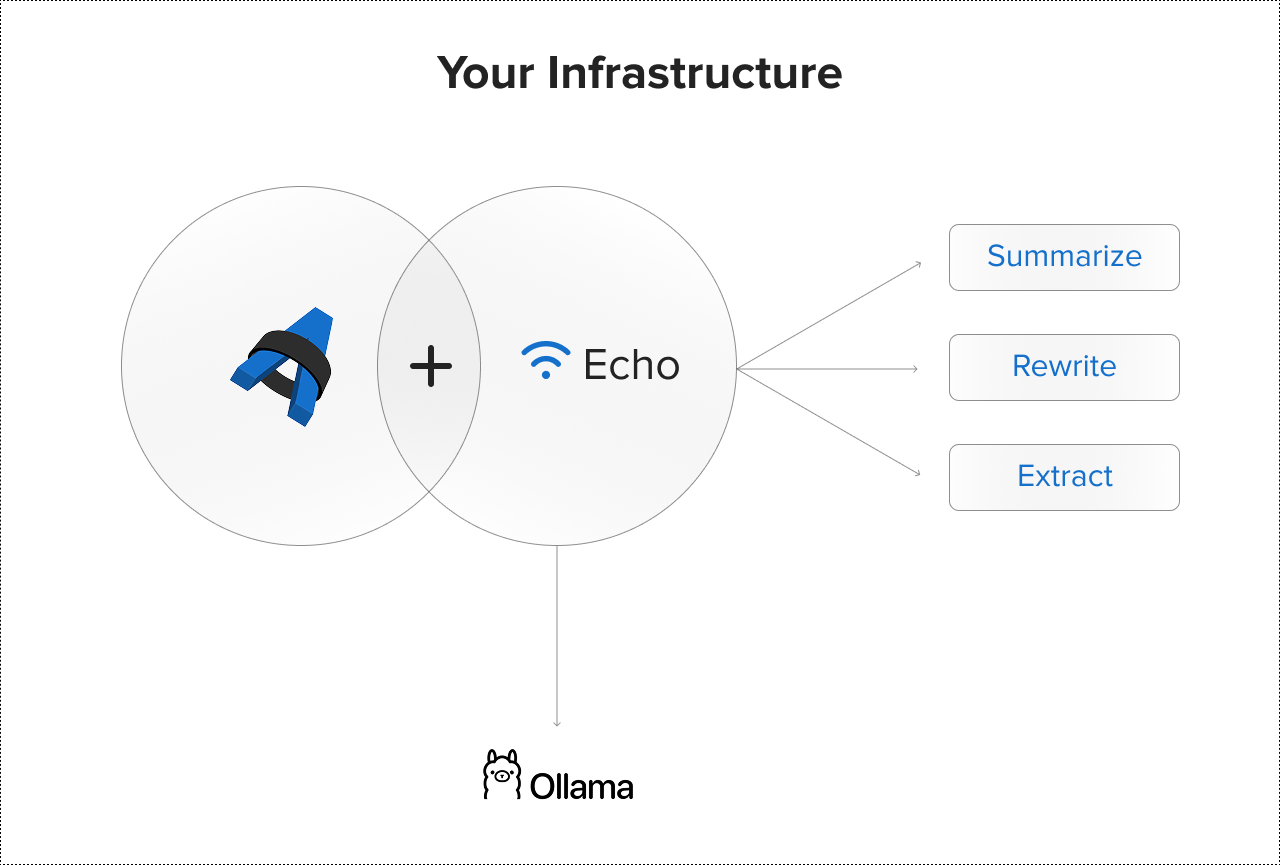
Dradis Echo understands where you are in Dradis and what you’re working on so it can suggest the right improvement at the right moment.
Echo runs locally via Ollama: no external APIs, no cloud processing, and no third-party data handling.
You review, edit, and approve before anything is saved.
No more shadow AI. No vendor training either.

Webhooks currently support Gateway events such as contributor requests, remediation progress, and project completions - so you can kick off onboarding flows, post updates to Slack/Teams, or keep ticket status aligned in systems like Jira, Azure DevOps, or ServiceNow.
No. You define the rules and mappings. Webhooks dispatch only what you configure. Echo provides suggestions - you review and approve. Automation removes repetitive work, not human judgment.
Echo is designed to run on your infrastructure via Ollama, so sensitive assessment data doesn’t need to leave your perimeter. You can choose the model you run and keep the workflow under your control.
Yes. Use the Dradis API for two-way integrations and custom automation. For event-driven workflows, use Webhooks (Gateway events today) to notify any HTTP endpoint.
Loading form...
Your email is kept private. We don't do the spam thing.