Your agents, in the same project as your testers

Your testers already hand legwork to Claude Code, Codex, or an agent of their own. Dradis gives those agents the same project, Issue Library, and QA review your testers use, and the report comes out through the templates we build for you, on your own instance.
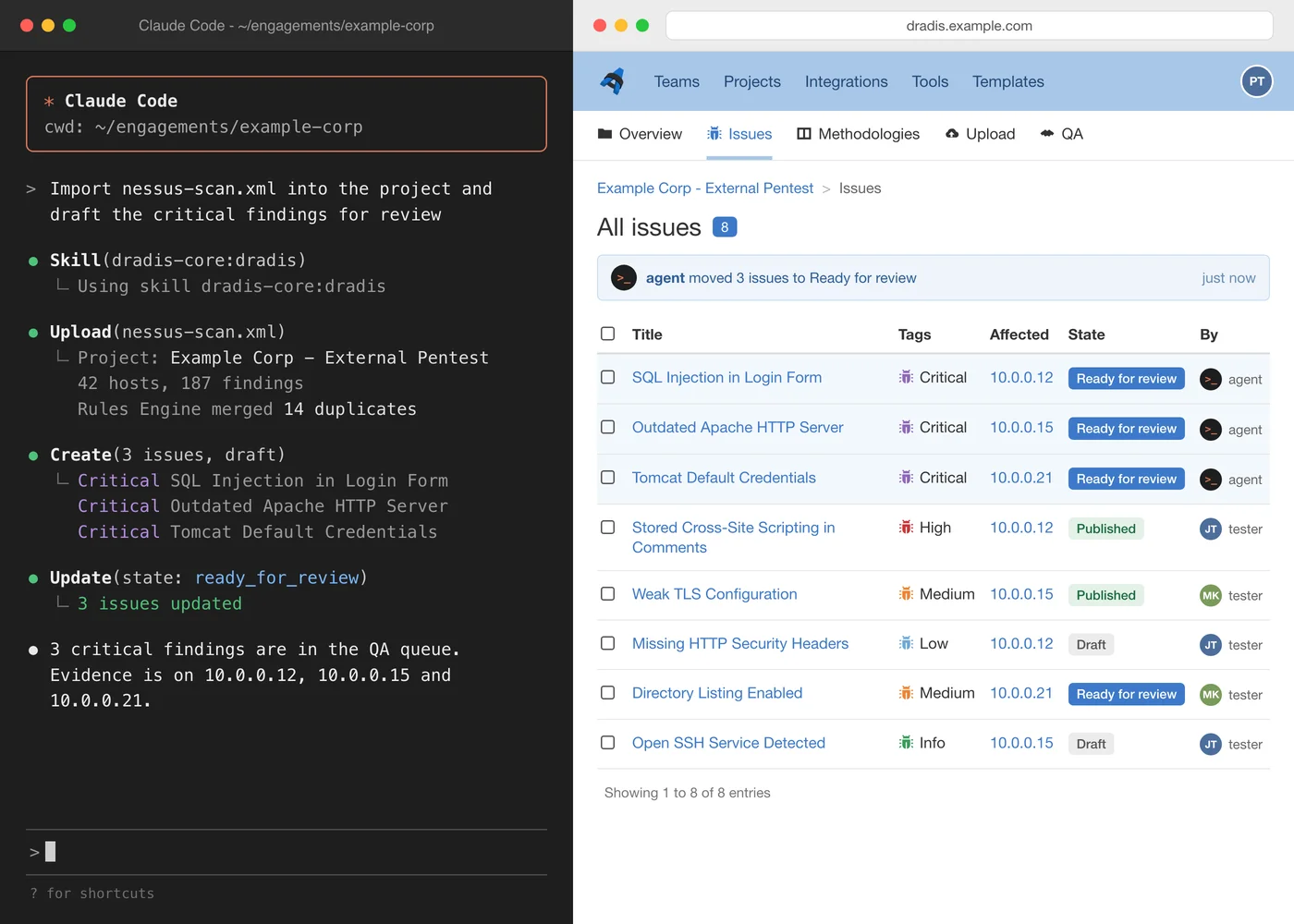
A Claude Code session importing scanner output into Dradis, next to the project with the new findings ready for review

What your agents do in Dradis

  • One skill, every tester - install the Dradis skill and each agent learns your projects, findings, and review flow, with its own per-project token.
  • One picture of the engagement - testers and agents see what is done, in progress, and waiting for review, so nobody tests the same host twice.
  • Drafts go to review - agents mark their findings ready for review, a tester publishes, and only published findings reach the client's report.
Install the Dradis skill

The system of record for pentest teams of humans and agents, built on 19 years of work with 1182 teams in 81 countries.
Agents working outside the project write to their own standard

Today the agent's work sits in one tester's session until someone copies it into the report. By then it has skipped the library, the review, and the templates.

Agents in a session on a laptop

Fast for the tester running it, invisible to everyone else.

  • The team doesn't see what an agent did until someone pastes it in.
  • A tester and an agent, or two agents, work the same host twice.
  • Each tester's prompts and glue live on their own machine.
  • Each agent writes its own findings and builds its own reports, so the team's reporting standard drifts.
  • A custom harness becomes one more internal tool to maintain.

Agents in the same project as the team

Every agent works from the team's shared project and hands its work to review.

  • Agent work shows up in the project as it happens.
  • Agents check what is done before they start.
  • One setup, the same for every tester.
  • Agents write from the team's library into the team's templates, and every draft gets the same review as a tester's.
  • Nothing extra to build or maintain.

One system of record for your testers and your agents

Agents read the same project, write from the same library, and hand their drafts to the same QA review as your testers. The standards your team built apply to every finding and every report, whoever or whatever wrote it, on your own instance.

Where agents fit in the engagement

Teach every agent Dradis with one skill

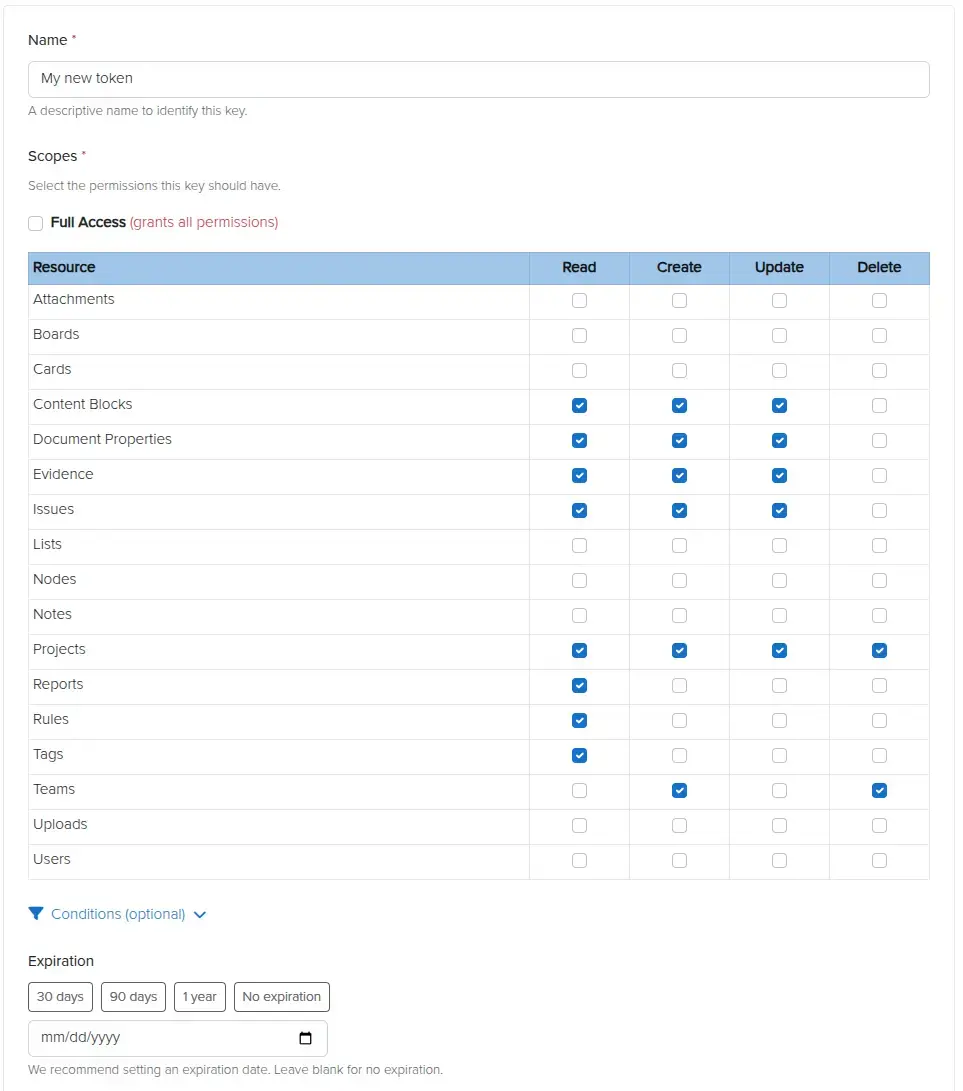
Install the Dradis skill in Claude Code, Codex, or any agent that reads skills, and it learns your projects, nodes, findings, evidence, and the QA flow. Give each agent its own Personal Access Token, limited to the projects and to the read, create, update, or delete rights it needs. Every tester's agent works the same way from day one, with no harness to build or maintain.

The model the agent runs on is your call, and it decides where finding text goes. Read about shadow AI and pentest data before you choose, or use Echo to keep the model on your own hardware.

Personal Access Tokens scoped per project in Dradis

Hand the agent raw scanner output, get findings in your team's words

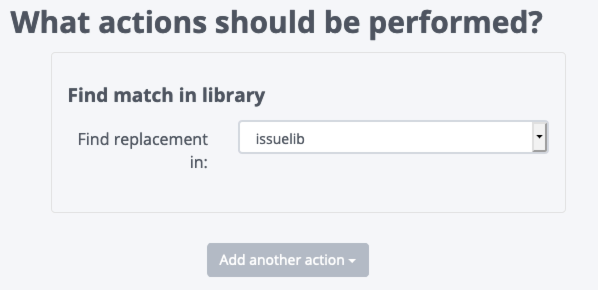
Your agent uploads output from any of the 47 supported tools, and the Rules Engine treats it exactly as it would a tester's upload: it merges duplicates and swaps the scanner's wording for your Issue Library write-ups. The first draft anyone reads is already in your team's words.

Rules Engine replacing scanner wording with Issue Library entries

See what every tester and agent has done before anyone starts

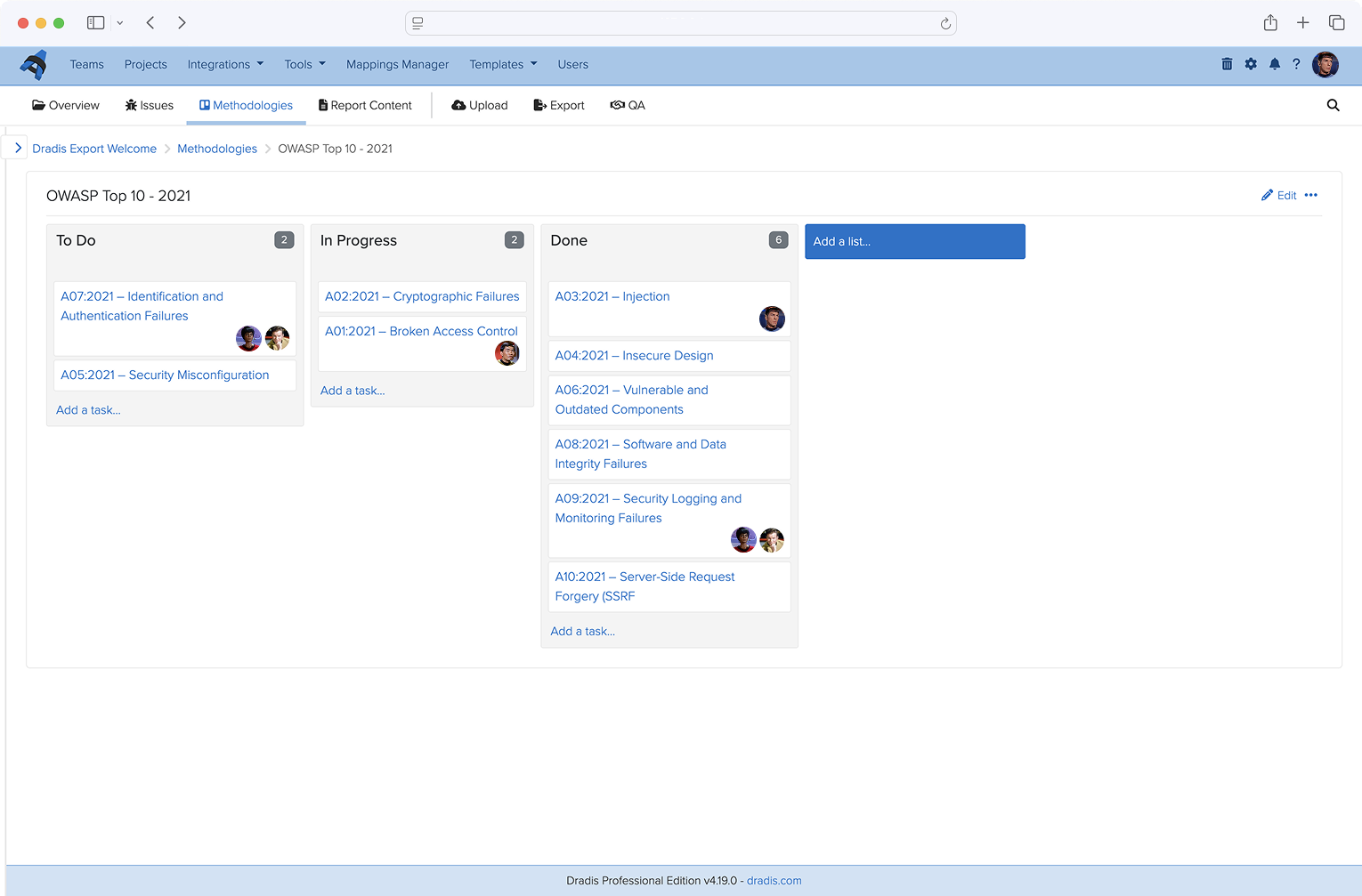
Agents read the project tree and the methodology board before they act, then write notes, evidence, and card updates to the same places. Run an agent under your own account to work on your behalf, or give it an account of its own. Every change shows up in the activity feed and the audit log, so testers see agent work as it happens and nobody tests the same host twice.

Methodology board shared by testers and agents in a Dradis project

Agents draft, testers publish

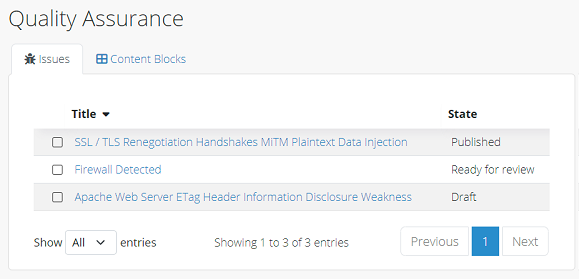
Agents write findings as drafts and mark them ready for review. A tester edits and publishes them, or sends them back. The skill tells the agent not to publish its own work unless a tester says so, so agent findings get the same peer review as a new hire's, and exports can be limited to published findings.

Findings waiting for review in the Dradis QA view

Export the client's report through the templates we built for you

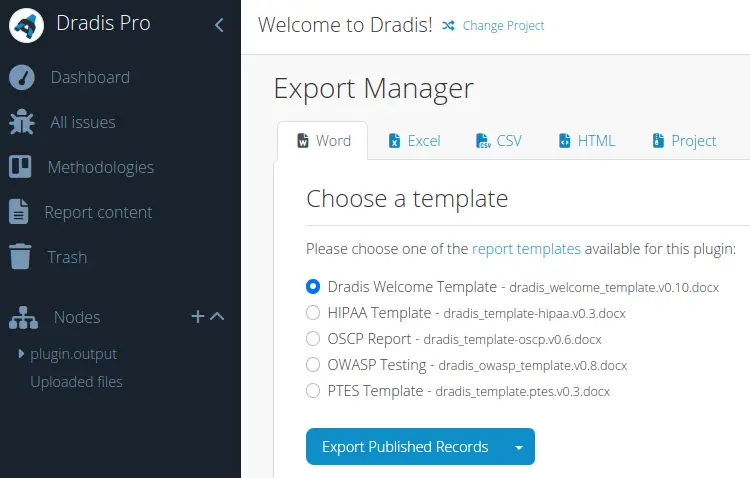
Once review is done, the agent exports the published findings through your report templates, in Word, Excel, HTML, or PDF, in the format each client mandates. We build and maintain those templates on every paid plan, so no tester spends the afternoon formatting and the team moves on to the next engagement.

Exporting a client report from Dradis through a report template

Put your agents to work on your next engagement

1. Install the skill

In Claude Code:

/plugin marketplace add dradis/dradis-skills
/plugin install dradis-skills@dradis-core

Using another agent? Take the skill from the dradis-skills repo.

2. Give the agent a token

Create a scoped Personal Access Token for each agent, limited to the projects and rights it needs.

3. Ask

  • "Import nessus-scan.xml into the project and tell me what the Rules Engine merged."
  • "Which hosts in this project have no evidence yet?"
  • "Draft the three critical findings from my notes and mark them ready for review."
  • "What's waiting for review, and who wrote it?"
  • "Mark the authentication cards on the methodology board done for the hosts I covered."
  • "Export the published findings with the client's Word template."

No instance to hand? Point your agent at the Community Edition sandbox at sandbox.dradis.new. It public & shared, so keep client data out of it.

Frequently Asked Questions

Any agent that can make HTTP requests can use the Dradis REST API.

The Dradis skill installs as a plugin in Claude Code, and other agents that read skills, such as Codex, can load it from the dradis-skills repo. The skill teaches the agent how Dradis projects, findings, evidence, and the QA flow fit together.

No. Dradis never calls your agent's model. The agent reads from and writes to your instance over the API, and whatever it reads goes to the model you run it on.

Choose that model with the same care as any other tool that touches client data. Read about shadow AI and pentest data and the challenges of agentic pentesting.

If findings must not leave your network, run the agent on a local model, or use Echo, which runs AI inside Dradis on your own hardware. More on where your findings live.

Only if you let it. The skill tells the agent not to publish its own findings unless a tester says so, because peer review is the point of QA.

Each token's read, create, update, and delete rights are set per project, so an agent can be limited to reading a project or to drafting in it. Exports can be limited to published findings, so drafts stay out of the client's report.

Run an agent under your own account when it works on your behalf, or give it a separate account of its own, for example for an exploratory agent. Either way, every change appears in the activity feed and the audit log.

Yes. The skill works with Dradis Community Edition using the instance's shared password. Scoped, per-project Personal Access Tokens are a Dradis Pro feature.

To try it without an instance of your own, point your agent at the Community Edition sandbox at sandbox.dradis.new.

Seven Strategies To Differentiate Your Cybersecurity Consultancy

You don't need to reinvent the wheel to stand out from other cybersecurity consultancies. Often, it's about doing the simple things better, and clearly communicating what sets you apart.

  • Tell your story better
  • Improve your testimonials and case studies
  • Build strategic partnerships

Loading form...

Your email is kept private. We don't do the spam thing.