API basics
This guide describes the official Dradis Pro API. If you have any problems or requests, please contact the support team.
Current Version
By default, all requests receive the v3 version of the API, as of v4.10 of Dradis. We encourage you to explicitly request this version via the Accept header.
Accept: application/vnd.dradisapi; v=3Schema
All API access is over HTTPS, and accessed through dradis-pro.dev/pro/api. All data is sent and received as JSON.
Blank fields are included as null instead of being omitted.
All timestamps are returned in ISO 8601 format:
YYYY-MM-DDTHH:MM:SSZ
HTTP Verbs
Where possible, the API strives to use appropriate HTTP verbs for each action.
HEAD: Can be issued against any resource to get just the HTTP header info.GET: Used for retrieving resources.POST: Used for creating resourcesPUT: Used for updating resources with partial JSON data. A PUT request may accept one or more of the attributes to update the resource.DELETE: Used for deleting resources.
Parameters
For POST, PATCH, PUT, and DELETE requests, parameters should be encoded as JSON with a Content-Type of application/json:
curl \
-H 'Authorization: Token token="xMsNwttqN5bVNEYcrIF01s65"' \
-H 'Content-type: application/json' \
-d '{"team":{"name":"Test Client 4"}}' \
https://dradis-pro.dev/pro/api/teamsAuthentication
The API supports two different authentication modes: Personal Access Token (PAT) and HTTP Basic.
Personal Access Token (PAT)
Provide your token as part of the HTTP Authorization header:
Authorization: Token token="<personal_access_token>"Note that the header requires you to use double-quotes (").
For example:
curl \
-H 'Authorization: Token token="xMsNwttqN5bVNEYcrIF01s65"' \
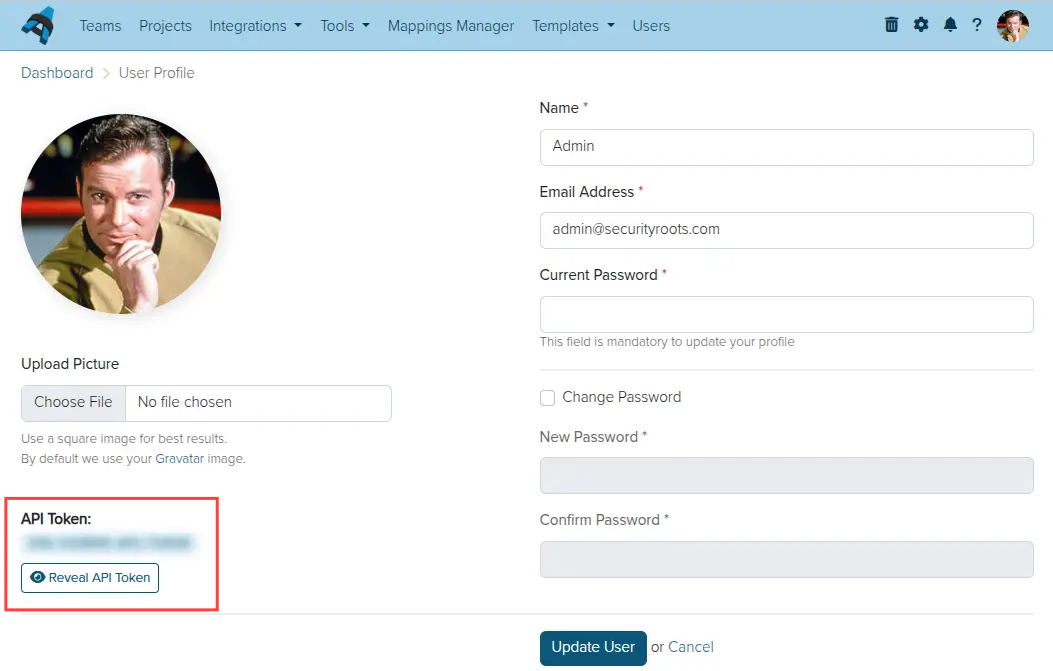
https://dradis-pro.dev/pro/api/projects/1Navigate to your Personal Access Tokens by clicking your avatar in the top right corner, selecting Edit Profile, and then clicking Manage Tokens. This takes you to the Personal Access Tokens page, where you can create and manage scoped PATs, and also access your legacy token.
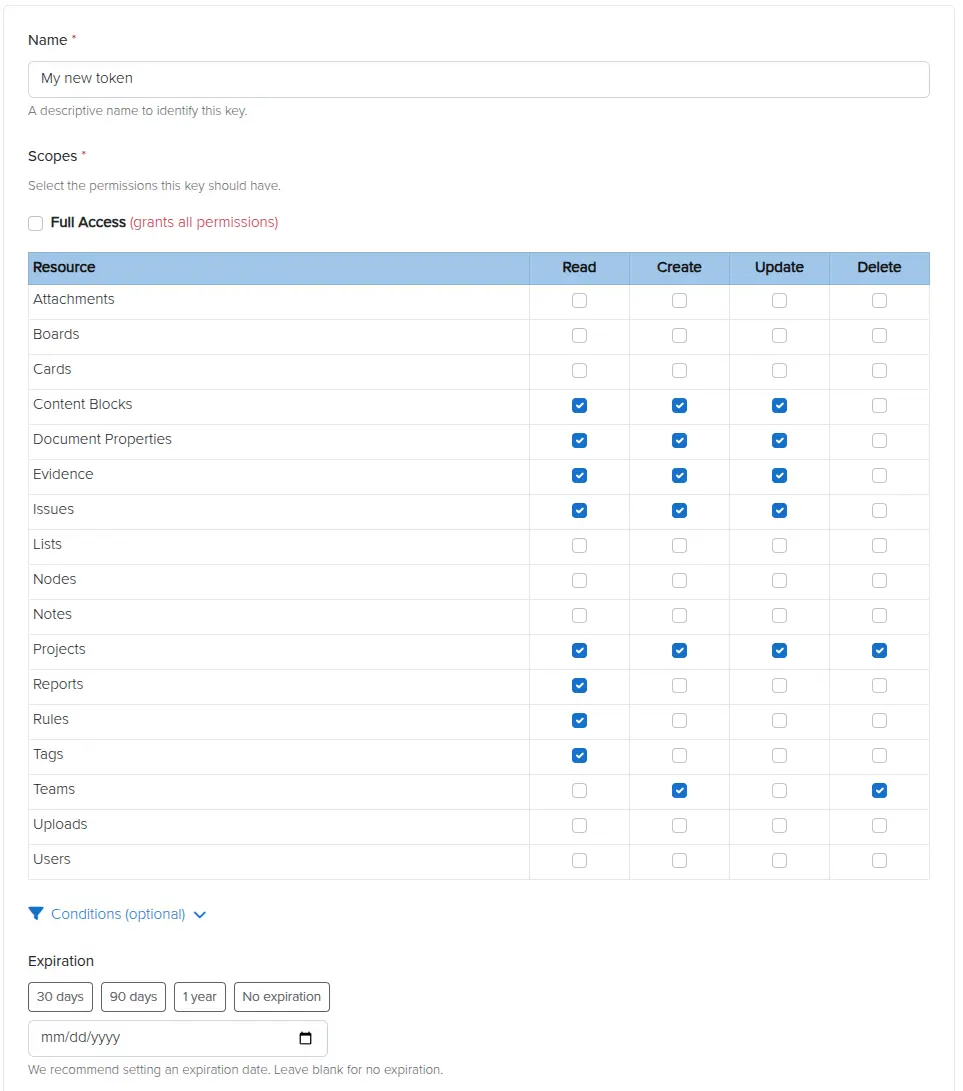
Scoped Personal Access Tokens
Scoped PATs give you fine-grained control over what each token can do. When creating a new token, you can:
- Name the token to identify its purpose (e.g. CI Read-Only).
- Set scopes by selecting individual resource/action combinations (Read, Create, Update, Delete) from the permissions grid. Check Full Access to grant all permissions at once.
- Add conditions (optional) to restrict the token to specific projects or teams.
- Set an expiration using the 30-day, 90-day, or 1-year presets, or enter a custom date. Expired tokens return
401 Unauthorized.
After creating a token, you will be shown the full value once — copy it before leaving the page. The token uses a dradis_ prefix and is passed via the Authorization: Bearer header:
Authorization: Bearer <your-personal-access-token>If a request uses a scope not granted to the token, the API returns 403 Forbidden with a message identifying the missing scope. Similarly, accessing a project outside the token's conditions also returns 403.
From the Personal Access Tokens index you can also rotate a token (immediately invalidating the old value and generating a new one) or revoke it entirely. Revoked tokens move to the Revoked tab and return 401 Unauthorized. Rotated tokens also appear there, with the rotation date appended to their name.
Legacy Personal Access Token
Your original token is still available at the bottom of the Personal Access Tokens page. Click Reveal Legacy Token to display it. The legacy token continues to work as before and has full access to all API endpoints.
Basic Authentication
Use the same credentials you log in with:
curl -u '[email protected]' https://dradis-pro.dev/pro/api/projects/1
Enter host password for user '[email protected]':
Error codes
These are the possible types of errors on API calls. The response will include a JSON object with the description and the proper HTTP status code:
| HTTP Status | Message | Description |
|---|---|---|
| 401 | Authentication required | No authentication credentials have been provided. Use one of the supported authentication methods (token or basic authentication). |
| 403 | Forbidden | The authenticated user does not have access to this operation. Use a different user or ask the administrator to set the needed permissions for the current user. |
| 404 | Not found | The resource couldn't be found. |
| 415 | JSON required | Content-Type header needs to be set to 'application/json' for this request |
| 422 | Validation error | Some fields have invalid values. Check the "errors" array in the response for further information. |
| 500 | Internal server error | The application found an unexpected condition that prevented it from fulfilling the request. |
Endpoints Cheatsheet
Check out the following pages for more details on each of the available endpoints:
| Endpoint | Description |
|---|---|
| Teams | Retrieve details about the Teams on your instance. |
| Projects | Retrieve content about all of the projects or work with a specific project. |
| Nodes | Retrieve and work with the Nodes in a specific project. |
| Issues | Retrieve and work with the Issues in a specific project. |
| Evidence | Retrieve and work with the Evidence associated with specific Nodes in your project. |
| Content Blocks | Retrieve and work with the Content Blocks in a specific project. |
| Notes | Retrieve and work with the Notes associated with specific Nodes in your project. |
| Attachments | Retrieve and work with the Attachments associated with specific Nodes in your project. |
| Document Properties | Retrieve and work with the Document Properties in a specific project. |
| IssueLibrary | Retrieve and work with the IssueLibrary entries on your instance. |
Next help article: Teams endpoint →