The Remediation Tracker in the Results Portal
Contributors can have tickets assigned to them in the Remediation Tracker. Contributors do not have access to the main Dradis instance, but can log in to the Results Portal to view and manage their assigned tickets.
To view tickets as a contributor, simply log on to the instance as a contributor. To do so, browse to https://< your dradis vm>/contributors/login on the Dradis instance. Enter your email. If your email is registered to an active contributor account, a one-time token will be sent in a link to that email address.
From the dashboard, the Remediation Tracker widget shows a summary of your assigned tickets.
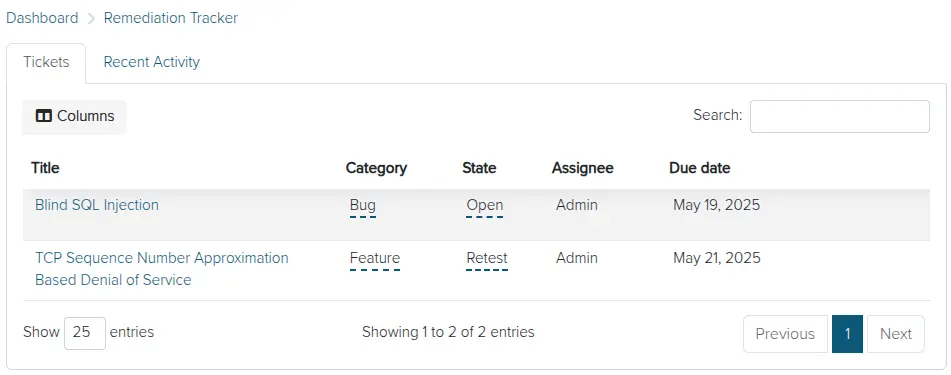
Click on the ticket count or navigate to Tools → Ticketing - Remediation Tracker to view your tickets in full detail:
Great job, you reached the end of the guide! Have you read all of them?