Intro to the Results Portal
The Results Portal is a portal for contributors to view everything relevant to them across a Dradis instance. Rather than navigating separate tools, contributors see all of their data in one place as soon as they log in.
The Dashboard
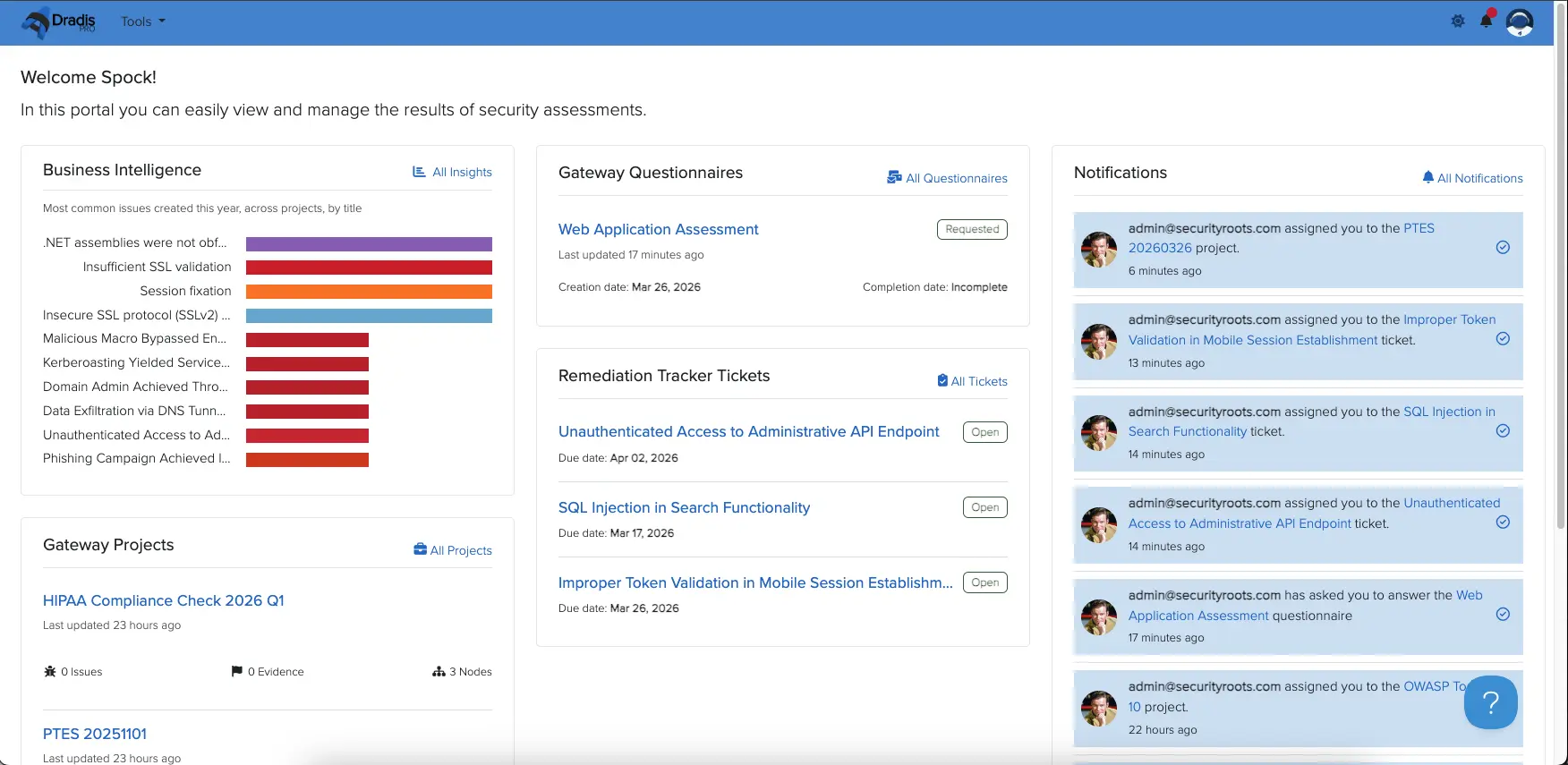
The Results Portal dashboard is the first thing a contributor sees after logging in. It displays the following widgets:
Business Intelligence: A summary of Business Intelligence Dashboard data the user has access to.
Gateway Projects: An at-a-glance summary of all projects the contributor has been given access to.
Questionnaires: Any active questionnaires that have been sent to the contributor.
Remediation Tracker: A summary of all Remediation Tracker tickets assigned to the contributor.
Notifications: Recent activity and updates relevant to the contributor.
If nothing has been shared with the contributor yet, each widget will display an empty state until content is assigned to them.
Logging in
To log in to the Results Portal, browse to https://< your dradis vm>/contributors/login on the Dradis instance and enter your email address. If your email is registered to an active contributor account, a one-time login link will be sent to that address. The link is only valid for 5 minutes — if it expires, simply enter your email again to receive a new one.
Next help article: Business Intelligence in the Results Portal →