Dradis Echo Prompts
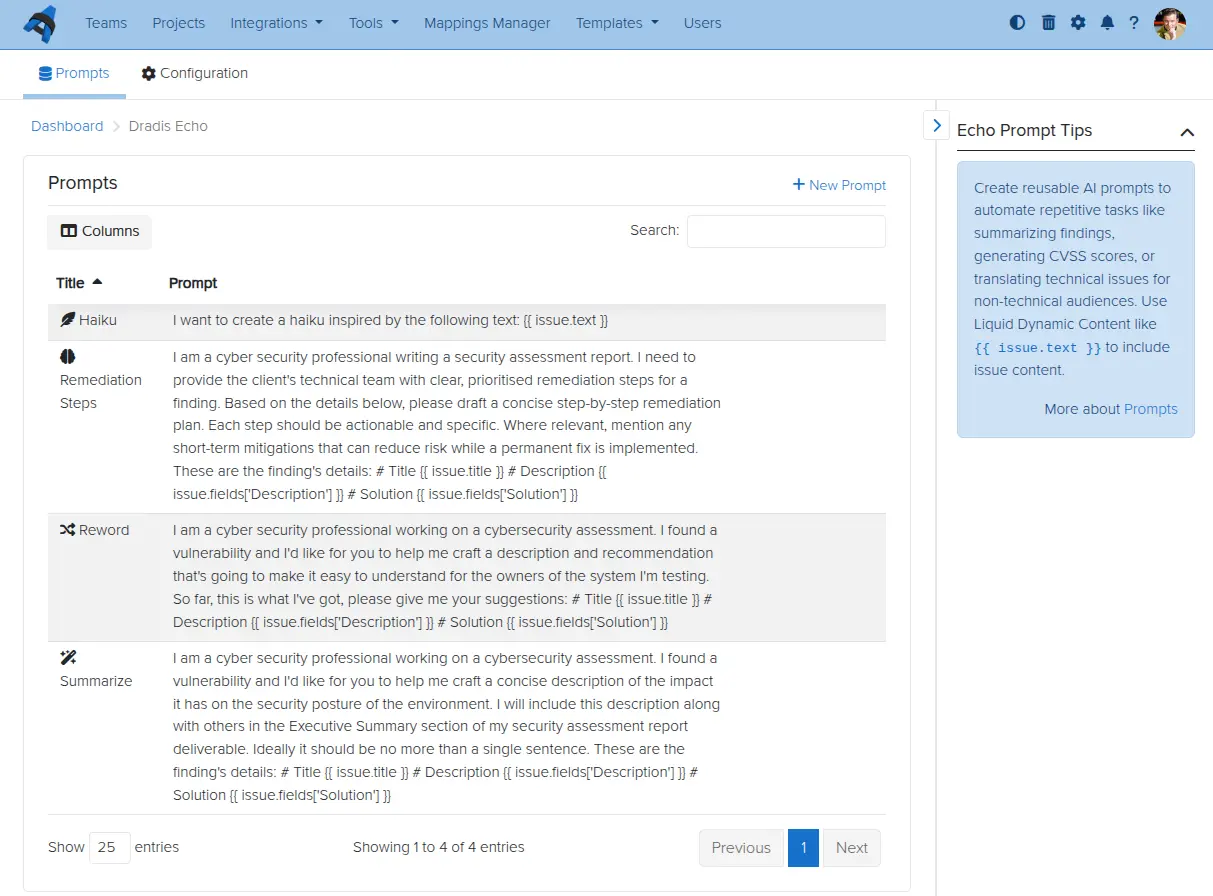
Dradis Echo lets you save prompts to easily use them again in new Projects or new items in a project. You can also use Liquid Dynamic Content to connect to content in your project in Echo. Currently, only the Issue drop is available for use in prompts.
For example, if you want to have a ready prompt to suggest remediation details for any given Issue, you could use a prompt like:
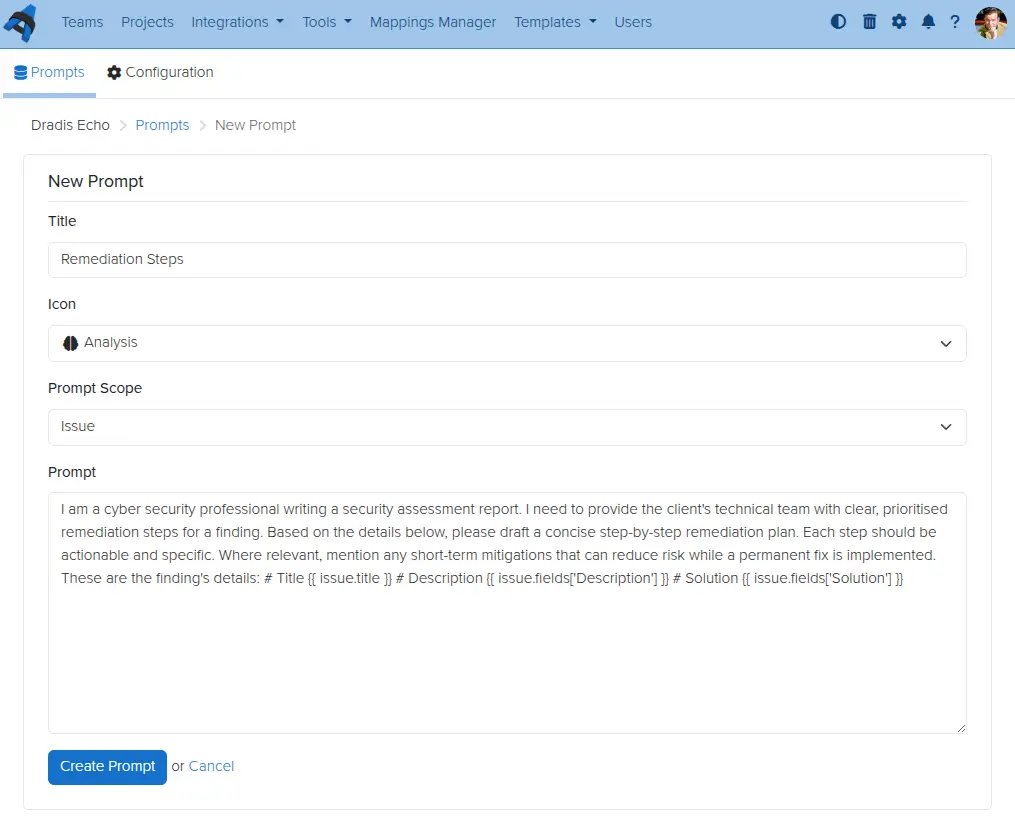
I am a cyber security professional writing a security assessment report. I need to provide the client's technical team with clear, prioritised remediation steps for a finding. Based on the details below, please draft a concise step-by-step remediation plan. Each step should be actionable and specific. Where relevant, mention any short-term mitigations that can reduce risk while a permanent fix is implemented. These are the finding's details: # Title {{ issue.title }} # Description {{ issue.fields['Description'] }} # Solution {{ issue.fields['Solution'] }}
That would then get remediation details of the Issue you are looking at with just a few clicks. To start creating and using prompts, just do the following:
- Visit the Echo tool page by clicking Tools > Echo in the navbar.
- Create a prompt - give it a title, pick an icon, and provide some content (e.g. the example above).
- Save the prompt. You can of course also Edit and Delete prompts as required.
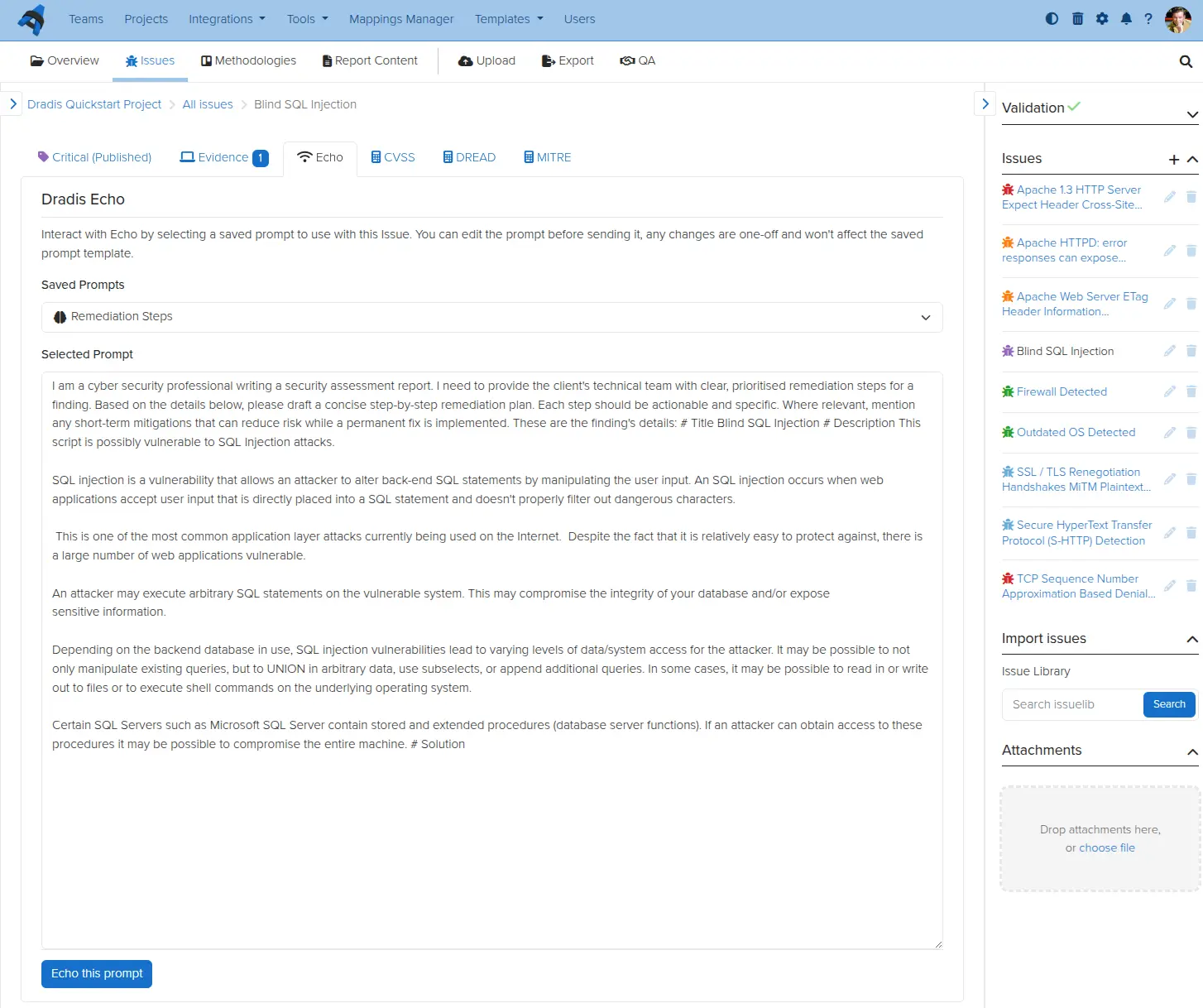
- To use the prompt, in Dradis, go to any Issue in any Project and click the Echo tab. Any and all prompts you have created should be available on that page.
- Click on any of those prompts and then Echo this prompt to use it. That's it, Echo handles the rest!
Great job, you reached the end of the guide! Have you read all of them?