Built for teams that need provable controls for SOC 2, ISO 27001, PCI, and internal audits.
Trusted by teams who need provable controls, consistent evidence, and secure delivery.
Audit readiness without the scramble
Common failure points when audits hit - and how Dradis helps you stay ready.
Where teams get stuck
Audit pain usually isn't "lack of work" - it's lack of proof, traceability, and consistency.
Evidence scattered across tickets, docs, and chat threads
No clear trail of approvals, edits, and final deliverables
Permissions are ad-hoc (too open, or too hard to manage)
Reports vary by team member - auditors see inconsistency as risk
Audit window triggers a panic rebuild of "what happened" timelines
What Dradis changes
Keep evidence and delivery in one system, enforce access controls, and prove the trail with audit logging.
Centralize evidence and findings in one place - with consistent structure
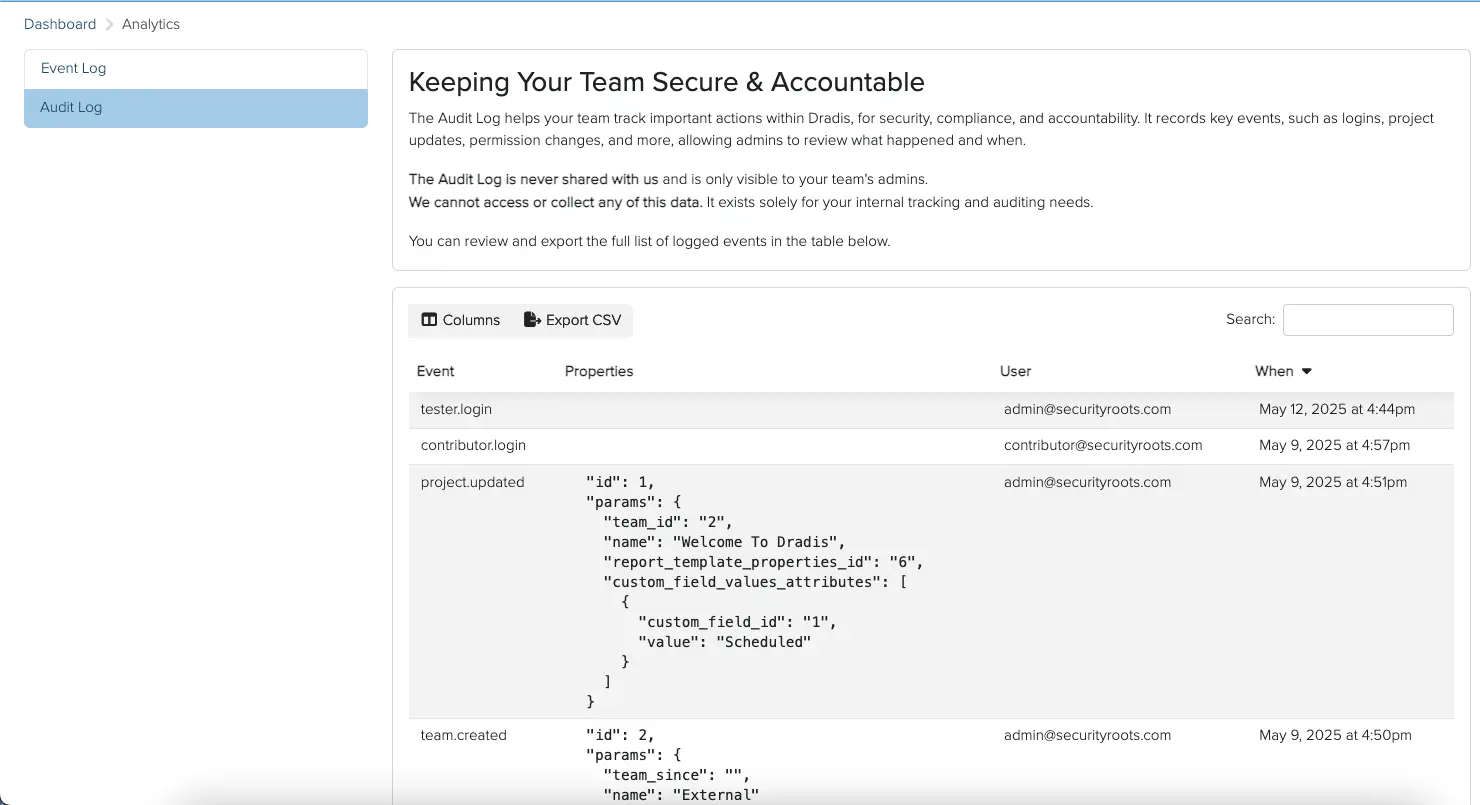
Prove activity with Audit Logging across users and projects
Enforce least privilege with centralized permissions
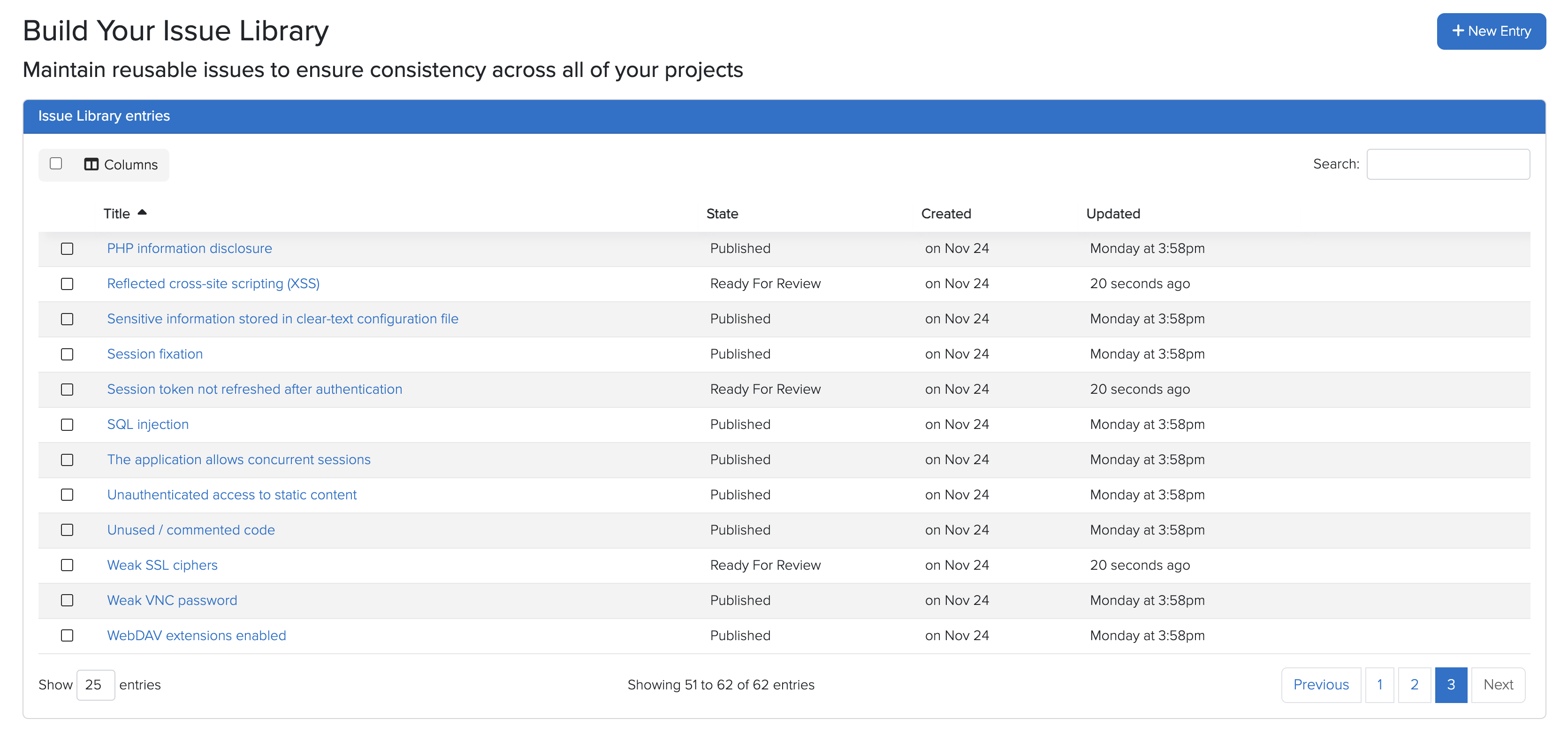
Generate consistent outputs using templates and standardized content (Issue Library)
Deploy on-prem to keep sensitive data within your boundary
End-to-end audit traceability
From intake to delivery: keep evidence centralized, permissions controlled, and outputs consistent - so audits become routine.
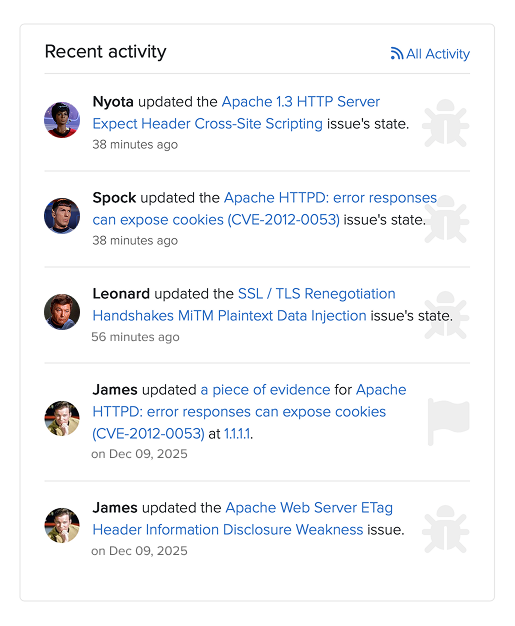
Prove the trail with audit logging
Auditors often ask the same questions: Who changed this?When was it approved?What was delivered?Audit Logging helps you answer with confidence.
Instead of rebuilding timelines from emails and tickets, you can demonstrate activity and change history
across projects and users from a single system.
Show an accountable trail for key actions and edits
Support internal change reviews and external audit requests
Reduce time spent assembling "proof" under pressure
Example audit request: "Show what changed and who approved it"
Auditor requests evidence for a specific deliverable and timeframe
Use Audit Logging to demonstrate activity and changes tied to the project
Export the final report (and supporting evidence) from the same dataset
Provide a consistent, traceable story without reconstructing from multiple tools
Controls auditors expect, built in
Show least privilege, strong authentication, and accountability without stitching together screenshots.
Deploy behind your firewall / inside your network boundary
Keep audit evidence within your perimeter
Reduce third-party exposure for sensitive data
Example workflow: Author → reviewer → delivery
Contributors draft findings and attach supporting evidence
Reviewer validates content and consistency (no copy/paste drift)
Only approved roles can export and deliver final outputs
Audit Logging provides accountability for key actions
Standardize evidence and reporting outputs
Auditors care about repeatability. Dradis helps you generate consistent, audit-ready outputs by keeping findings structured
and using standardized content (via the Issue Library) and your reporting templates.
That means fewer last-minute edits, fewer inconsistencies, and a clearer narrative for stakeholders and auditors.
Keep evidence tied to the finding (screenshots, notes, references)
Reuse approved descriptions and remediation guidance
Produce consistent reports across teams and time
Reduce "explain the differences" questions during audits
Example evidence pack: Consistent findings → consistent outputs
Findings are written once in a structured format
Approved Issue Library content reduces variance and improves clarity
Downstream stakeholders receive consistent results, every time
Keep audit data inside your boundary
Audit evidence often includes sensitive details. Dradis is designed for real-world security workflows where
you need control over data boundaries and deployment.
Run Dradis on your infrastructure, behind your firewall, and integrate with your internal systems without forcing
third-party data handling.
Deploy on-prem / inside your network boundary
Choose what leaves your environment (and what doesn't)
Support operational controls with optional MFA and audit logging
Keep evidence centralized instead of scattered across tools
Example audit posture: Strong controls + clear evidence
Access is controlled through centralized permissions
MFA can be enabled to strengthen authentication
Audit Logging provides accountability across key activities
Reports are generated consistently from a single source of truth
Audit Readiness Assessment
See how prepared you are to prove your findings - and where the gaps are.
Evidence Capture
Methodology Documentation
Report Integrity
Your Context
Your results
Team size
3-5 consultants
Regulated clients
Sometimes
Audit Readiness Score
48%
Significant Gaps
Gap Analysis
Evidence Capture3/9
Methodology Documentation2/6
Report Integrity3/6
Your biggest gap
Evidence Capture
Findings aren't consistently linked to the evidence that supports them.
Even without formal compliance requirements, clients increasingly expect traceability. The first time a finding gets challenged, you'll wish you had it.
📊
How do you compare?
See your detailed breakdown with specific recommendations — plus get the Evidence Chain guide.
Based on consultancy research and compliance requirements
See how you compare
Enter your email to see your detailed breakdown with specific recommendations — plus get the Evidence Chain guide.
📊
Your benchmark
Detailed Breakdown
Evidence CaptureNeeds Work
Methodology DocumentationNeeds Work
Report IntegrityNeeds Work
The Evidence Chain guide is on its way to your inbox.
Centralized permissions enforce who can change and deliver
Audit Logging supports accountability when auditors ask "who/what/when"
Stay ready as requirements change
Keep a consistent evidence narrative across quarters and teams
Make audits routine by keeping proof close to the work
Reduce audit friction without adding new "audit tools"
Ivan R
Head of RED
Specialist Cybersecurity Consultancy
"Dradis gives us a centralized solution that has enabled us to improve and simplify our existing workflow. Evidence and findings are stored in a centralized location, on our infrastructure, with full activity logs."
Deployment & security built for audit-sensitive workflows
Keep evidence, access controls, and delivery under your control - without pushing sensitive content to third parties.
Run on your infrastructure
Deploy behind your firewall / inside your network boundary
Keep evidence close to your systems and stakeholders
Avoid external dependencies for audit-critical workflows
Data boundaries you can defend
Keep sensitive findings and evidence within your perimeter
Control what is exported and delivered to stakeholders
Support stronger assurance with permissions + MFA
Control & auditability
Centralised permissions to control who can edit and publish
Common questions about audit traceability in Dradis
Dradis helps you demonstrate consistent delivery and traceability by keeping findings, evidence, and outputs centralized.
With Audit Logging, you can support common auditor questions about who changed what, when key actions happened, and how deliverables were produced.
Yes. Dradis supports centralized permissions so you can control who can view, edit, export, and deliver. Many teams use this to support reviewer/approver workflows and reduce risk during delivery.
No. Dradis can be deployed on your infrastructure, behind your firewall, so you can keep sensitive findings and audit evidence within your boundary.
Dradis keeps findings structured and supports standardized content via the Issue Library and your reporting templates.
That means repeatable language and format across teams and time — which helps reduce audit friction caused by inconsistent outputs.
Dradis's audit logging, permissions, and evidence management features support common requirements for SOC 2, ISO 27001, PCI, CREST, CHECK, and internal audit processes.
The specific controls you can demonstrate depend on how you configure and use the platform.
Seven Strategies To Differentiate Your Cybersecurity Consultancy
You don’t need to reinvent the wheel to stand out from other cybersecurity consultancies. Often, it's about doing the simple things better, and clearly communicating what sets you apart.
Tell your story better
Improve your testimonials and case studies
Build strategic partnerships
Loading form...
Your email is kept private. We don't do the spam thing.