My tool output won't upload!
Running into errors when you upload tool data to your project? The first step should be to run the upload through the console so that you can get more clues as to the underlying problem. This guide covers Docker deployments. Running Dradis Pro on a VM instead? See the VM version of this guide.
Missing content
If you're not getting an error message but instead missing content or having trouble getting tool output exporting into your reports, check to make sure your Mappings Manager is correctly configured for your Report template.
Upload stalling
After you upload a file, the on-screen log should update until "Worker process completed" appears. If the on-screen log isn't updating with any progress, the resque container may need a restart:
docker compose restart resqueTest the upload in the web app again. If that doesn't do the trick, try the command line upload instructions below.
Working with Thor
We're going to use Thor to help us run this upload from the command line. To see all of the commands available within Thor, run:
docker exec -it app bundle exec thor -TThe output:
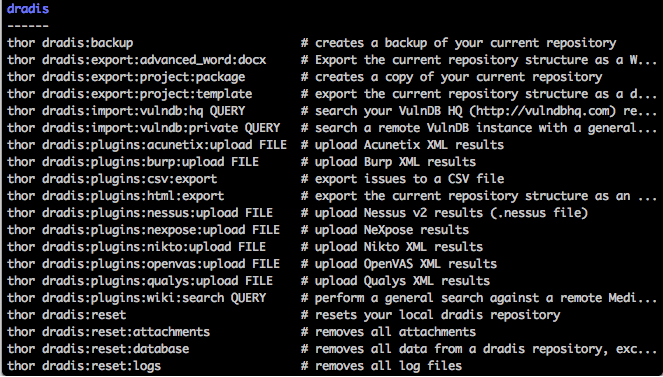
Find the command in the output above that corresponds with the type of file you're uploading. Working with a Nessus file? You're going to want thor dradis:plugins:nessus:upload. If you're working with a Burp file, use thor dradis:plugins:burp:upload instead.
Upload tool output from the console
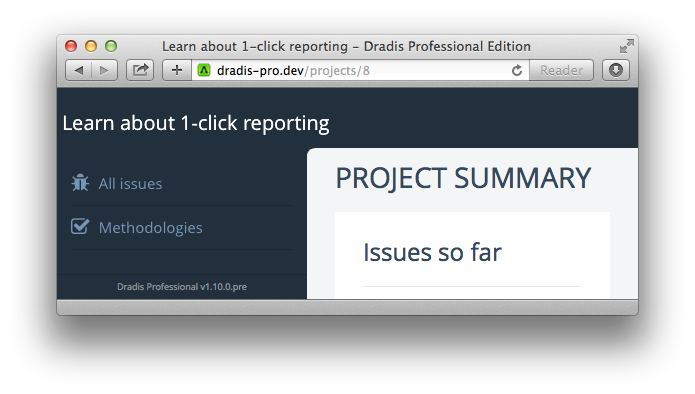
- Create an empty project, note down the project ID. You can find the project ID from the browser location bar once you open the project in the main Dradis interface (8 in this example):
- Copy the file into the
appcontainer:docker cp /path/to/FILENAME app:/tmp/FILENAME - Run the following command:
docker exec -it -e PROJECT_ID=XXXX app bundle exec thor dradis:plugins:PLUGIN_NAME:upload /tmp/FILENAMEMake sure to make the following subsitutions:
- substitute your project ID for
XXXXabove - substitute in the correct
PLUGIN_NAMEabove so that you match the Thor command we just looked up - substitute in the correct file name and extension for
FILENAMEabove
- substitute your project ID for
- If the upload stalls, restart the resque container:
docker compose restart resque
Example: Upload a Qualys file from the console
- Create an empty project, note down the project ID.
- Copy the Qualys file into the
appcontainer:docker cp /path/to/qualys.xml app:/tmp/qualys.xml - Run the following command:
docker exec -it -e PROJECT_ID=XXXX app bundle exec thor dradis:plugins:qualys:upload /tmp/qualys.xmlMake sure to substitute your project ID for
XXXXabove.
Troubleshooting specific error messages
Trying to rescue from a :length error
If your upload fails with a :length error, you will see a message like the following:
I, [2016-12-30T04:31:50.316542 #16278] INFO -- : => Creating new issue (plugin_id: 10107)
E, [2016-12-30T04:31:50.329825 #16278] ERROR -- : Trying to rescue from a :length errorThis error is caused by an entry in your tool upload that is bigger than what our database column allows for. To resolve this error:
- Locate the data immediately before the
:lengtherror and inspect it. In the example above, we would open the XML file and inspect it for an Issue withplugin_id: 10107 - While keeping an eye on the content to make sure you don't lose anything important, delete some of the data that isn't needed. The database column allows for 65k of data which should be plenty.
Next help article: My report isn't exporting! →