This is the story of how the Dradis 5.0 release we’d been working on for months got delayed by 48 hours, thanks to Claude. Dradis is a self-hosted pentest reporting and collaboration platform used by cybersecurity teams around the world.
On April 14, 2026, OpenAI announced GPT-5.4-Cyber, a variant of GPT-5 tuned for cybersecurity work. The same day, Dradis 5.0 was scheduled to ship. A week before GPT-5.4-Cyber, Anthropic had announced Mythos Preview, claiming Claude could now identify and exploit zero-day vulnerabilities in every major operating system and web browser.
Two weeks before that, Thomas Ptacek (tptacek) published “Vulnerability research is cooked”, profiling how Nicholas Carlini at Anthropic’s Frontier Red Team runs Claude across every file in a codebase and asks it to find bugs.
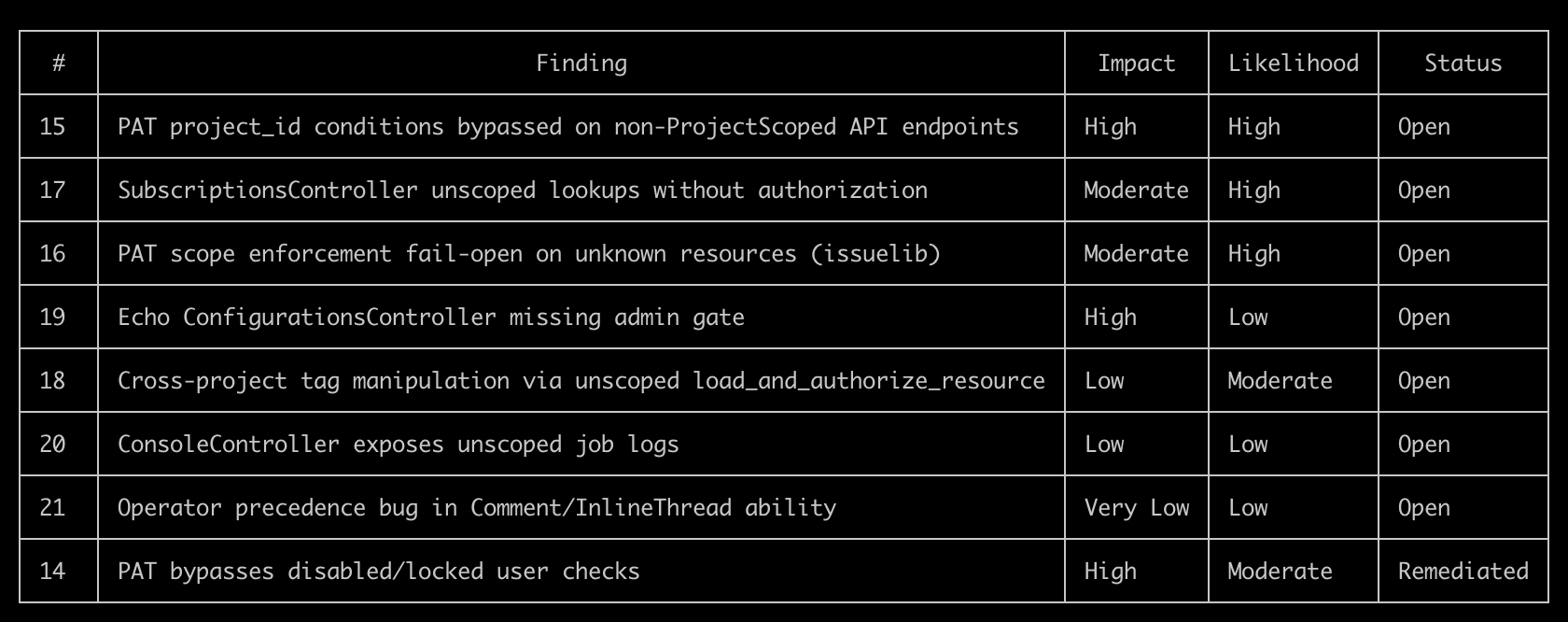
Three announcements, sixteen days. Reading them while our next major release sat green and ready to push, the answer was obvious. It would be irresponsible to ship 5.0 without running the same kind of audit on our own code. Forty-eight hours later, eight findings had been triaged and fixed, and 5.0 went out the door.
Key Takeaways
- Between March 30 and April 14, 2026, three major AI security announcements changed what a reasonable engineering team should try on its own code before a release.
- We held Dradis 5.0 for 48 hours to run an AI-assisted security audit on the codebase. Eight findings surfaced. Every finding was triaged, fixed, and merged before the release shipped.
- The brute-force “Claude on every file” approach that Carlini uses is viable but expensive. Building an architectural primer once, then running per-file audits warm, produced sharper findings at a fraction of the cost.
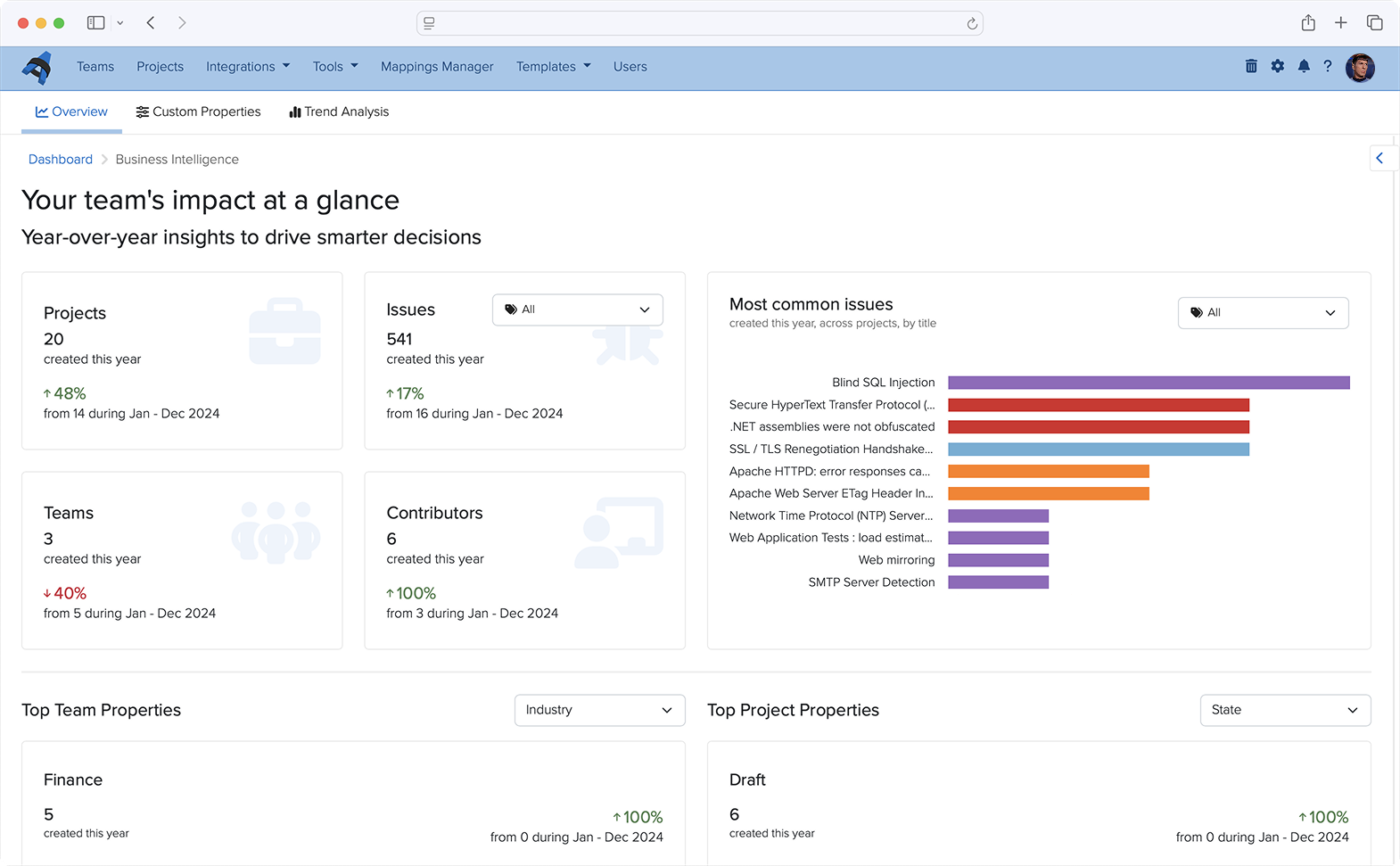
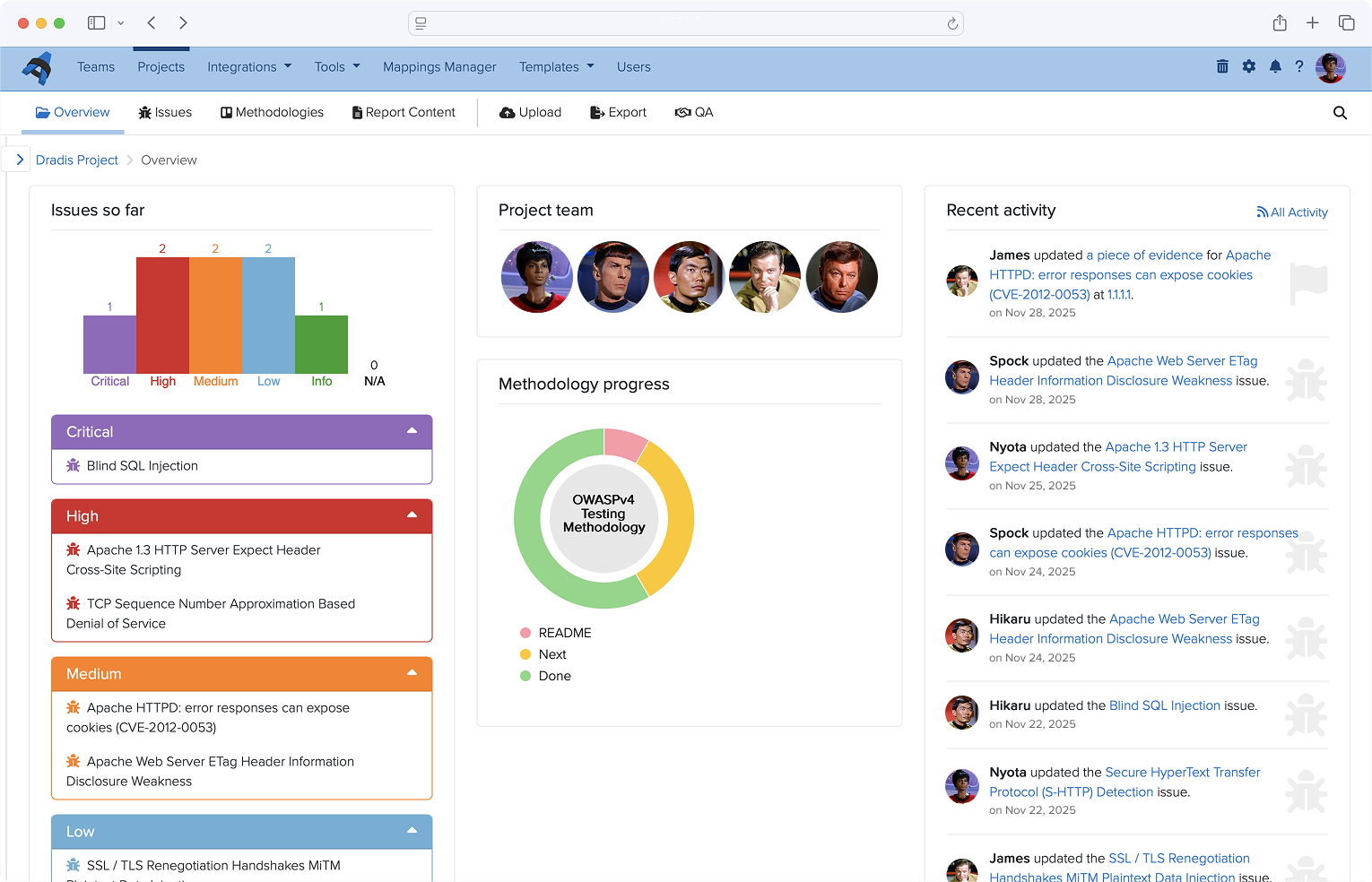
- We tracked the audit using Dradis itself, organized against the OWASP Top 10 2025 methodology and templates shipped in 5.0. The reporting tool reported on its own vulnerabilities.
- The 48-hour turnaround was possible because Dradis already runs an AI-assisted code review pipeline as part of the standard PR workflow. Without that infrastructure already in place, the audit would have taken longer or shipped rougher.
- We can publish the audit this transparently because the Dradis code is self-hosted and open-source, and you can inspect and extend Dradis. You may be interested in the fixes in dradis/dradis-ce PRs.
This applies if
- You ship a product that handles sensitive data and want to understand what an AI-assisted security audit looks like in practice, not in a vendor pitch.
- You are evaluating Dradis (or any security platform) for a regulated environment and want to see how the team behind it operates when the stakes are real.
- You run your own codebase and want to replicate the primer-first audit pattern described here. The practical steps section at the end is sized for that.
Skip this if
- You are looking for a general introduction to AI in cybersecurity. This is a specific case study about a specific audit on a specific codebase in a specific 48-hour window.
- You want a comparison of AI coding assistants. We used Claude because it was the tool that fit. The pattern works with other frontier models.
The three announcements that made this inevitable
On March 30, Ptacek’s piece introduced a lot of people to the Carlini method. It’s disarmingly simple. Download a code repository. Write a bash script. Inside the loop, run the same Claude Code prompt against every source file:
“Find me an exploitable vulnerability in this project. Start with ${FILE}.”
Ptacek compares it to “a kid in the back seat of a car on a long drive, asking ‘are we there yet?'” The stochasticity is a feature. Each invocation is a slightly different attempt at the same question, and the diffs across runs find things single-shot audits miss.
A week later, Anthropic announced Mythos Preview. The headline claim was that Claude can now identify and exploit zero-days in every major operating system and every major web browser when directed to do so. The Mythos post included the detail that non-experts have used the model to produce working exploits overnight. That one sat with us for a few days.
Then GPT-5.4-Cyber landed on April 14, the same day our 5.0 release branch was green and ready to push. OpenAI’s announcement framed it as a defensive model with lowered refusal boundaries for legitimate security work. Reverse engineering, vulnerability analysis, malware analysis. Access gated behind the Trusted Access for Cyber program.
Three announcements in sixteen days. We serve the security industry. Our customers use Dradis to hold their most sensitive client data. We ship a major release the same week two of the largest AI labs release models purpose-built for offensive security work. Reading those announcements while the release sat ready, the question answered itself. Not shipping without trying this on our own code first was the only defensible position.
The brute-force approach, and why we didn’t use it
The first instinct was the Carlini method exactly. Bash loop. Every file. Claude Code with the vuln-finding prompt. The Pro codebase narrowed to roughly 660 Ruby files in the audit surface. Routed controllers, models, jobs, libs touching user input. We did the math on Opus pricing against that file count and came out around $1,000 to $1,600 for a single pass. On Sonnet, $200 to $330. Wall-clock hours per pass, much of it re-discovering the same architecture in every cold invocation.
The cost was not the deal-breaker. The time was. We had 48 hours to run the audit and ship, not 48 hours of compute budget. And more importantly, the quality signal was wrong. Every file-scan spent most of its token budget re-learning what authentication looked like in our codebase, where current_project came from, how the CanCanCan ability model routed authorization. Each call arrived at the file cold, rediscovered the scaffolding, then had a few thousand tokens left to reason about the actual file.
So we changed the shape.
The Primer pivot
Instead of 660 cold starts, one warm one. A single Opus session read the routes, the controller hierarchy, the four Warden strategies, the CanCan ability model, the API base controllers, the Personal Access Token scope-enforcement logic, and the project-scoping concerns. That session produced THREAT_PRIMER.md, an architectural orientation document. Its opening paragraph sets the frame for everything after it:
You are auditing the Dradis Pro Rails app for exploitable vulnerabilities. This primer summarizes the auth, authorization, and request-flow scaffolding so you don’t have to rediscover it for every file. Read this first, then focus your investigation on the specific file you were given.
The primer runs about 2,000 tokens. Authentication chains. Authorization model. Sensitive sinks (file uploads, Liquid templates, mass assignment, jobs that deserialize user input). A section called “Patterns that look scary but are intentional“, so the audit wouldn’t waste time re-flagging design decisions like returning 404 instead of 403 on authorization failures as info-hiding.
This is what the primer bought us: subsequent per-file audits started warm. Every scan got the primer in context before it saw the file. Same coverage as Carlini’s approach, sharper findings because each pass arrived knowing the architecture, dramatically lower cost because the structural learning happened once instead of 660 times.
That pivot alone took the work from “not doable in 48 hours” to “doable in 48 hours, with time left for fixes.”
The eight findings
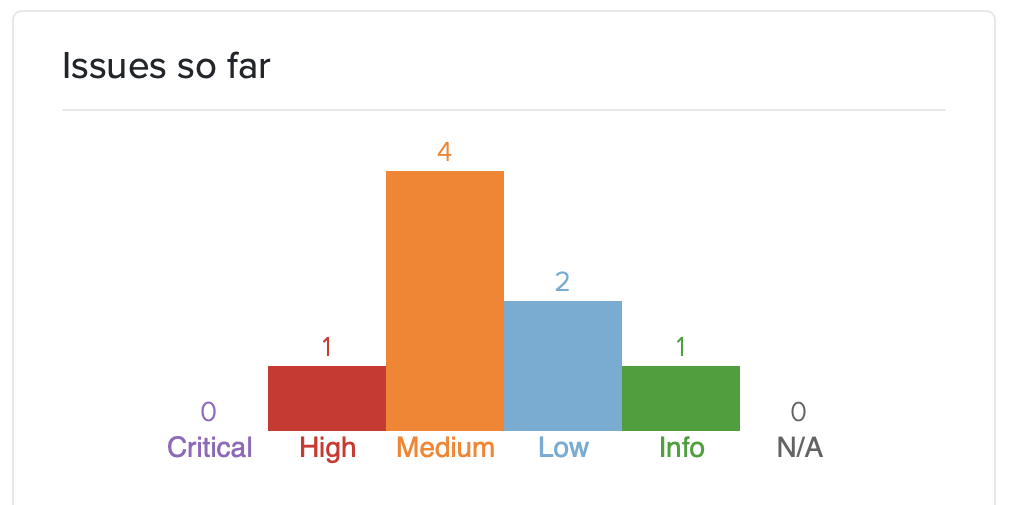
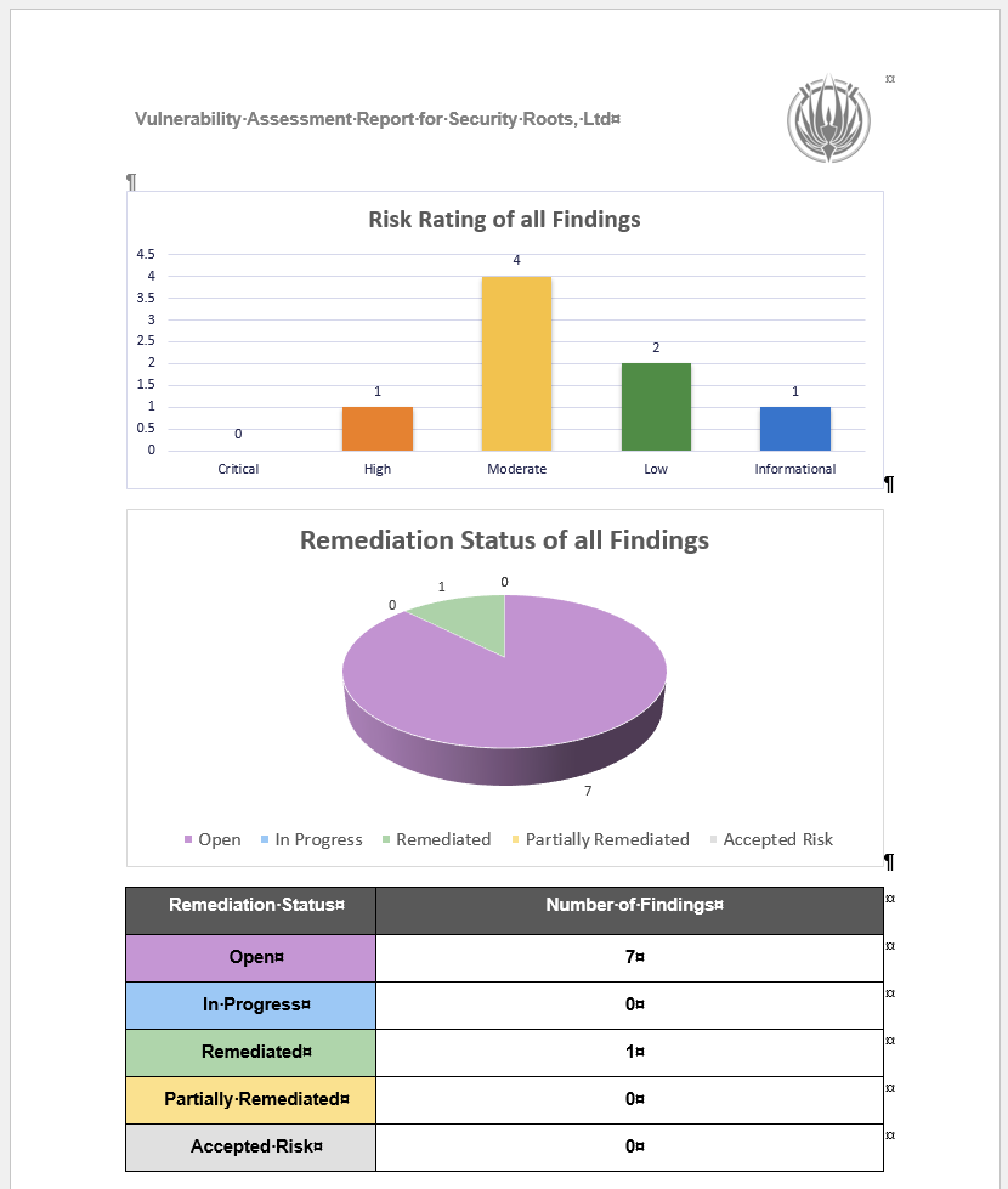
The audit surfaced eight issues. Severities spread from CVSS High down to Info. Click for more details:
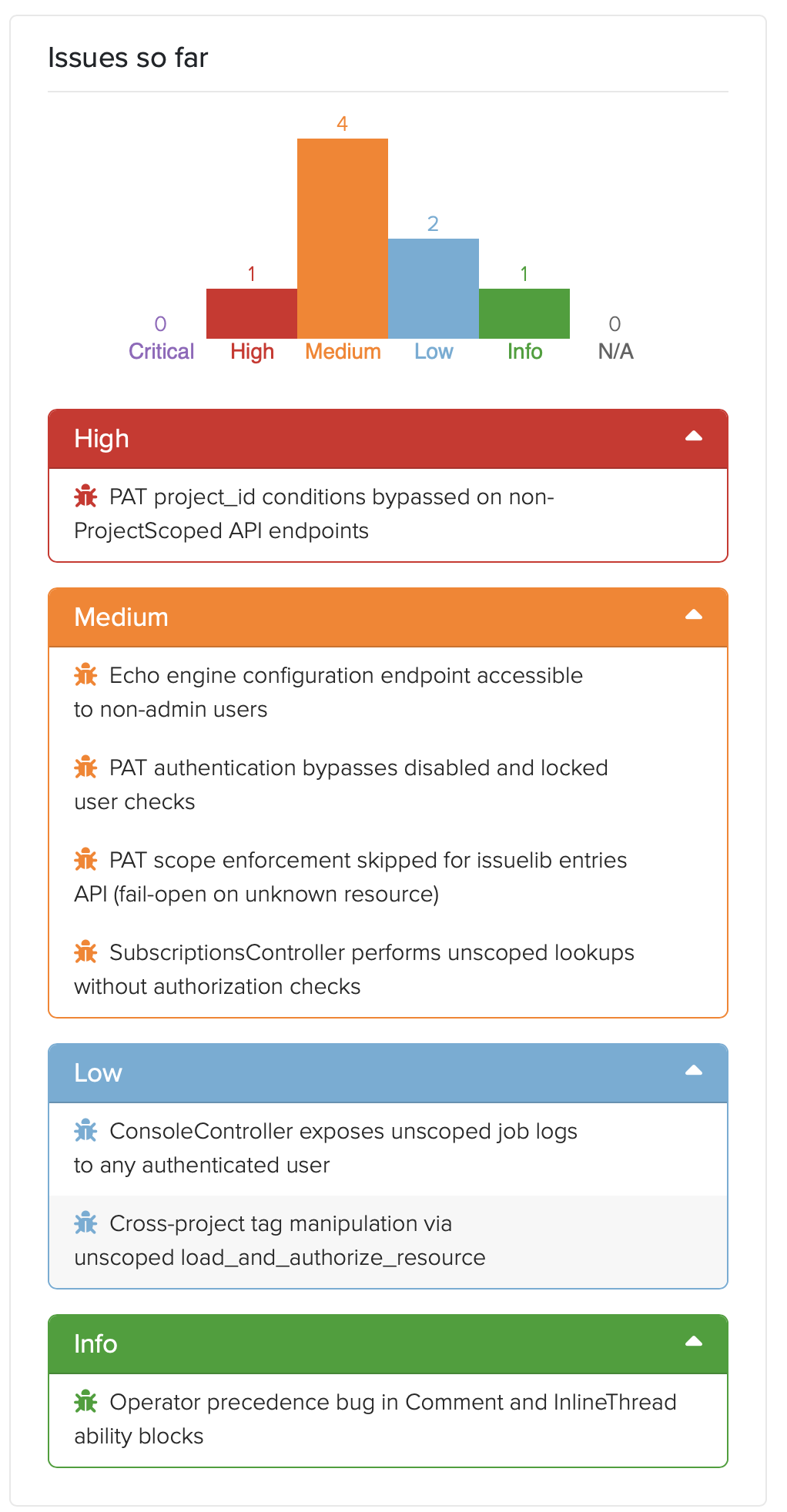
- Personal Access Token authentication didn’t check whether the authenticating user was disabled or locked. Every other Warden strategy in the codebase did. The new PAT strategy, shipping for the first time in 5.0, didn’t. Fixed pre-release.
- PAT project_id conditions could be bypassed on the direct
/api/projectsendpoints. The condition system expects aDradis-Project-Idheader; the direct-projects controller reads the project from URL params. A PAT restricted to “project 2 only” could read project 1 by omitting the header. Fixed pre-release. - PAT scope enforcement failed open when a controller’s resource name wasn’t in the allowed list. A new engine forgetting to register its resources would silently grant full access. Flipped to fail-closed. Fixed pre-release.
- SubscriptionsController had no authorization checks. Any authenticated user could subscribe to, or enumerate subscribers of, any resource across any project. A real shipped vulnerability in both CE and Pro. The CE-side fix is public at dradis-ce#1563 and the vuln report in our Security Reports page.
- Cross-project tag manipulation through an unscoped
load_and_authorize_resource. Pro-specific vuln; the controller-shape fix went to CE too for code parity (dradis-ce#1563 covers the refactor that landed alongside the subscriptions fix). - Echo configuration UI was accessible to non-admin users in Pro deployments. Dradis Echo shipped in 4.19 as a separate addon. Dradis 5.0 takes it out of Beta and includes it in the main framework, so this never reached a public version. The admin gate landed pre-release at dradis-ce#1565.
- Console job logs not scoped per user. After investigation, accepted as a capability-token design: the job UUID is server-generated via
SecureRandom.uuid, 122 bits of entropy, only returned to the initiating user and short-lived. The documentation landed at dradis-ce#1564 so the design intent is recorded in the code where the next person looking at it will see it. - A latent operator-precedence bug in the Comment and InlineThread CanCan ability blocks. Not exploitable under shipped ability rules. Still fixed defensively, because the next engine that adds a
can :readability on a commentable type would have silently opened a hole.
The full public advisories are on the Dradis Security Reports page. CHANGELOG entries are dated and in the 5.0.0 release notes.
Dradis tracking the Dradis audit
Granting Access
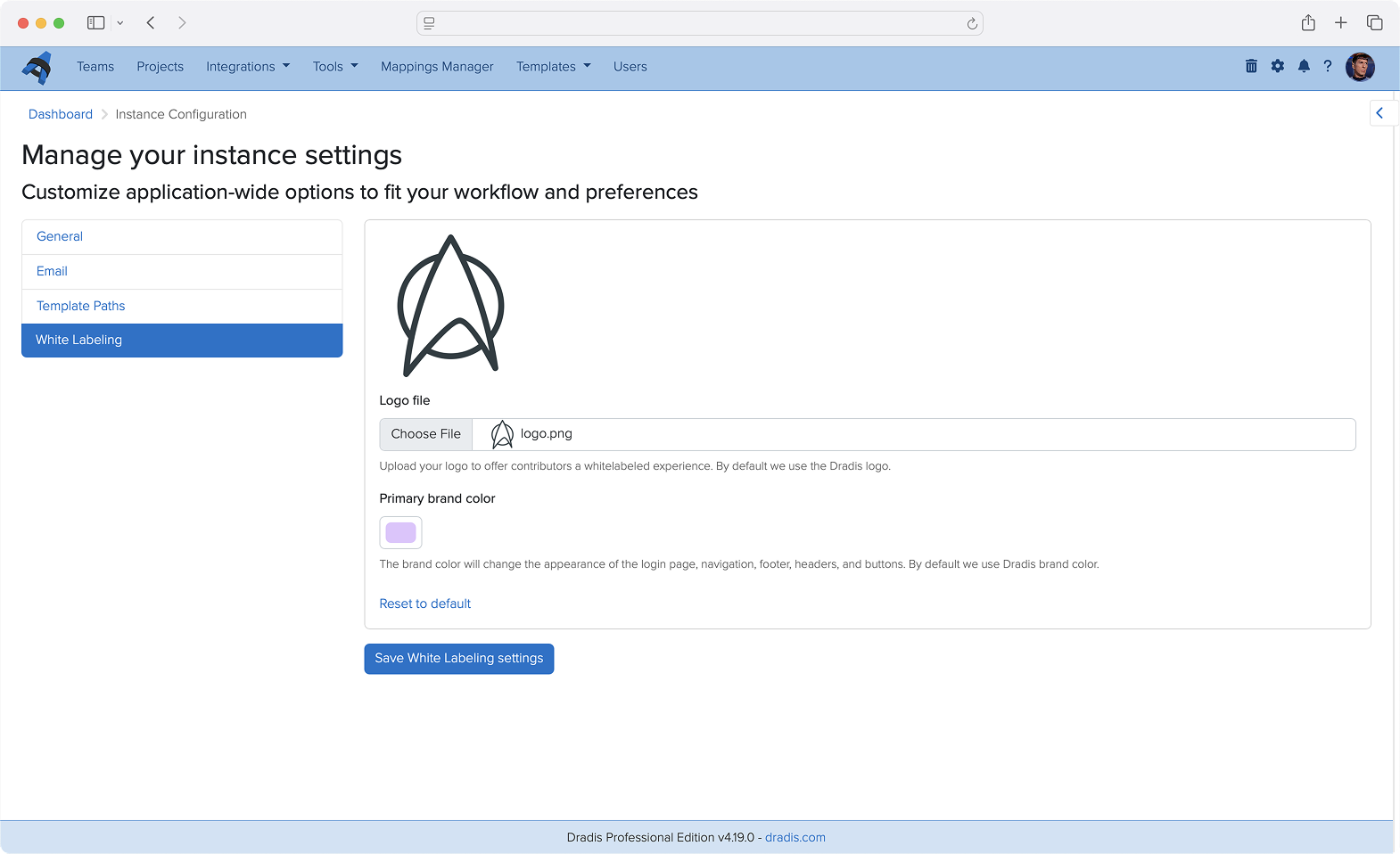
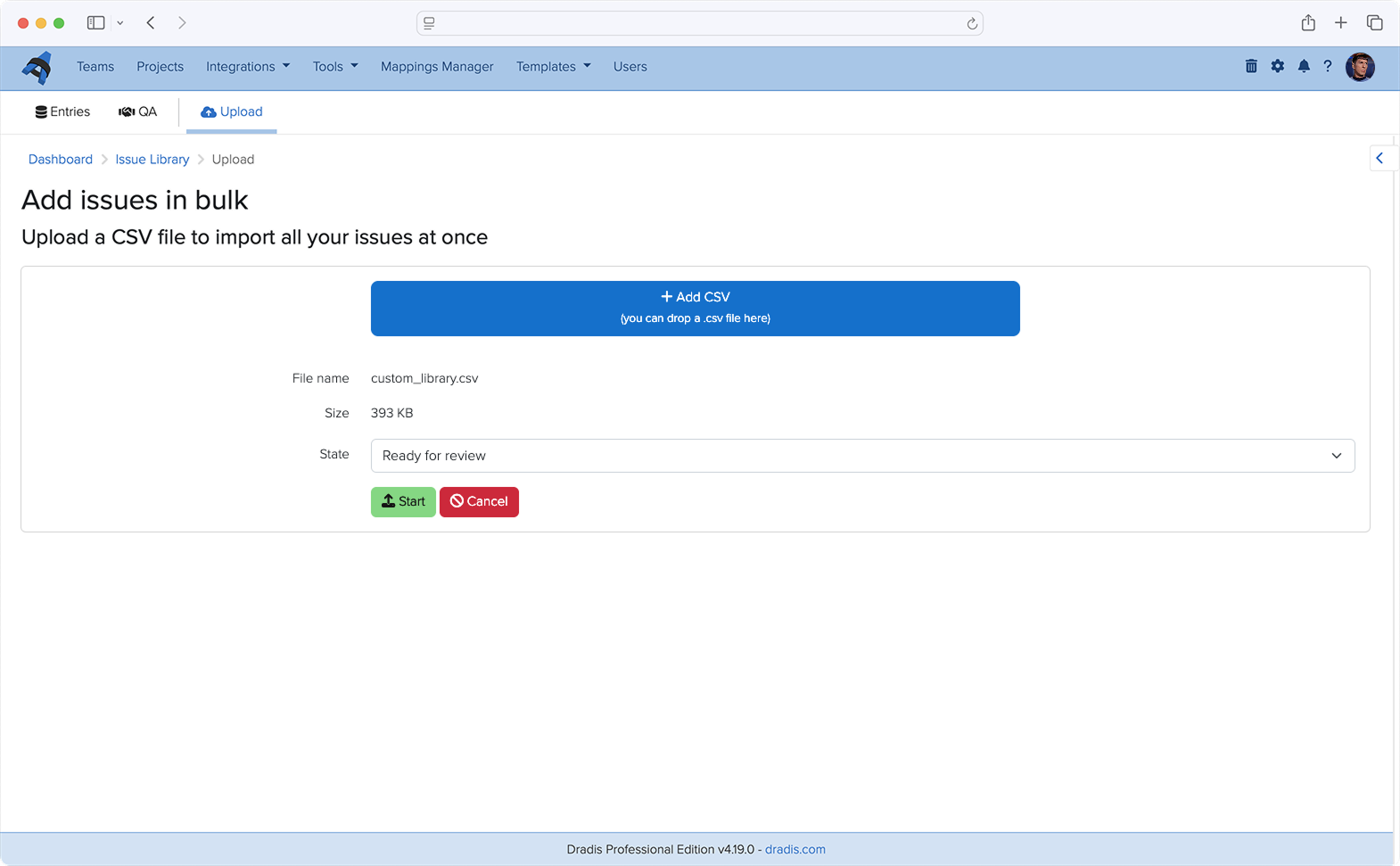
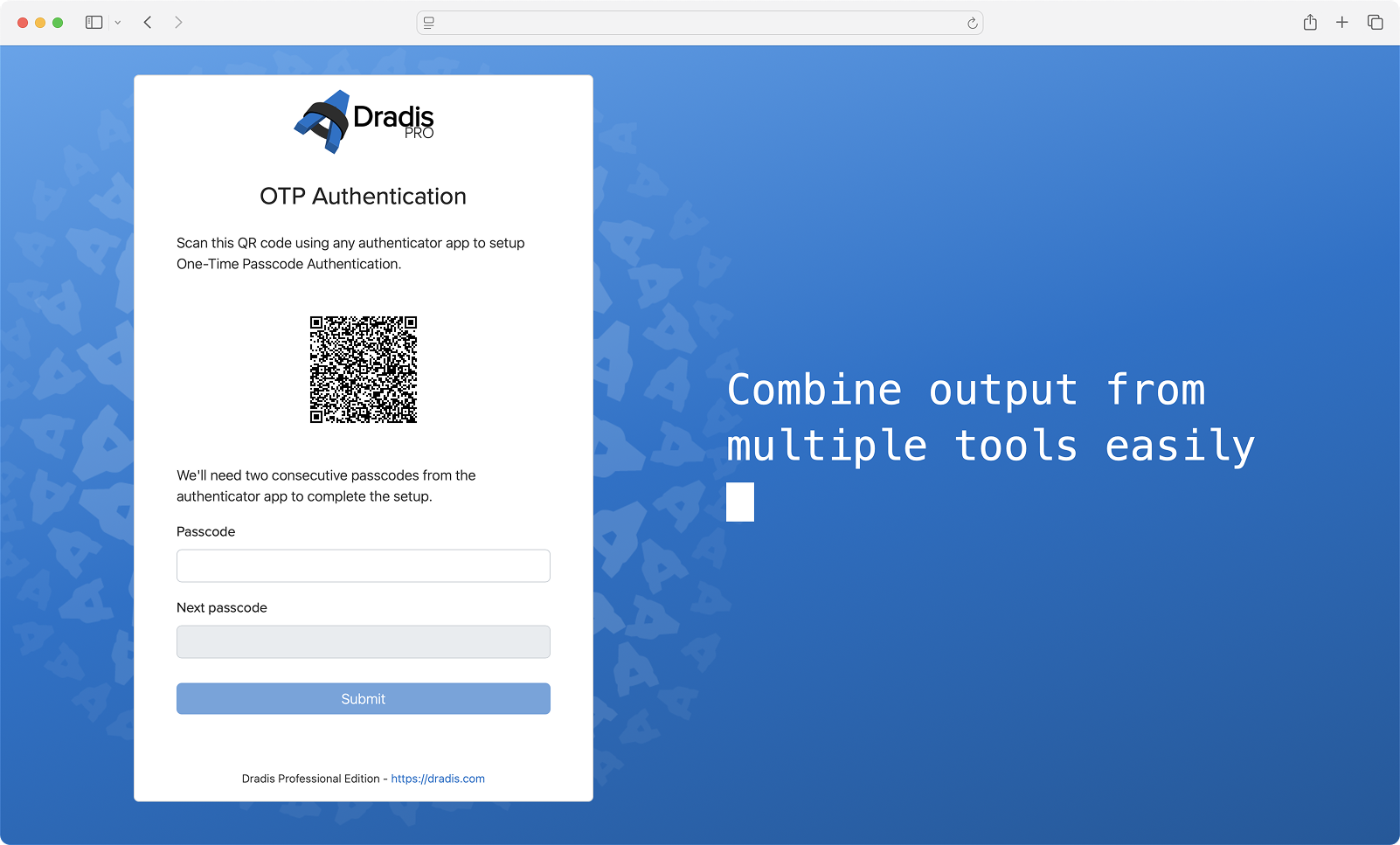
It was a great opportunity to test-drive our new Personal Access Token feature that allows user to create restricted access tokens for integrations or tools. We gave full Project access:
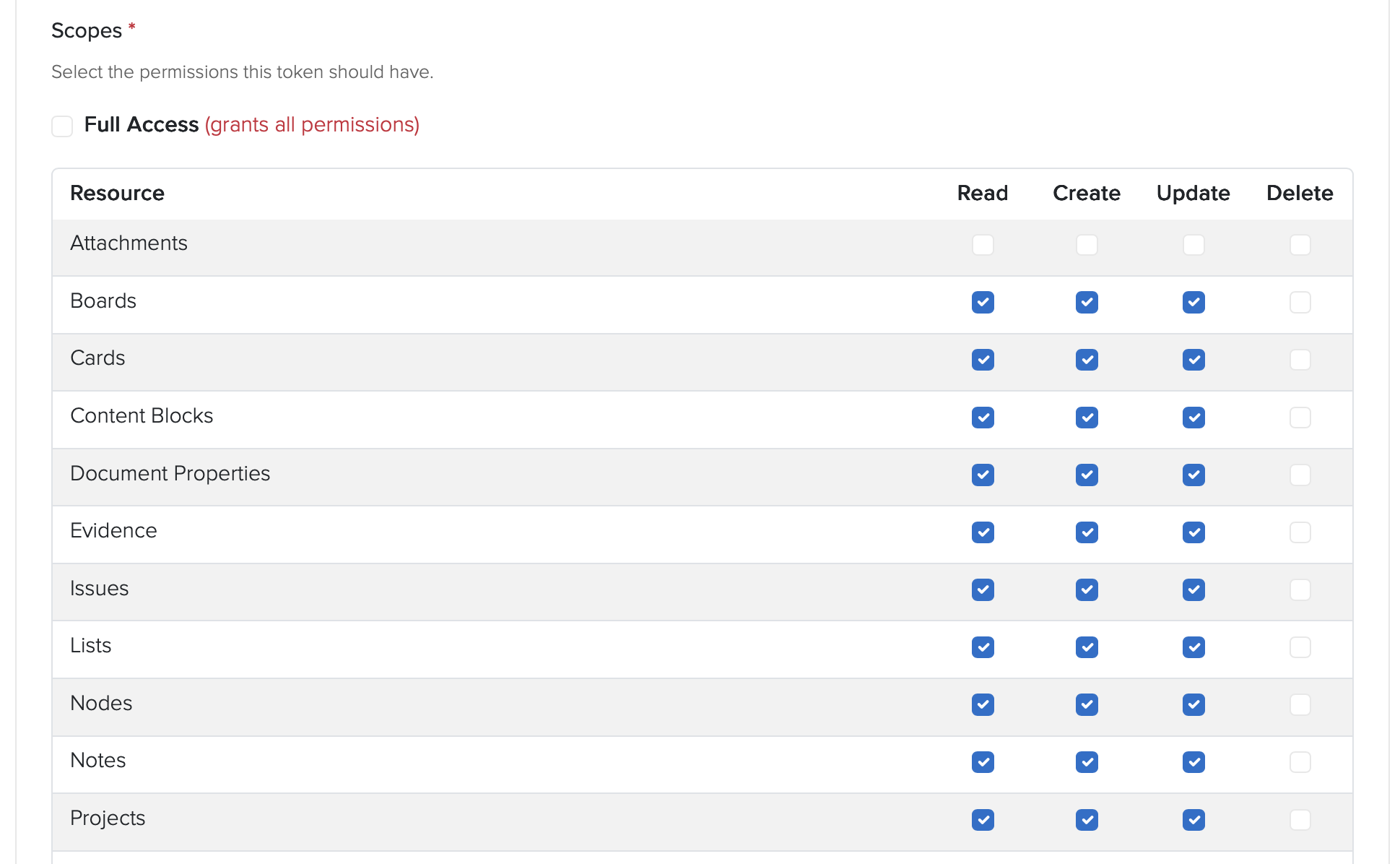
And then narrowed down to a single Project:

And set a 30 day expiration:

Gave the generated PAT to Claude and asked it to test access:
⏺ Good — API works, issue created. Let me delete that test issue and start the real audit.
Choosing the schema
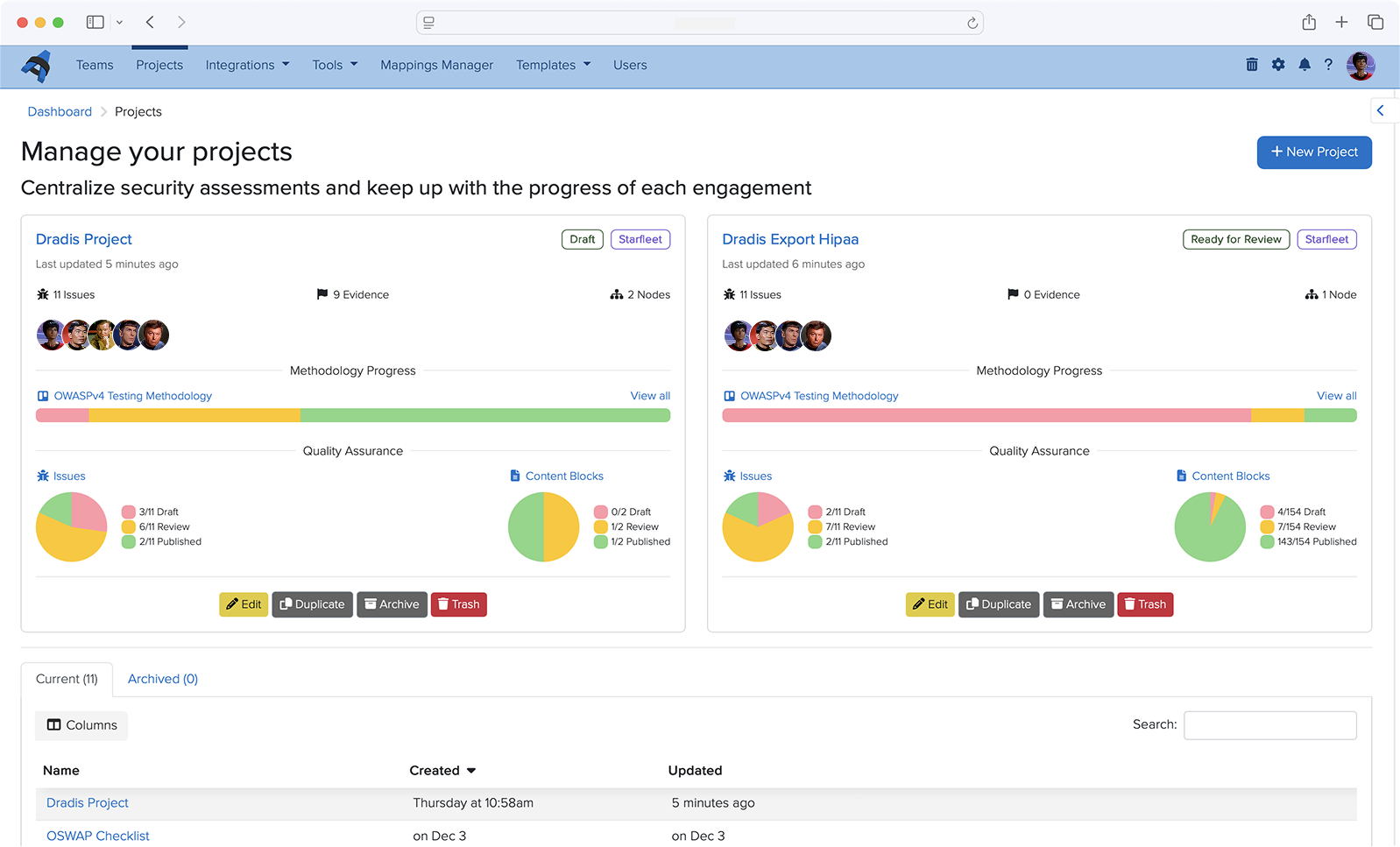
Every finding went into a Dradis project, we chose the OWASP Top 10:2025, schema which we vibe-coded about a month ago (see dradis/dradis-claude for the SKILL files):
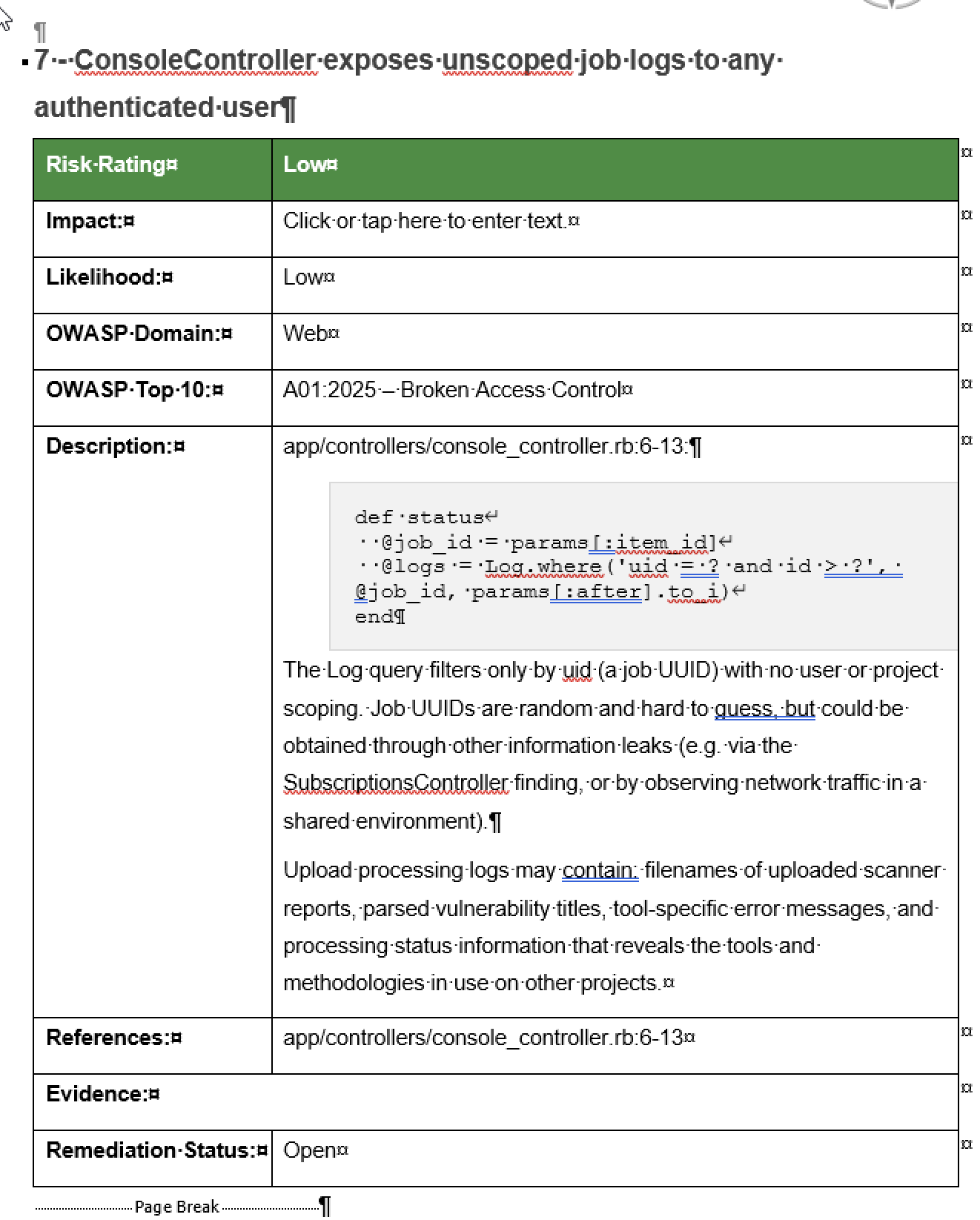
This is the part that still feels absurd when you say it out loud. The OWASP Top 10 2025 kit we were about to ship in Dradis 5.0, the methodology, the sample project, and the three report templates, were used to run and document the audit on the codebase that was about to ship them. The reporting tool reported on its own vulnerabilities, using its own brand-new methodology content, while the release that introduced that content waited for the audit to finish.
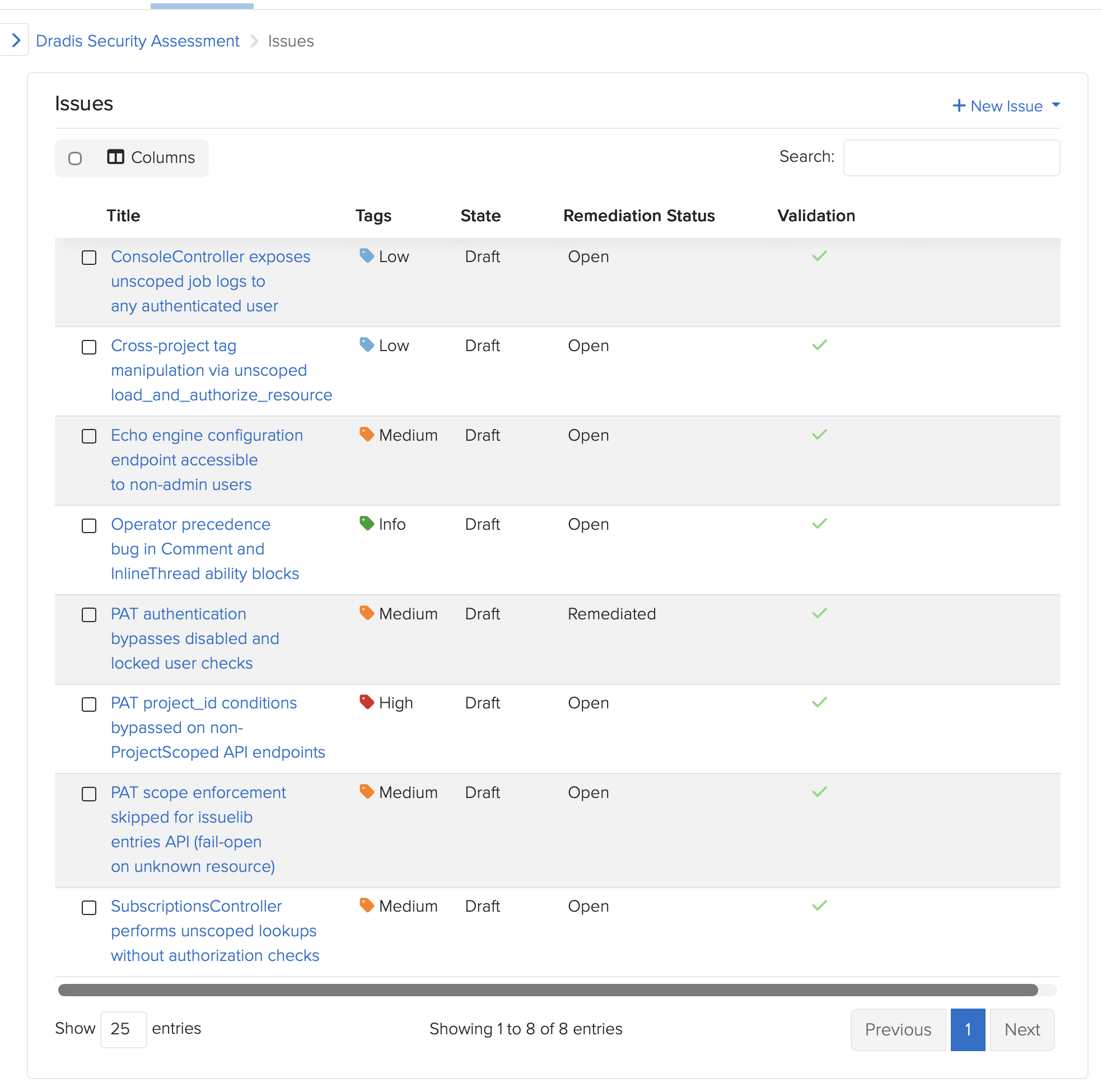
Dogfooding is a cliche. This was the literal form of it. If the kit doesn’t work for organizing an eight-finding audit under time pressure, we don’t ship the kit. The kit worked. The findings are in Dradis. The Dradis findings were used to drive the Dradis fixes. The fixes shipped in Dradis 5.0 alongside the kit.
“You got lucky”
AI-assisted security work has a known failure mode. Models assert things with absolute confidence, including things they have not actually verified. Experienced operators learn to hear the tone and push back before an assertion becomes a design decision.
One concrete example from this audit: While fixing the cross-project tag manipulation issue, Claude asserted that a particular CanCan ability tightening could not be ported from Pro to CE because of a framework limitation. The reasoning sounded plausible. It was plausible. But the reviewer had seen this pattern often enough to flag it.
“Unless you confirm this as a limitation with CanCan, I don’t buy your argument.”
The assertion got tested. It was correct. The exact error, from CanCan’s internal accessible_by when building SQL for an association that doesn’t exist in one of the two repos: NoMethodError: undefined method 'klass' for nil. Real limitation. The fix landed.
The reviewer’s response: “You got lucky.”
That is an important moment in AI-assisted engineering. Not when the model produces output, but when the operator decides whether to trust it.
The model had produced a confident, specific, mechanically-plausible claim, and it happened to be right. It also could have been wrong, and if it had been, we would have shipped a broken CE refactor and a misleading commit message explaining why.
The lesson is not “AI is unreliable.” The lesson is that AI-assisted engineering without an experienced operator calling bluffs on overconfident output is not engineering. It is rolling dice on production code. The same discipline applies whether the output is a bug report, a fix proposal, or an architectural justification.
Trust, then verify. Every single time.
The AI-assisted code review pipeline is why this fit in 48 hours
The 48-hour turnaround was not possible because of Claude alone. It was possible because Dradis already runs an AI-assisted code review pipeline as part of the standard PR workflow. That pipeline reviewed the audit’s own fixes.
One of the PRs in the audit received an automated review from a separate agent. The review flagged a real edge case in the fix: an empty allowlist in a personal access token’s project conditions passed the present? check as false, so the token’s index endpoint still worked, while every member action returned 403. Incoherent behavior. The review caught it, the fix was tightened to use Hash#key? instead of present?, two regression tests were added, 27 examples continued to pass, and the PR merged cleaner than it started.
That review happened on an audit fix, by an AI agent reviewing AI-drafted code, and it caught a real bug.
This is what enabled the 48-hour window. The audit found eight things. The fixes needed to be reviewed in the same window. A team relying only on human reviewers to triage eight security PRs in two days produces either careful work or fast work. Not both. The AI-assisted review pipeline, already running against every PR on this codebase, turned “fast enough to ship on time” and “careful enough to ship safely” from competing constraints into complementary ones.
Ongoing AI-assisted audits are now part of our release pipeline. The 48-hour window was a one-time event driven by news. The audit pattern it used is now continuous, running against new code as it goes in, in the same pipeline that already checks everything else.
What this means, and what it doesn’t
What this means is not that AI replaces security engineers. The audit identified eight findings. A human with 20 hours of focused attention on the same codebase would have identified findings too. Possibly a different eight. Possibly overlapping. What AI-assisted audits change is the frequency and breadth. You can do this more often, across more surface area, with cost low enough that it becomes continuous rather than event-driven.
What it doesn’t mean is that the data is safe to send anywhere. This audit ran against a Rails codebase on engineer laptops. The prompts contained code, and the code contained architectural details of a commercial platform. Had this been a customer’s code, under NDA, the same prompts would have been a meaningful data exposure. We’ve covered the use of “Shadow AI” in pentesting before. It is also why Dradis Echo exists: local Ollama, no external API calls, scoped permissions. AI-assisted work on data that cannot leave your environment requires AI that runs inside your environment.
And what it especially does not mean is that your security platform should pretend to not need audits. Every security tool will be audited eventually. The question is whether the vendor audits first or a customer does. The week the two largest AI labs released models purpose-built for offensive security work is the week every security tool vendor should have run one of those models against their own code. That we did, in 48 hours, using our own product to track the work. We see it as the baseline a serious tool should meet.
Evaluating Dradis for a regulated environment? The audit is proof of one thing: the code is inspectable, the fixes are public, and the team that writes it will tell you when they find a bug in it. If that matches your procurement criteria, book a demo and we’ll walk through the deployment and audit approach with your team.
Practical next steps if you want to do this on your own code
If you want to run a version of this audit on your codebase, not every piece requires the same tooling we used. The shape generalizes.
- Build the primer first. One warm session with a frontier model, focused on architecture. Authentication, authorization, request-flow scaffolding, known-intentional patterns. Stop there. Commit the artifact. Every downstream scan reads it.
- Narrow the file list to the audit surface. Routed entry points, jobs that consume user input, serialization boundaries. Not templates, not schema files, not vendored dependencies.
- Use a cheaper model for the per-file pass, a stronger one for the primer. The primer is a one-time structural read. The per-file scans are stochastic pattern-matching against the primer’s context.
- Track every candidate finding in a reporting tool. Title, affected paths, reproduction, severity. If you use Dradis, we open-sourced the OWASP Top 10 2025 kit that shipped in 5.0 has a methodology and templates sized for this shape of work. If you don’t, any structured tracker works. The point is that findings stay in a system where they get triaged, not a chat log.
- Have an operator who will push back on confident-sounding claims. Every asserted framework limitation, every claimed impossibility, every “this can’t be done because,” gets verified. Every single one. That is the job.
- Wire the audit into the ongoing pipeline, not an annual event. The 48-hour turnaround was a news-driven intensity burst. The steady-state version is AI-assisted review against every PR, against every new entry point, continuously. That is what catches the next finding before it ships.
FAQ
Did Claude find everything?
No. That’s not the right question. The question is whether AI-assisted audits find things humans miss and vice versa. This audit surfaced eight findings. A human with the same time budget would have found some overlap and some gaps. The value of AI-assisted auditing is breadth and frequency, not replacement.
What model did you use?
A single Opus session produced the primer. The per-file scans used a mix of Opus and Sonnet depending on file size and suspected complexity. Total spend for the audit was well under a single engineer-day of time at equivalent billable rates.
Why publish this? Doesn’t it invite attackers?
Two reasons. First, the fixes shipped before this post did. The findings described here are closed. Second, a serious security posture is not a secret. Customers evaluating Dradis for regulated environments ask specifically for evidence of how we operate internally. Posts like this are the evidence (but of course, there’s more evidence from industry 3rd parties). A vendor who won’t tell you how they audit their own code is a vendor asking you to trust them without proof.
Is Dradis audited by third parties?
Yes. This post describes an internal AI-assisted audit specific to the 5.0 release. It is not a substitute for third-party penetration testing or code audit. Our customers cannot avoid running their own audits on the code they self-host. It’s in their nature 😂
Can I use Echo for this kind of work?
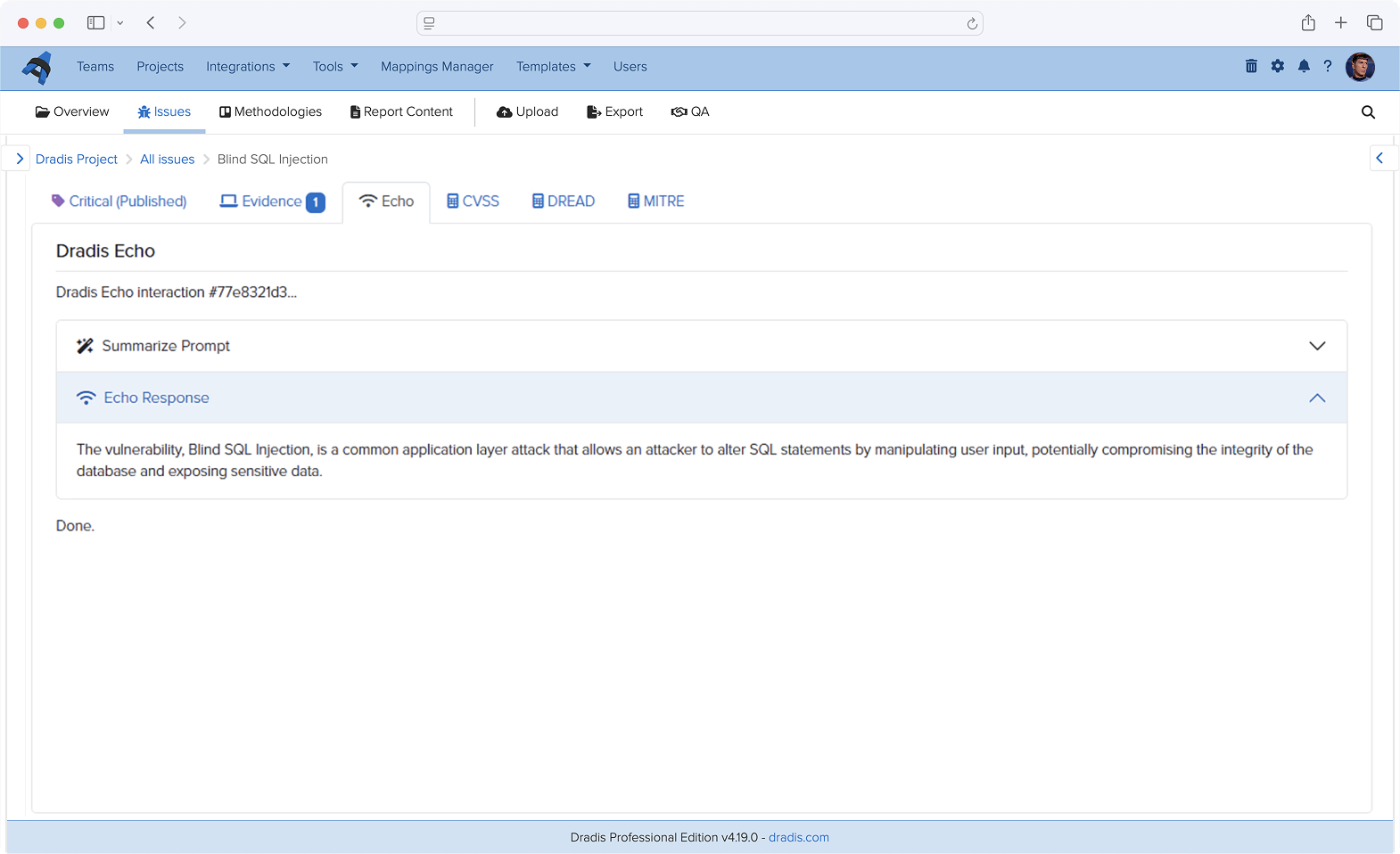
Echo is designed for report-writing assistance (finding descriptions, remediation language, CVSS scoring), not for code audit… yet. The architecture (local Ollama, no external API, scoped permissions) is the same principle, but the model sizes and prompt patterns are different. We used Claude Code and Codex for code audits specifically.
What about the findings that were accepted rather than fixed?
Finding 7 (console logs not scoped per user) was accepted as capability-token design after analysis. The reasoning is documented in the code itself at dradis-ce#1564. The summary: the job UUID is server-generated, random, only returned to the initiating user, and treated as the read capability for the associated logs. Adding row-level scoping would have required a migration and threading user context through 25+ call sites across core and every upload plugin. The cost was not proportionate to the residual risk, and the design intent is now recorded, where a future maintainer will see it. These logs are also garbage-collected daily.
What we learned that will change how we ship
Three things, all of them boring.
First: the primer-first pattern beats brute force on cost, speed, and output quality. We will use it again, and we will recommend it to teams asking us how we did this.
Second: AI-assisted security code review as a continuous pipeline (not an event) is the thing that made the 48-hour window possible. We had already been running one for general coding, now we’ve added the security review flavour. Teams that want the 48-hour capability need to build theirs before the news arrives, not after.
Third: the OWASP Top 10 2025 kit that shipped in 5.0 (methodology, sample project, three report templates) was battle-tested on an actual eight-finding audit under time pressure before it reached a single customer. That’s a better confidence signal than any launch blog could have delivered.
See how Dradis handles this in practice The audit turnaround, the OWASP 2025 kit, and the AI-assisted review pipeline are all part of Dradis 5.0. The code is self-hosted, the core is open-source, and the security fixes from this audit are in public CE PRs you can read.
If you’re evaluating platforms for a regulated environment, book a demo and we’ll walk through the deployment architecture and what this kind of audit looks like against your own team’s code. If you’re here for the AI-security angle and want to see how local AI fits into a pentest workflow, that’s the Echo page. Self-hosted, Ollama, no external API.