This is an exciting release. We’ve kept working on the basics: making the reporting engine even more poweful (image and paragrapha alignment, border styling, image sizing), GitHub style in-line comments, dark mode,…
At the same time evolving the platform for what comes next: faster and easier deployments and upgrades, fine grained API access to unlock agentic workflows, built in context-layer so you can Bring Your Own LLM.
Have a look, let us know what you think and what you build on top of the platform.
Enjoy!
Docker deployment
Dradis is now available for Docker. No more dealing with hypervisors or downloading hefty VMs and upgrade files. All Dradis add-ons for your subscription level will also be pre-installed, so setup, configuration, data migration, and upgrades should be a breeze. Getting started with Docker couldn’t be simpler:
curl -fsSL https://get.dradis.com | /bin/bashDark mode
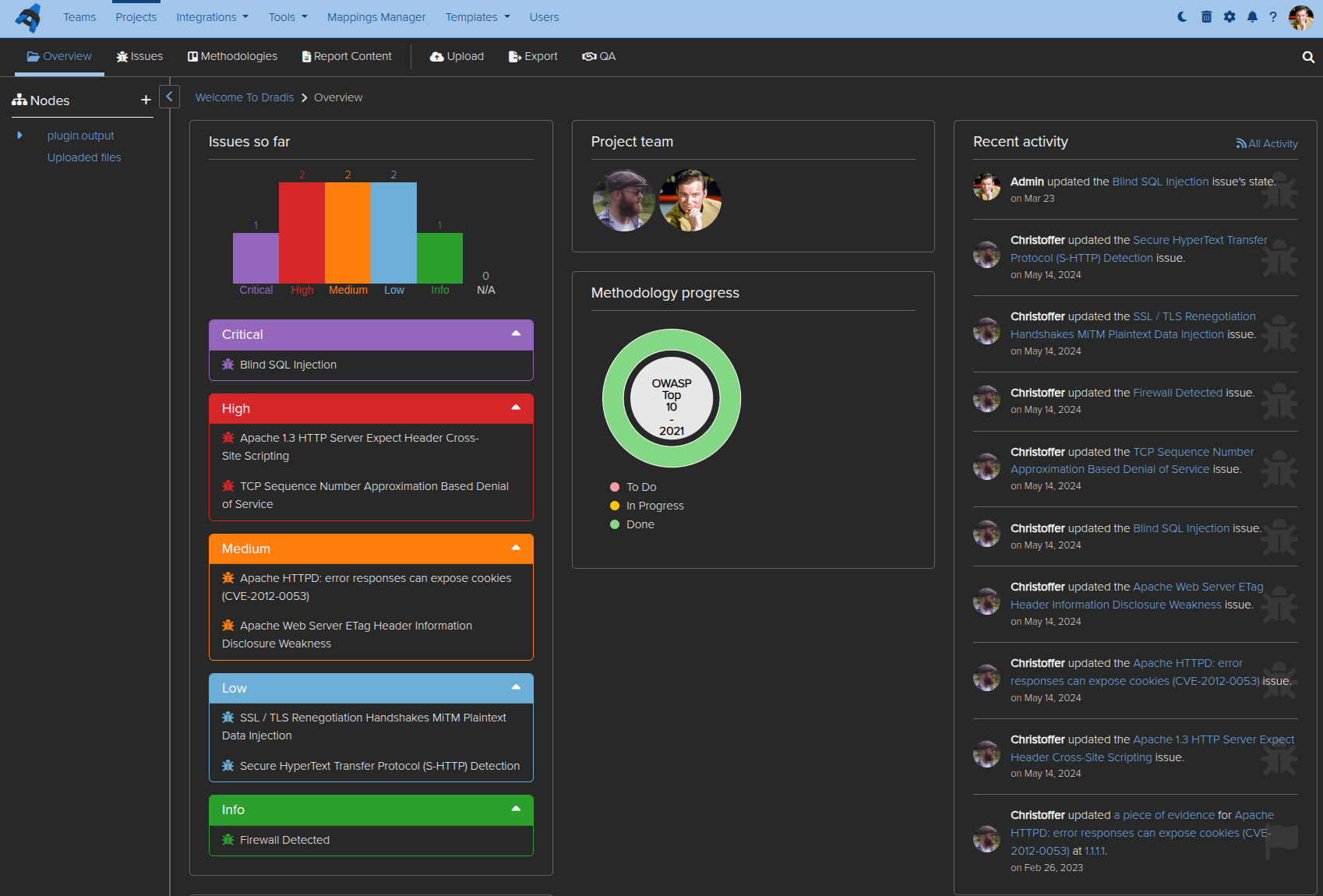
A much-requested feature is here at last. You can now enable dark mode across Dradis, or the auto mode that switches between light and dark mode based on your system preferences. Eye strain will be less of a factor after extended Dradis use!
Dradis Echo: Configurable user prompts
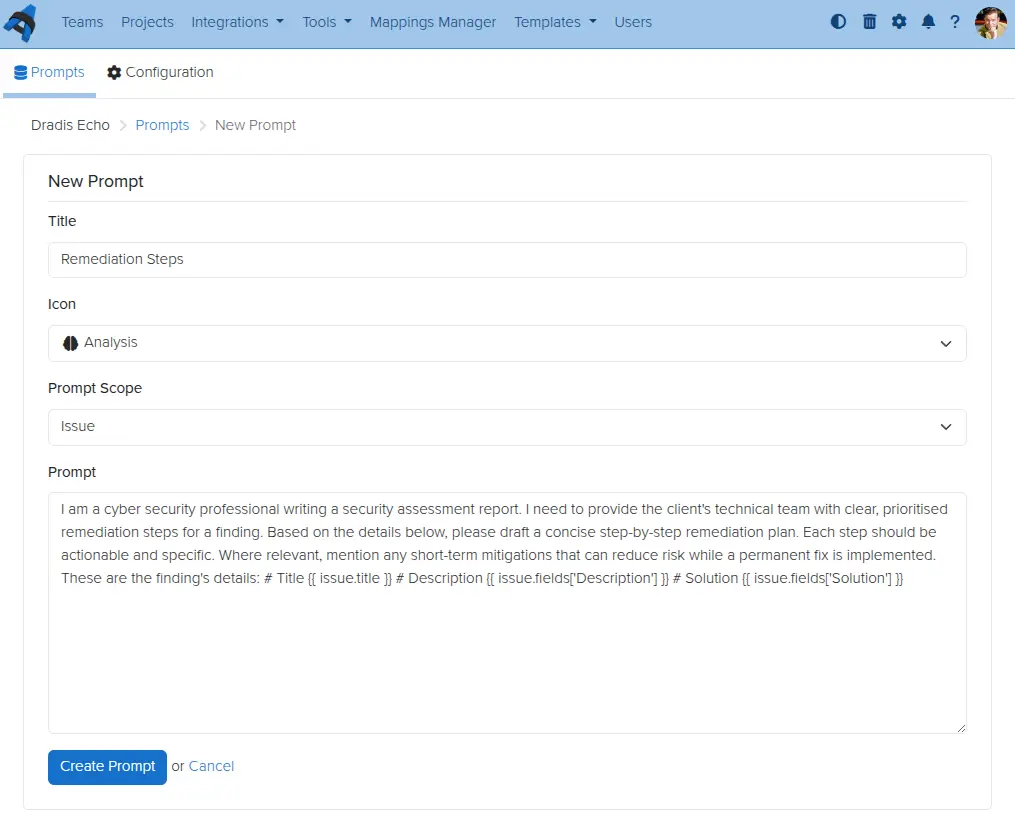
Dradis Echo, which lets you connect your Dradis instance to a local LLM, can now have custom prompts defined by you. Create prompts, define their scope, save, and use them wherever you want.
Business Intelligence for contributors
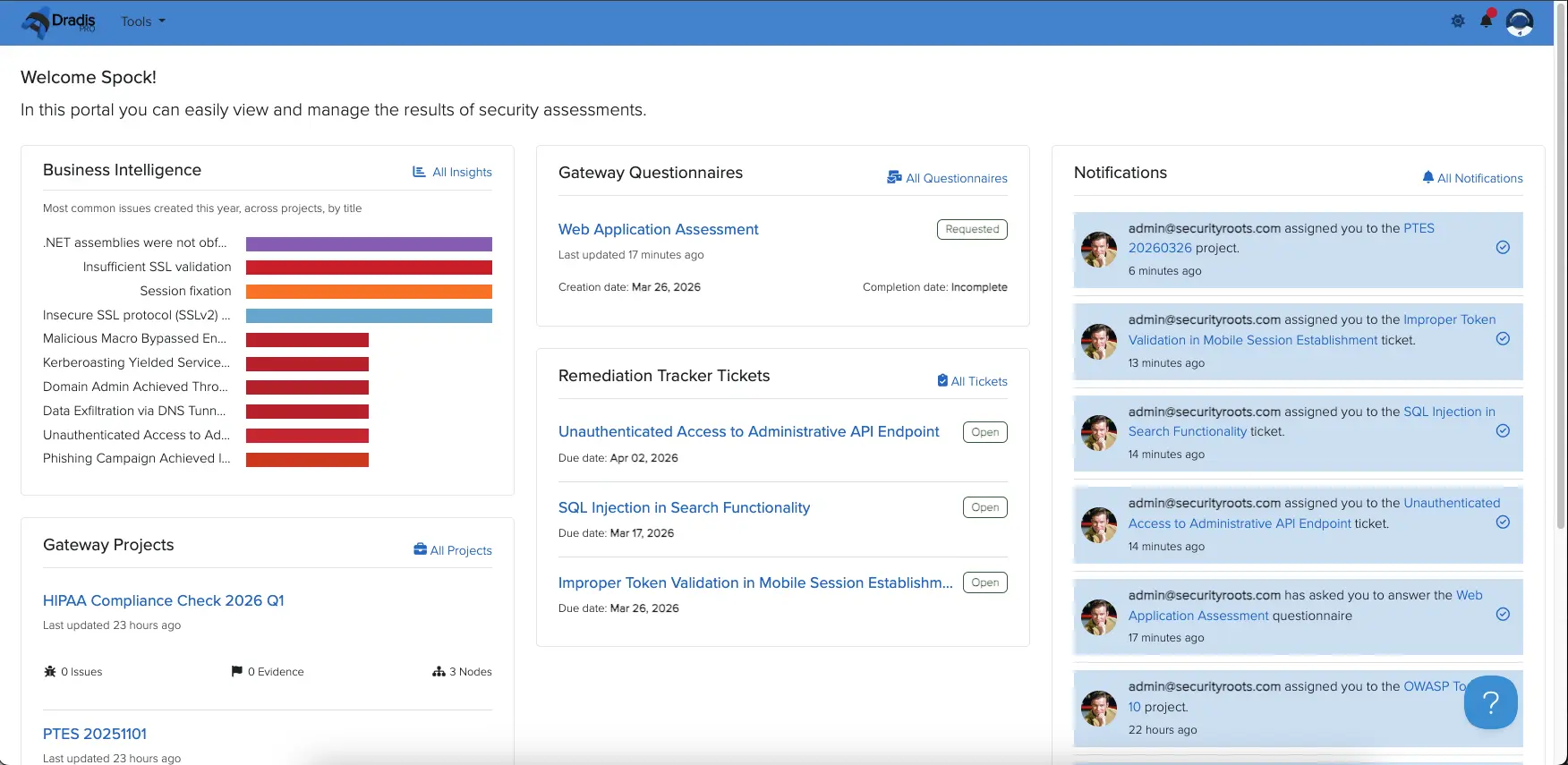
Read-only Contributor users in Dradis can now be given access to even more features and data within Dradis. The latest addition is access to Business Intelligence data for projects to which they have been assigned. For example, perhaps a project manager needs to see trends of recurring issues over multiple retests for a single client, but you have no other need to give that person a paid license seat. Simply add them as a contributor user, assign them permissions for the projects they need to look at, and they will be able to see all they need on the results portal.
Inline Comments in QA
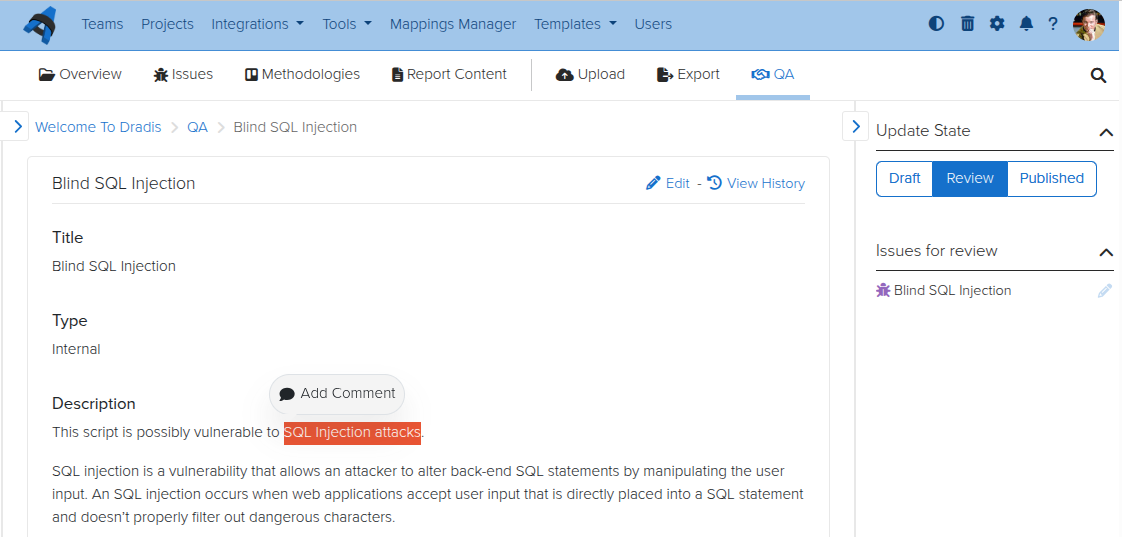
For teams using the Quality Assurance feature in Dradis, some feedback we have heard frequently is that inline comments would be helpful to discuss specific items among the reviewer and tester(s). Now you can do so, with the QA inline comment feature. No more hunting through comment sections for relevant discussions – go line by line and open threads as necessary.
Personal Access Tokens
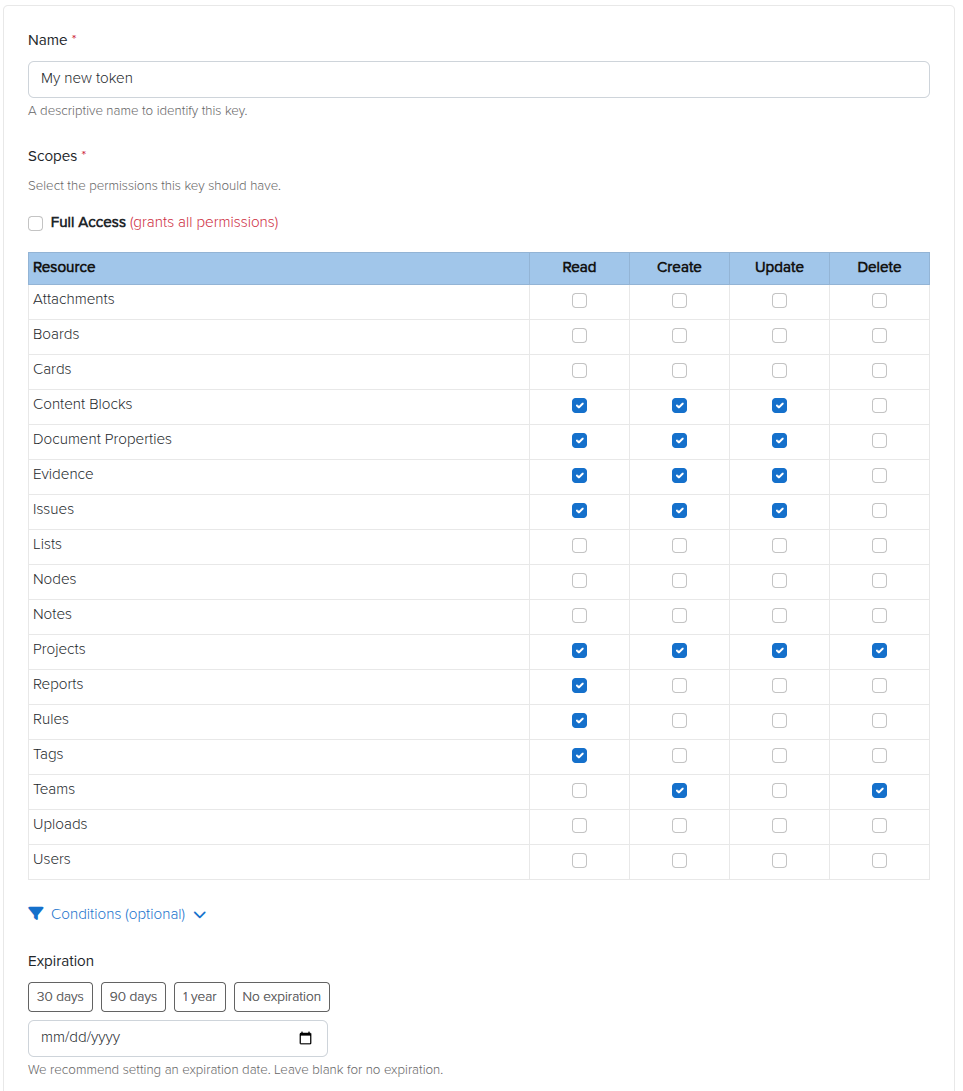
We reworked API keys so that you can now have scoped Personal Access Tokens (PATs). Instead of using keys that belong to one user but have that user’s access across the board, you can now have a scoped PAT with limited, granular, specific access. Create tokens at will for your API integrations, giving Create, Read, Update, and/or Delete permissions to each individual content type in Dradis. Set expiry dates and conditionals if you like, and create as many as you would need.
Release Notes
- Activities:
- Remove ActivityTracking for Issues and use EventPublisher
- Background jobs:
- Migrate recurring tasks to SolidQueue
- Business Intelligence:
- Allow author/contributor access to Business Intelligence
- Docker:
- Integrations: Include assets for all integrations regardless of enabled/disabled status
- Update Dockerfile and add Docker Compose config file to enable Docker deployment
- Update default attachments, templates and themes locations to storage/
- Echo:
- Add configurable, reusable prompts for Issues
- Forms:
- Improve visibility of form actions
- Kits:
- Include ‘sort_field’ in export to preserve issue sorting on re-upload
- Layout:
- Add light/dark/auto theme toggle to support dark mode
- Nodes:
- Add more types and icons
- Rename upload and parent node types and add distinguishing icons
- Update associated evidence, notes and child nodes’ updated_at columns on node merge
- Warn on node merge that methodology will not be copied
- Profile:
- Update default user avatar
- QA:
- Add inline comment threads for Issues
- Report Template Properties:
- Validate sort field is numeric
- Results Portal:
- Manage project access and contributor assignments
- Sidebar:
- Add resize functionality
- Keep sidebar open when editing issues in large viewports
- Display validation when creating and editing issues
- Textile:
- Add support for paragraph alignment
- Add support for image resizing, alignment, and borders
- Usage tracking:
- Send the on/off event always
- Webhooks:
- Add Issue CRUD webhook events
- Add Project CRUD and state transition events
- Add Results Portal Project CRUD webhook events
- Wizard:
- Mark as done after Kit step, without waiting for the background job
- OWASP kit: add with 3 report template variations
- Red Team kit: add with MITRE ATT&CK methodology and kill chain report
- Welcome kit: update with OWASP Top 10:2025 methodology
- Upgraded gems:
- faraday, nokogiri, rack
- Bug fixes:
- Configuration:
- Require integer settings to be positive numbers
- Issues:
- Render ‘Default’ option in New issue dropdown when issue fields are defined in the Report Template
- Whitelabling:
- Fix logo not appearing after uploading a new one in the admin settings
- Configuration:
- Integration enhancements:
- Azure Authentication:
- Add to integrations manager
- Duo:
- Disable engine by default
- Gateway:
- Add Athena and Orion themes
- Okta:
- Add to integrations manager
- SAML:
- Add to integrations manager
- Scheduler:
- Add light/dark/auto theme toggle to support dark mode
- Azure Authentication:
- Reporting enhancements:
- Word:
- Remove support for the “Description” content control for Cards
- Support textile alignment, image size, and image borders on export
- Word:
- REST/JSON API enhancements:
- Personal access tokens:
- Add multiple, per-user, scoped tokens for agentic workflows
- Issues:
- Add support for search
- Issue Library Entries:
- Add support for search
- Personal access tokens:
- Security Fixes:
- Low:
- Authenticated (author) persistent cross-site scripting on smart combo component
- Low:
Not using Dradis Pro?
- Automated pentest reporting tool, the cybersecurity reports you’re used to, generated in a fraction of the time
- Combine the output from 20+ different tools into a single report.
- Deliver consistent results. Never forget any steps, always know what has been covered and what is still ahead.
- Pentesting collaboration: all information available across the team.