Category Archives: Release

New in Dradis Pro v5.0

This is an exciting release. We’ve kept working on the basics: making the reporting engine even more poweful (image and paragrapha alignment, border styling, image sizing), GitHub style in-line comments, dark mode,…

At the same time evolving the platform for what comes next: faster and easier deployments and upgrades, fine grained API access to unlock agentic workflows, built in context-layer so you can Bring Your Own LLM.

Have a look, let us know what you think and what you build on top of the platform.

Enjoy!

Docker deployment

Dradis is now available for Docker. No more dealing with hypervisors or downloading hefty VMs and upgrade files. All Dradis add-ons for your subscription level will also be pre-installed, so setup, configuration, data migration, and upgrades should be a breeze. Getting started with Docker couldn’t be simpler:

curl -fsSL https://get.dradis.com | /bin/bash

Dark mode

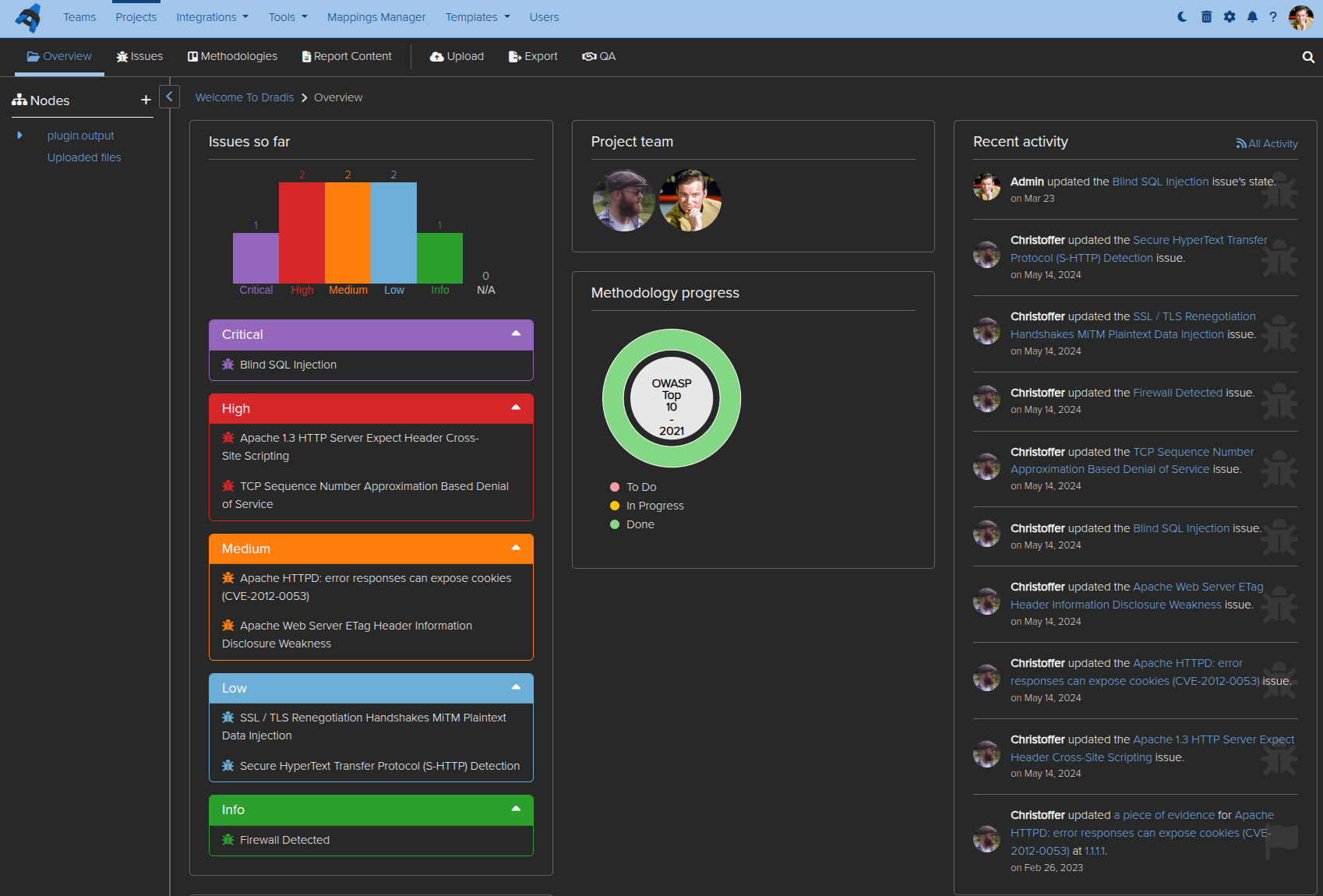
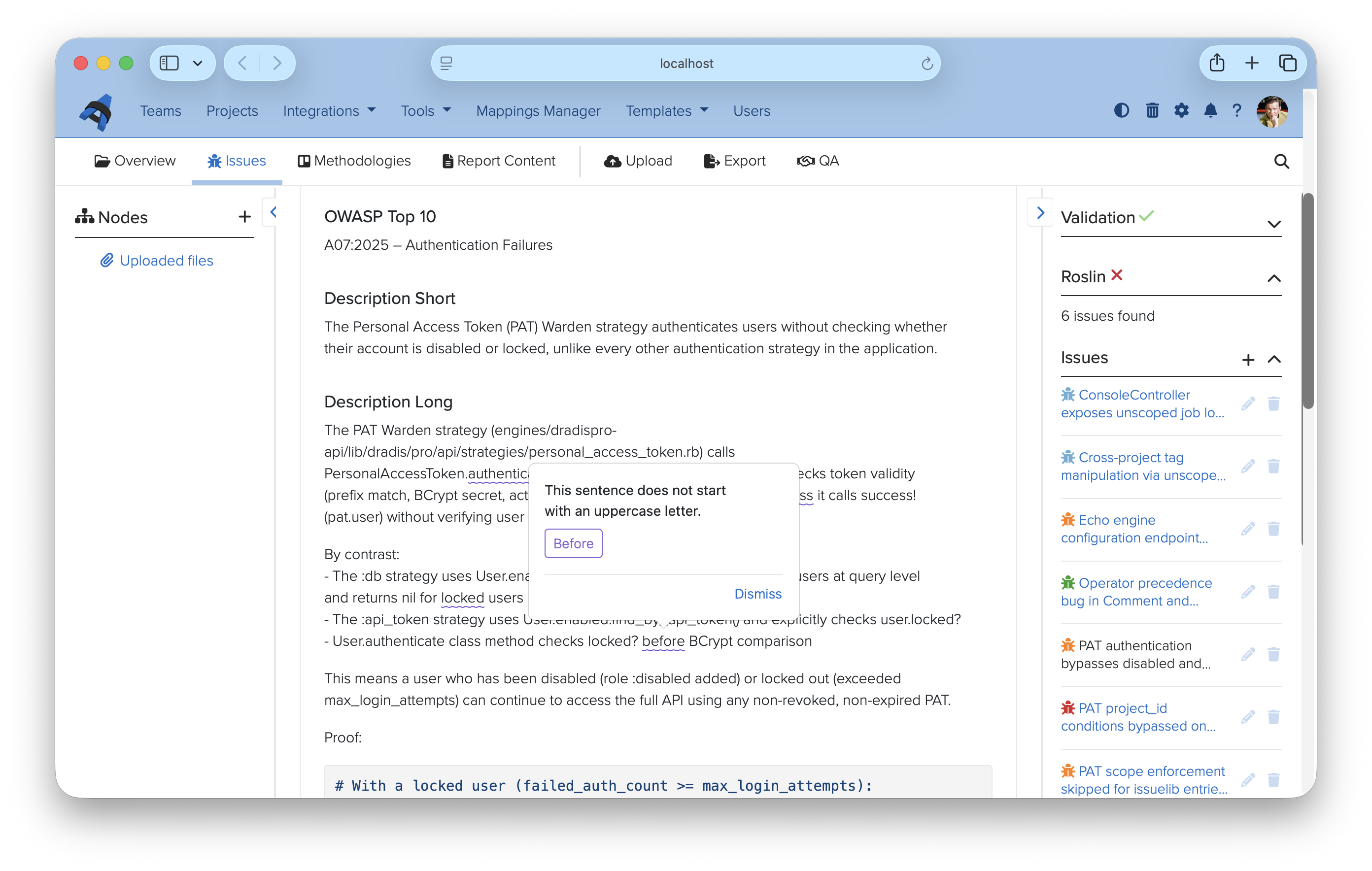
A much-requested feature is here at last. You can now enable dark mode across Dradis, or the auto mode that switches between light and dark mode based on your system preferences. Eye strain will be less of a factor after extended Dradis use!

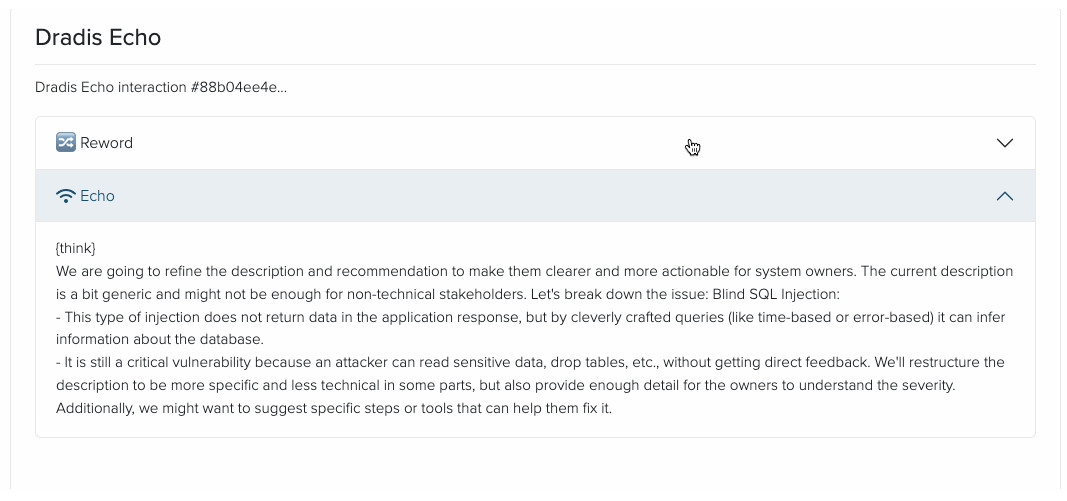
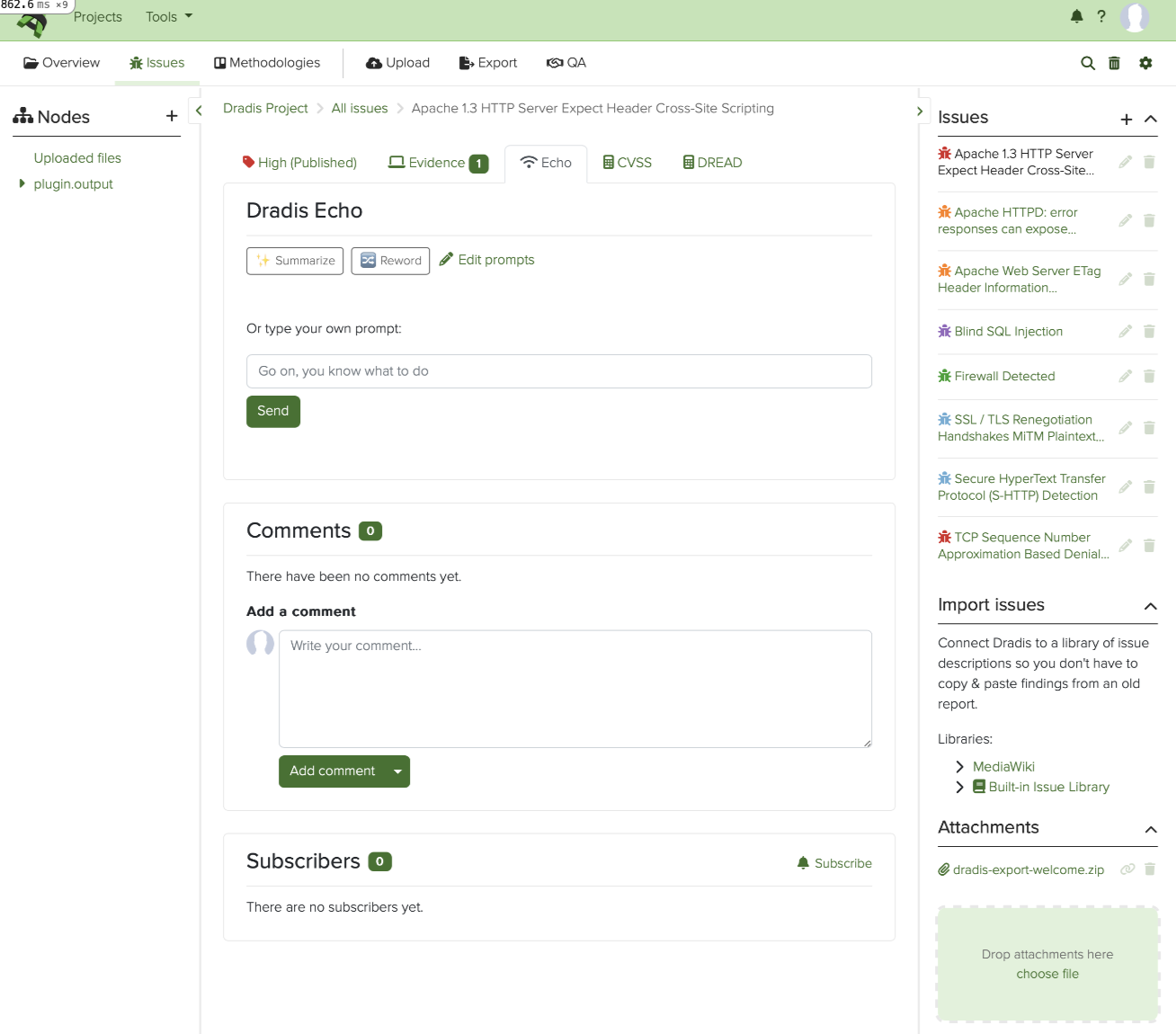
Dradis Echo: Configurable user prompts

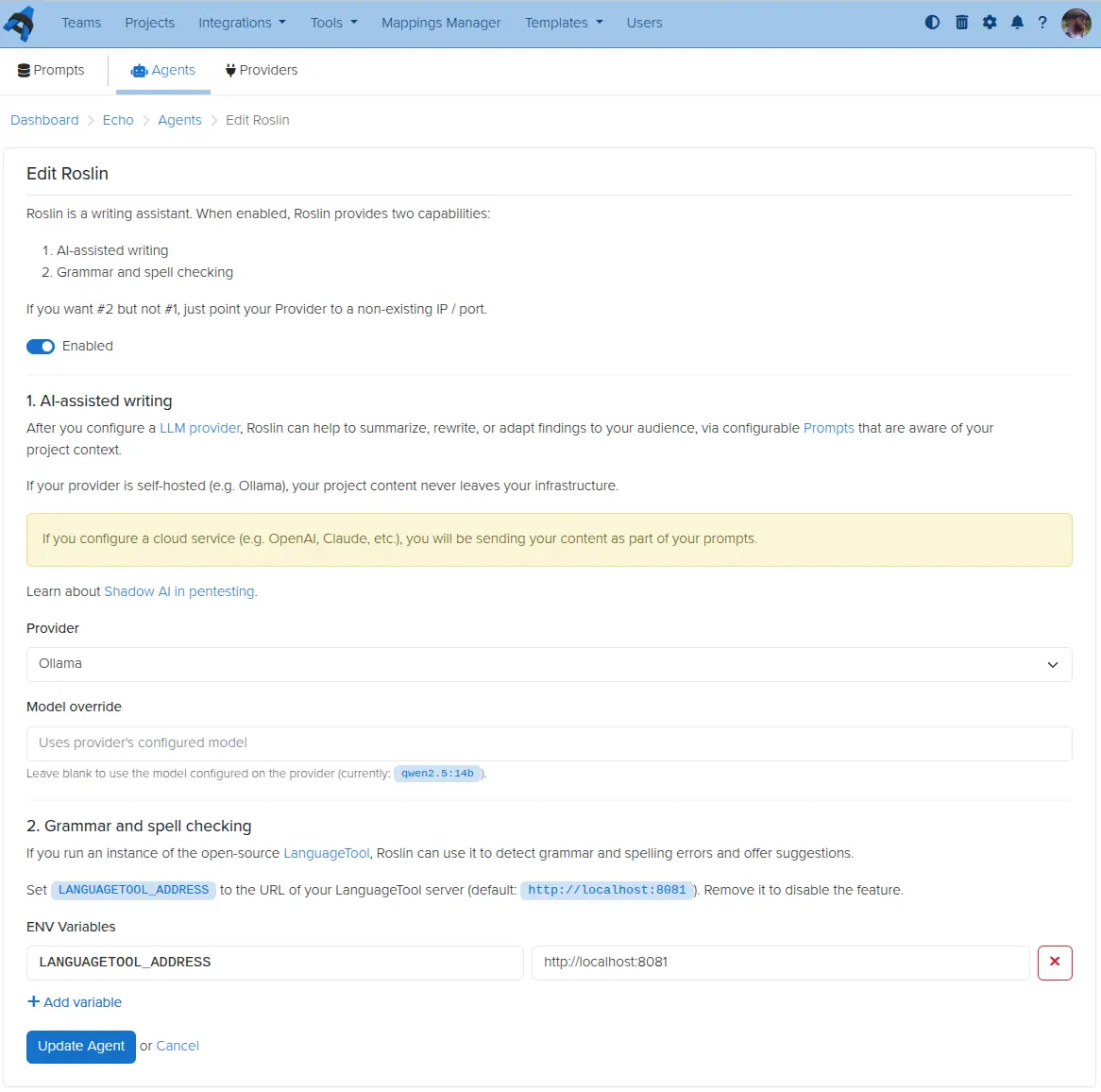
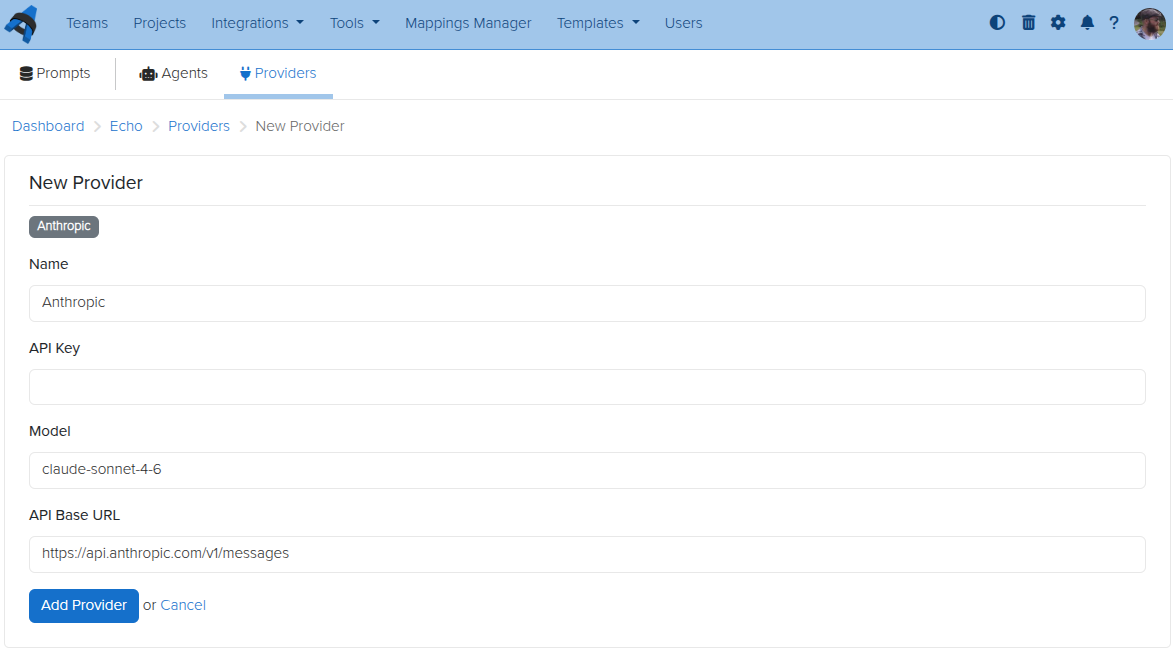
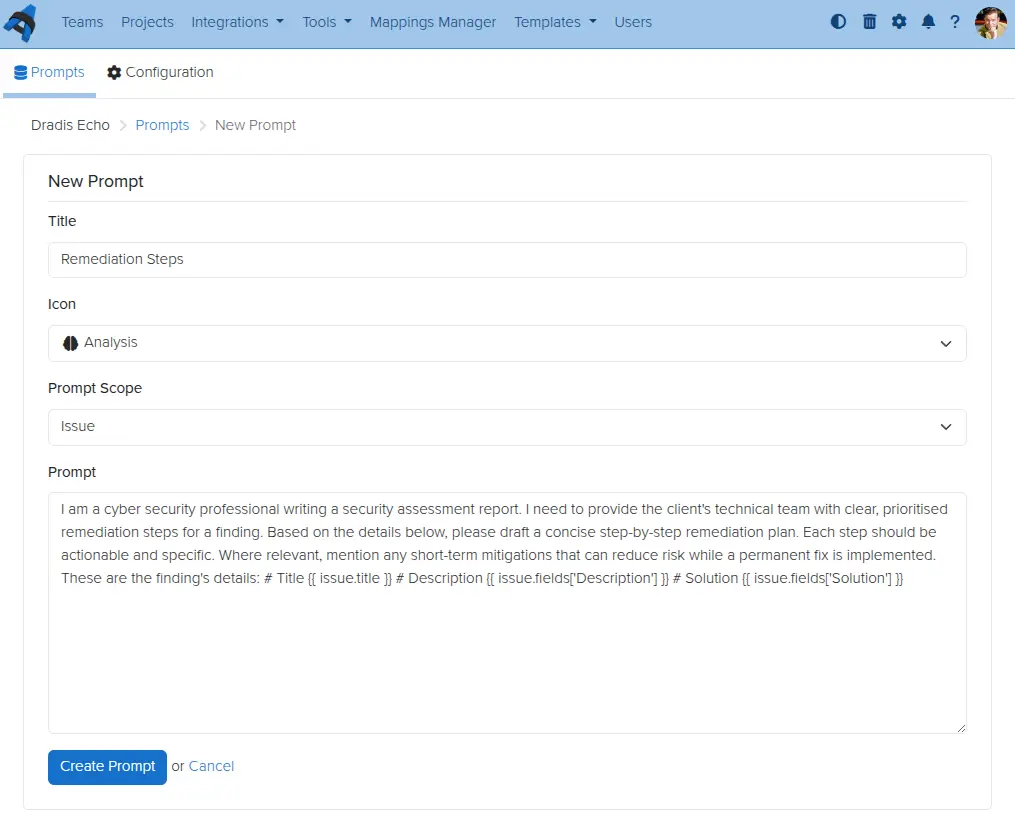
Dradis Echo, which lets you connect your Dradis instance to a local LLM, can now have custom prompts defined by you. Create prompts, define their scope, save, and use them wherever you want.

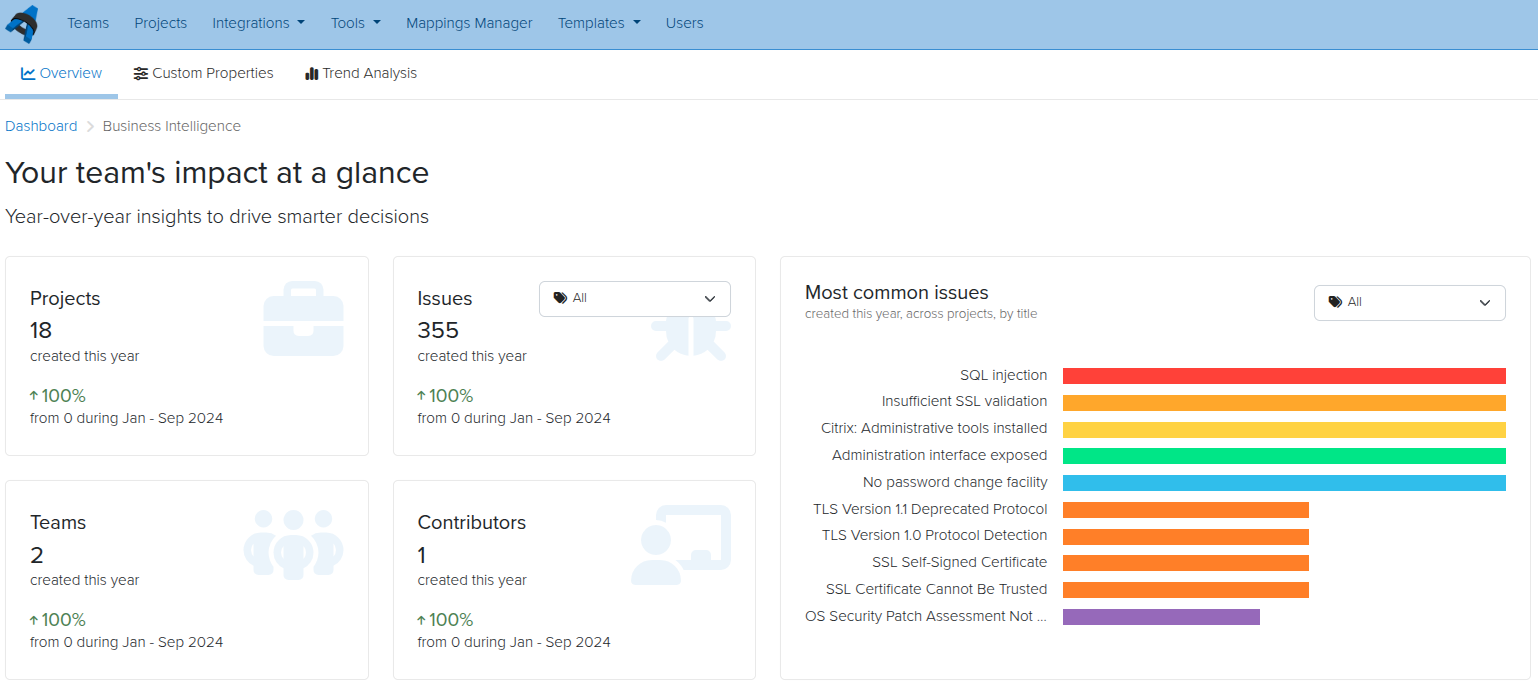
Business Intelligence for contributors

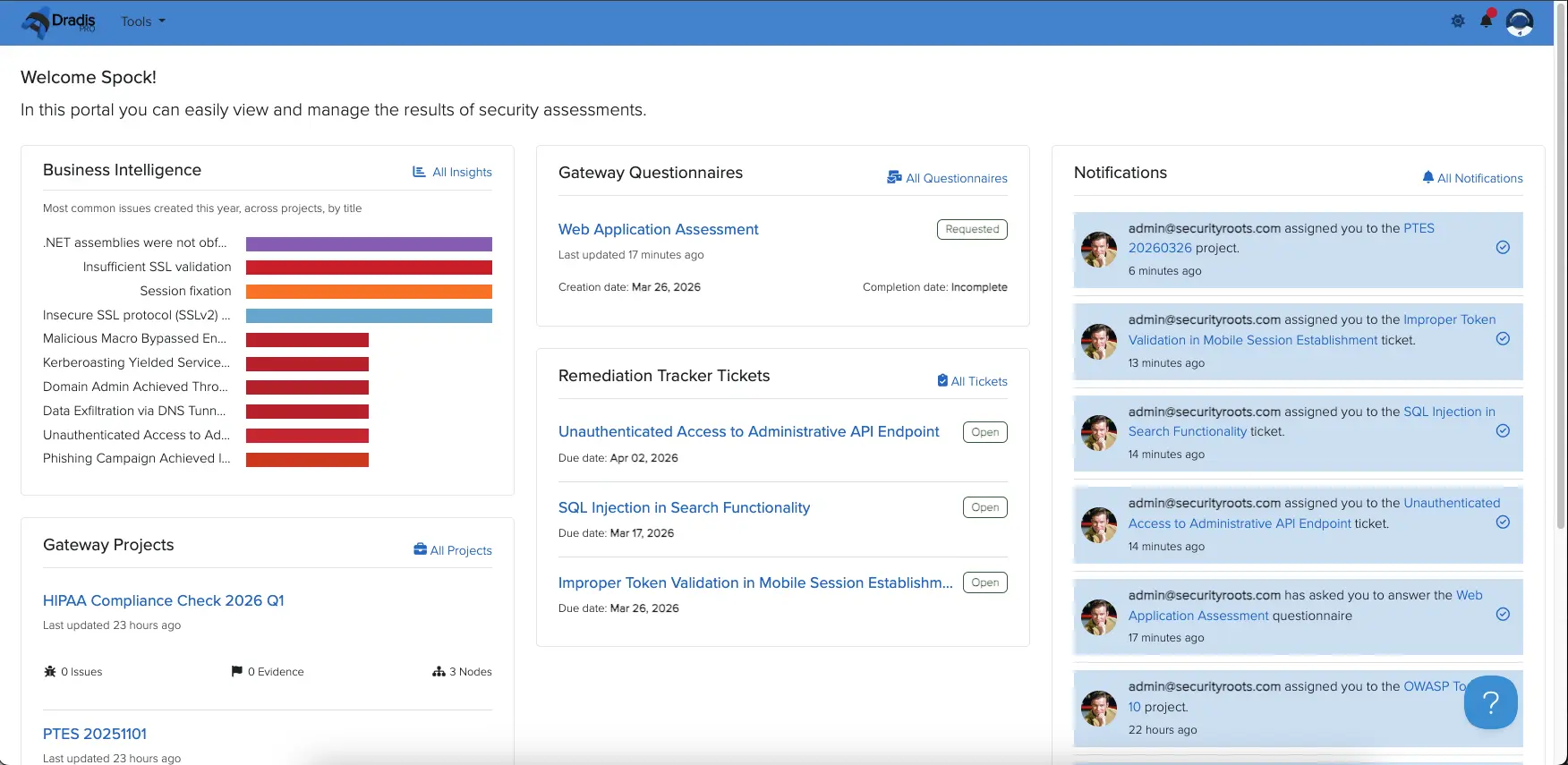
Read-only Contributor users in Dradis can now be given access to even more features and data within Dradis. The latest addition is access to Business Intelligence data for projects to which they have been assigned. For example, perhaps a project manager needs to see trends of recurring issues over multiple retests for a single client, but you have no other need to give that person a paid license seat. Simply add them as a contributor user, assign them permissions for the projects they need to look at, and they will be able to see all they need on the results portal.

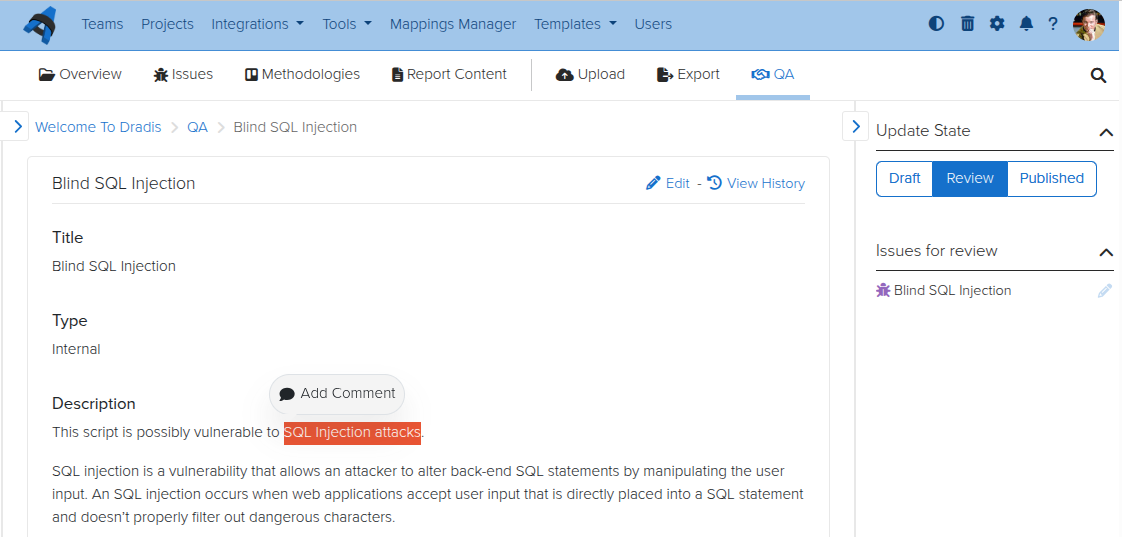
Inline Comments in QA

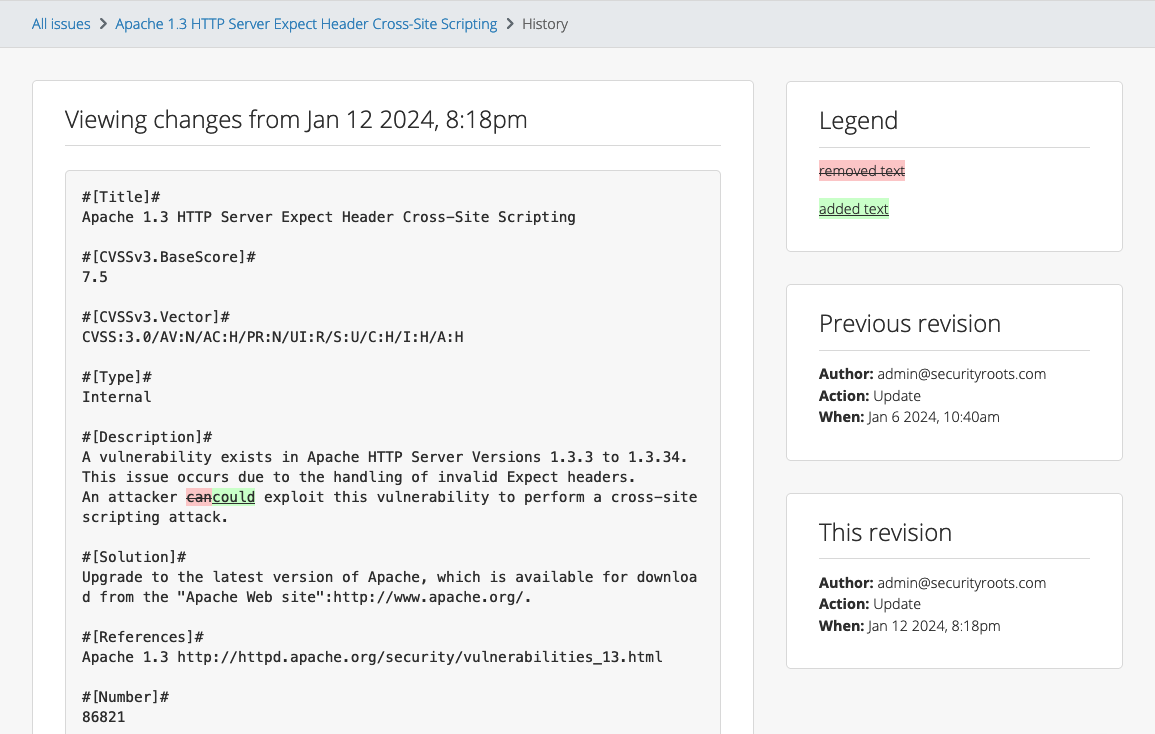
For teams using the Quality Assurance feature in Dradis, some feedback we have heard frequently is that inline comments would be helpful to discuss specific items among the reviewer and tester(s). Now you can do so, with the QA inline comment feature. No more hunting through comment sections for relevant discussions – go line by line and open threads as necessary.

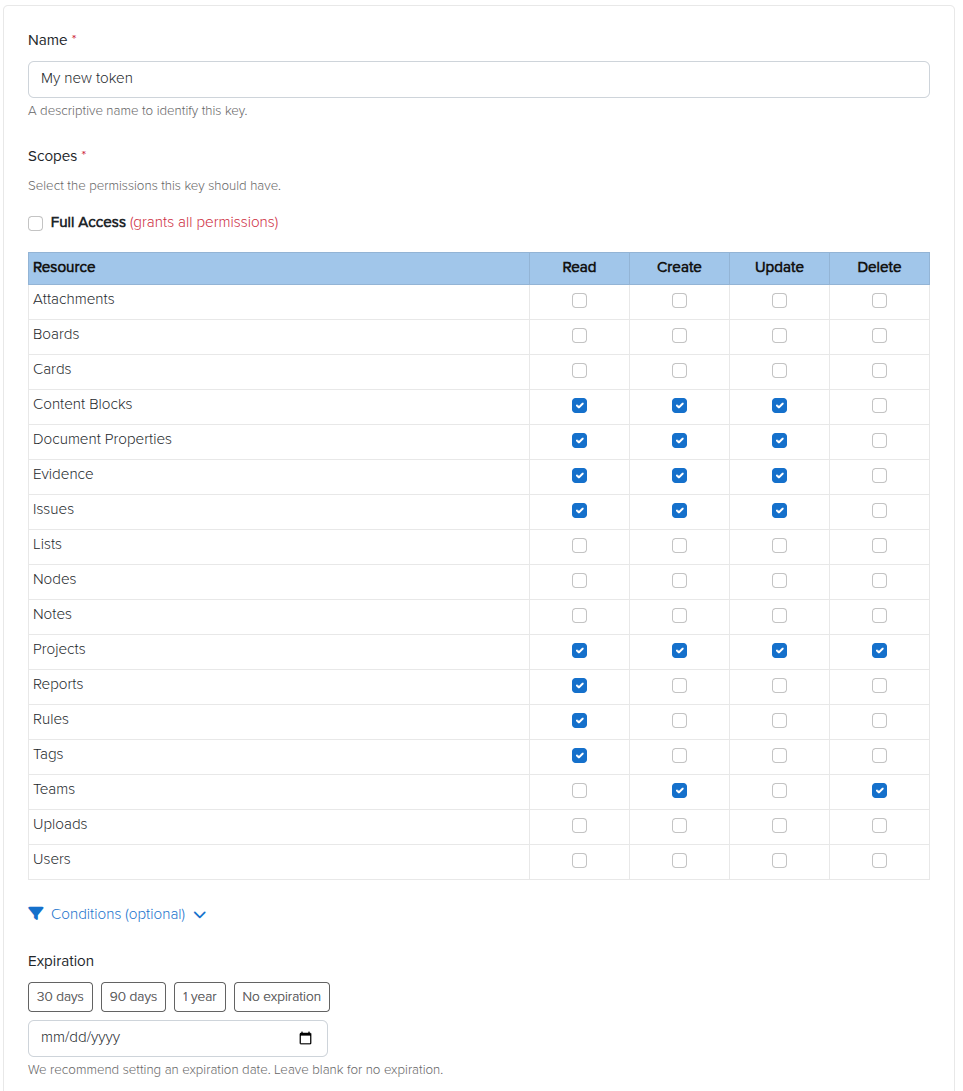
Personal Access Tokens

We reworked API keys so that you can now have scoped Personal Access Tokens (PATs). Instead of using keys that belong to one user but have that user’s access across the board, you can now have a scoped PAT with limited, granular, specific access. Create tokens at will for your API integrations, giving Create, Read, Update, and/or Delete permissions to each individual content type in Dradis. Set expiry dates and conditionals if you like, and create as many as you would need.

Release Notes

  • Activities:
    • Remove ActivityTracking for Issues and use EventPublisher
  • Background jobs:
    • Migrate recurring tasks to SolidQueue
  • Business Intelligence:
    • Allow author/contributor access to Business Intelligence
  • Docker:
    • Integrations: Include assets for all integrations regardless of enabled/disabled status
    • Update Dockerfile and add Docker Compose config file to enable Docker deployment
    • Update default attachments, templates and themes locations to storage/
  • Echo:
    • Add configurable, reusable prompts for Issues
  • Forms:
    • Improve visibility of form actions
  • Kits:
    • Include ‘sort_field’ in export to preserve issue sorting on re-upload
  • Layout:
    • Add light/dark/auto theme toggle to support dark mode
  • Nodes:
    • Add more types and icons
    • Rename upload and parent node types and add distinguishing icons
    • Update associated evidence, notes and child nodes’ updated_at columns on node merge
    • Warn on node merge that methodology will not be copied
  • Profile:
    • Update default user avatar
  • QA:
    • Add inline comment threads for Issues
  • Report Template Properties:
    • Validate sort field is numeric
  • Results Portal:
    • Manage project access and contributor assignments
  • Sidebar:
    • Add resize functionality
    • Keep sidebar open when editing issues in large viewports
    • Display validation when creating and editing issues
  • Textile:
    • Add support for paragraph alignment
    • Add support for image resizing, alignment, and borders
  • Usage tracking:
    • Send the on/off event always
  • Webhooks:
    • Add Issue CRUD webhook events
    • Add Project CRUD and state transition events
    • Add Results Portal Project CRUD webhook events
  • Wizard:
    • Mark as done after Kit step, without waiting for the background job
    • OWASP kit: add with 3 report template variations
    • Red Team kit: add with MITRE ATT&CK methodology and kill chain report
    • Welcome kit: update with OWASP Top 10:2025 methodology
  • Upgraded gems:
    • faraday, nokogiri, rack
  • Bug fixes:
    • Configuration:
      • Require integer settings to be positive numbers
    • Issues:
      • Render ‘Default’ option in New issue dropdown when issue fields are defined in the Report Template
    • Whitelabling:
      • Fix logo not appearing after uploading a new one in the admin settings
  • Integration enhancements:
    • Azure Authentication:
      • Add to integrations manager
    • Duo:
      • Disable engine by default
    • Gateway:
      • Add Athena and Orion themes
    • Okta:
      • Add to integrations manager
    • SAML:
      • Add to integrations manager
    • Scheduler:
      • Add light/dark/auto theme toggle to support dark mode
  • Reporting enhancements:
    • Word:
      • Remove support for the “Description” content control for Cards
      • Support textile alignment, image size, and image borders on export
  • REST/JSON API enhancements:
    • Personal access tokens:
      • Add multiple, per-user, scoped tokens for agentic workflows
    • Issues:
      • Add support for search
    • Issue Library Entries:
      • Add support for search
  • Security Fixes:
    • Low:
      • Authenticated (author) persistent cross-site scripting on smart combo component

Not using Dradis Pro?

New in Dradis Pro v4.19

Introducing Dradis Echo

Now AI integration is available (and entirely optional!) for Dradis. With Dradis Echo, you can deploy your preferred LLM in Ollama – a framework that lets you run LLMs locally, no external connections at all necessary – to work with Dradis. Use it to summarize raw scanner output, rewrite tester notes into executive language, enhance remediation advice, and more!

Webhooks for Dradis Gateway

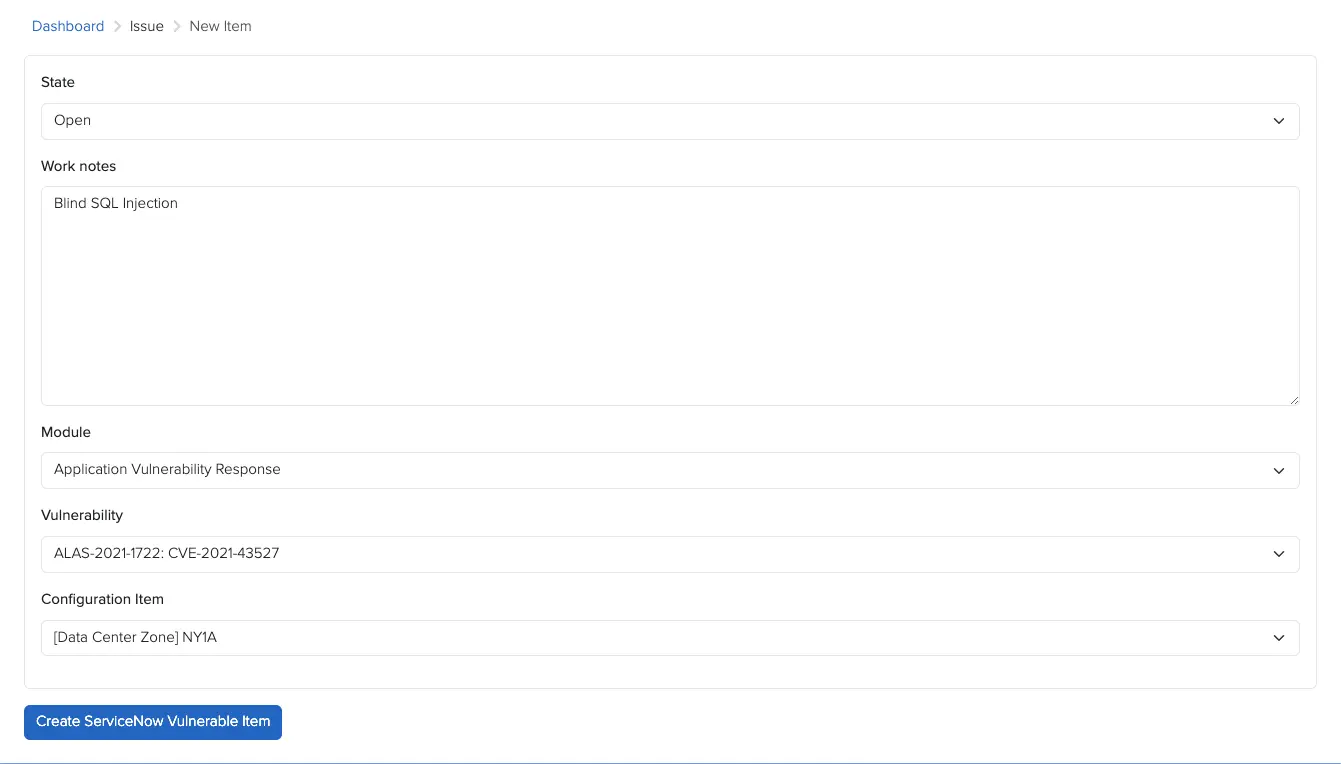
You can now use Webhooks to carry out actions based on events in Gateway. Contributor requests, remediation progress, and project completions can trigger automated actions across your security stack. For example, kick off an onboarding flow when a client submits a project through Gateway, post Slack updates on new events in Gateway projects, or sync your ticket status across Jira, Azure DevOps, or ServiceNow.

While only Gateway webhooks are supported in Dradis v4.19, we plan to support other types of events in the future!

IssueLibrary improvements

We have also launched a series of improvements to the IssueLibrary. You can now upload CSV files to the IssueLibrary to bulk-import your own set of custom issues. You can bulk-delete issues in the IssueLibrary view. And finally, now when you go to add an IssueLibrary entry to a project, you can see each entry’s QA status, so you don’t import an unreviewed work-in-progress by accident!

Release Notes

  • Editor:
    • Add inline code and highlight code buttons to the toolbar
  • Layout:
    • Improve primary action visibility for Evidence, Issues, Methodologies, Notes, and Node Properties
  • Navigation:
    • Move Trash and Project Configurations in main navigation bar
  • Contributors:
    • Add a dashboard with Gateway, Remediation Tracker, and Notification widgets
  • Hera:
    • Improve primary action visibility and add view description
  • Projects:
    • Add user select-all functionality in project creation
  • Webhooks:
    • Add event-driven webhook implementation
  • Upgraded gems:
    • faraday, rack, rails, uri
  • Bugs fixes:
    • Editor:
      • Add disabled button styling
    • Datatables:
      • Ensure correct record ordering when applying sorting
    • Kits:
      • Restore the functionality of the ‘Add mappings from kit’ option
    • Notifications:
      • Remove the duplicate breadcrumb link shown in project notifications
    • Sidebar:
      • Prevent the toggle button from being covered by the scrollbar
  • New integrations:
    • Webhooks:
      • react to server-side events in your other systems
  • Integration enhancements:
    • Gateway:
      • Add activities tracking
      • Add event instrumentation for webhooks
  • Issue Library:
    • Add bulk delete action for entries
    • Import entries to the library using a CSV file
    • Import published entries to projects when using QA

Not using Dradis Pro?

New in Dradis Pro v4.18

Business Intelligence Dashboard updates

We get many feature requests about the Business Intelligence Dashboard, and now the first batch is ready! You can now see year-over-year trends of activities and custom properties, and lists of your most common issues across projects. Get a clearer look at changes over time at a glance.

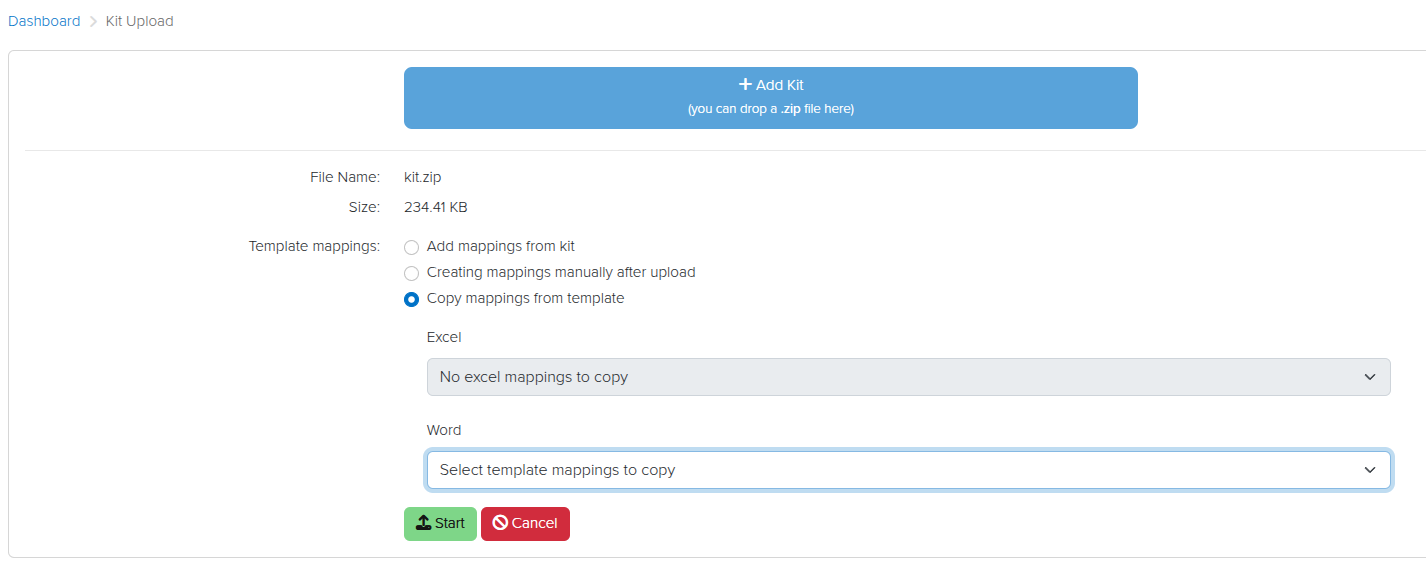
The Mappings Manager lets you keep multiple different mappings for different templates across tools. Now we have also made it easier to copy existing template mappings to new or updated templates when you upload them. When you upload a new Kit, you can select the mappings to apply or copy:

Copy existing mappings to new templates

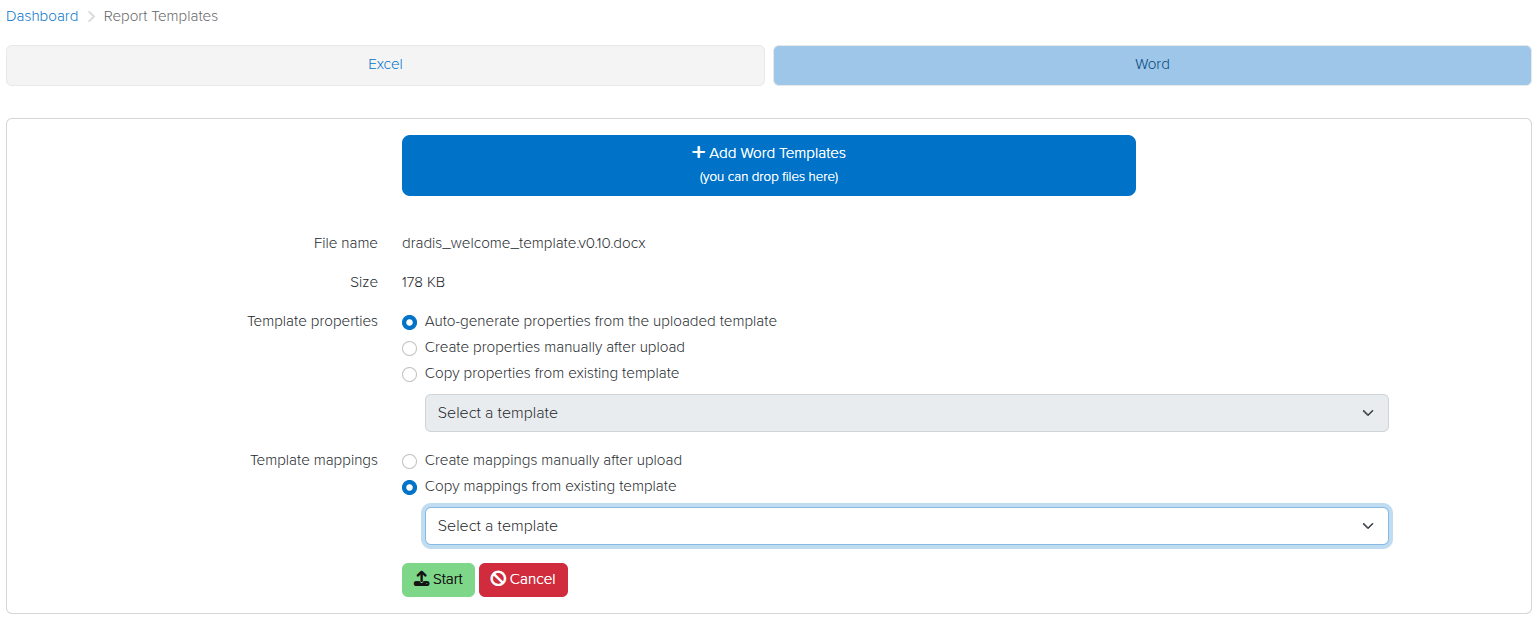
When you upload a new template (e.g., when you have updated a template and you want to move to the newer version), you can choose to copy existing mappings or to create new ones:

This will get you up and running with updated templates quickly and easily!

Release Notes

  • Activities:
    • Include methodology name in all methodology actions
  • Business Intelligence:
    • Add Custom Properties view
    • Add Dashboard view with Year-Over-Year insights
    • Add sub-navigation
  • Font:
    • Improve font weight consistency for international characters
  • Layout:
    • Add custom error pages
  • Issuelib:
    • Update entry edit UI to match issue edit UI
  • Mappings:
    • Add an option to copy existing mappings when uploading kits or report templates
  • Rails:
    • Upgrade Rails version to 8.0.2.1
  • Ruby:
    • Upgrade Ruby version to 3.4.4
  • Upgraded gems:
    • resque, rexml, selenium-webdriver, thor
  • Bug fixes:
    • Combobox:
      • Prevent forcing the selection of the first available option for multi-select forms
  • Integration enhancements:
    • Azure DevOps:
      • Replace OAuth with Microsoft Entra ID

Not using Dradis Pro?

New in Dradis Pro v4.17

White-labeling

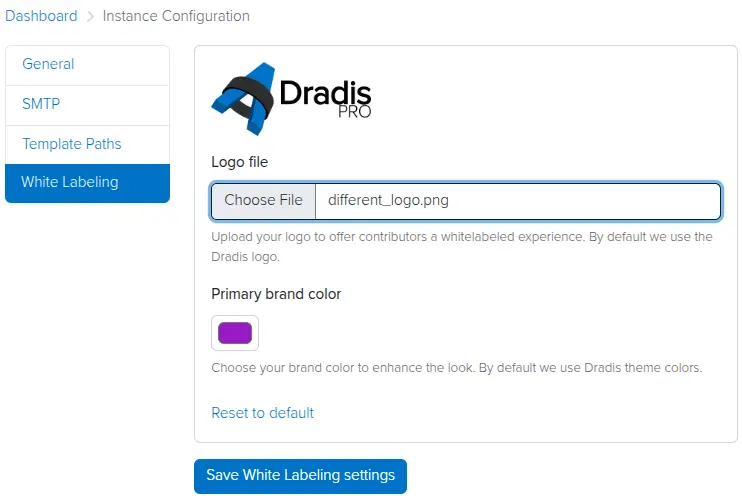
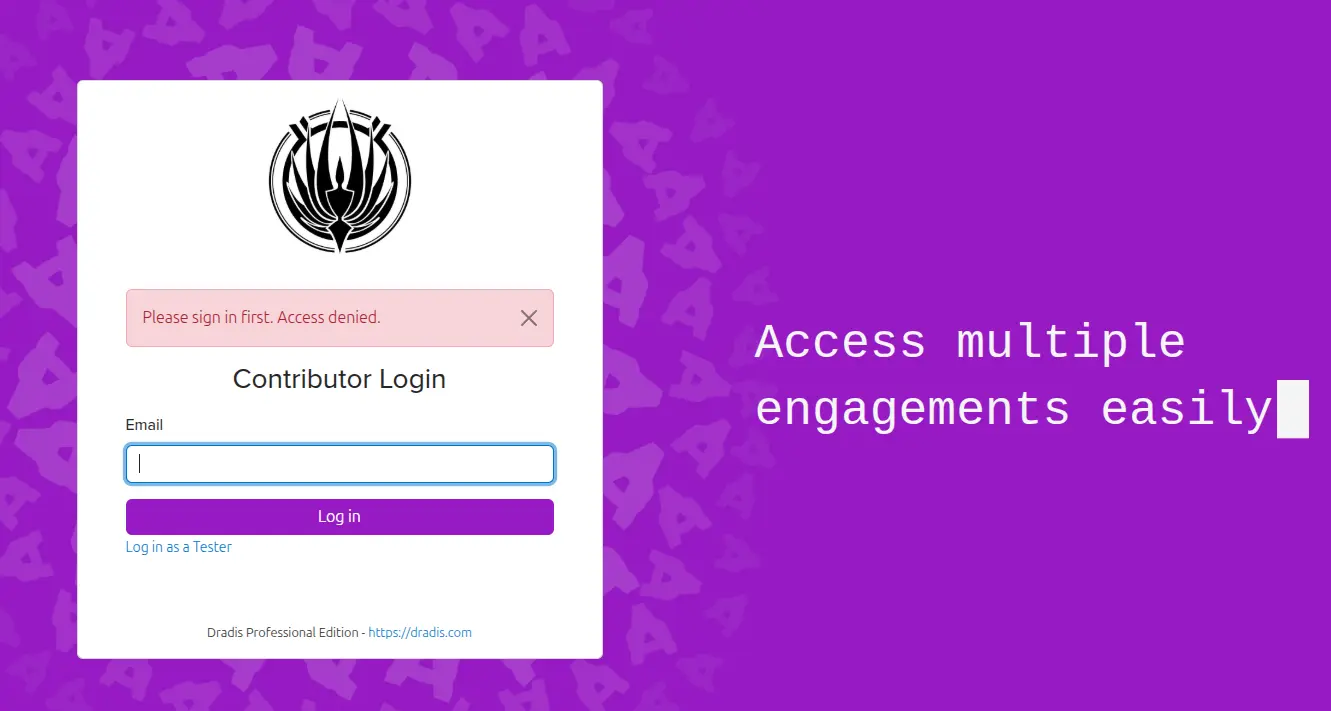
Admin testers can now add a custom logo and brand color in the Instance Settings view. Contributors will see this logo and color in the Dradis UI, providing a white-labeled experience that reflects your brand identity.

Simply click on the cogwheel to the top right, click Instance Configuration, then White Labeling, and set your preferred logo and brand colour.

Now your Contributor Login page will be branded with your logo and colour scheme.

MITRE ATT&CK calculator

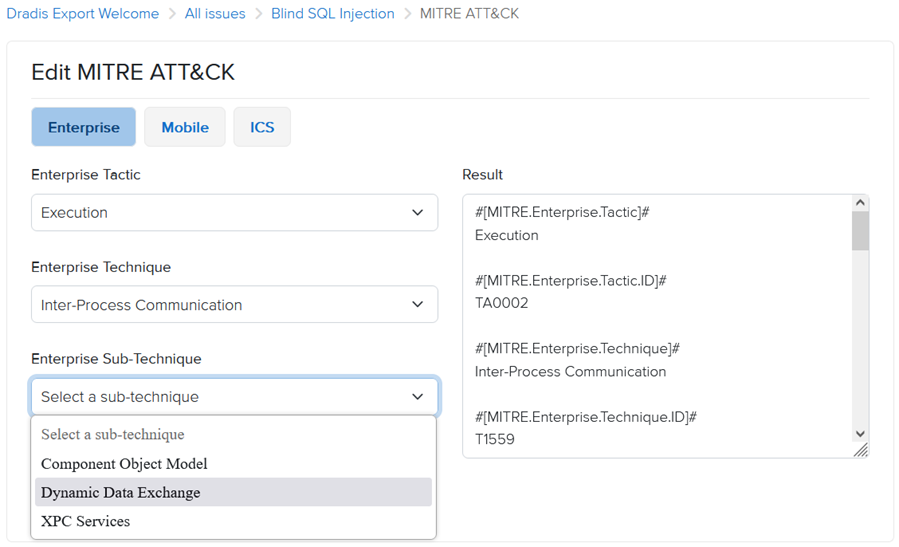
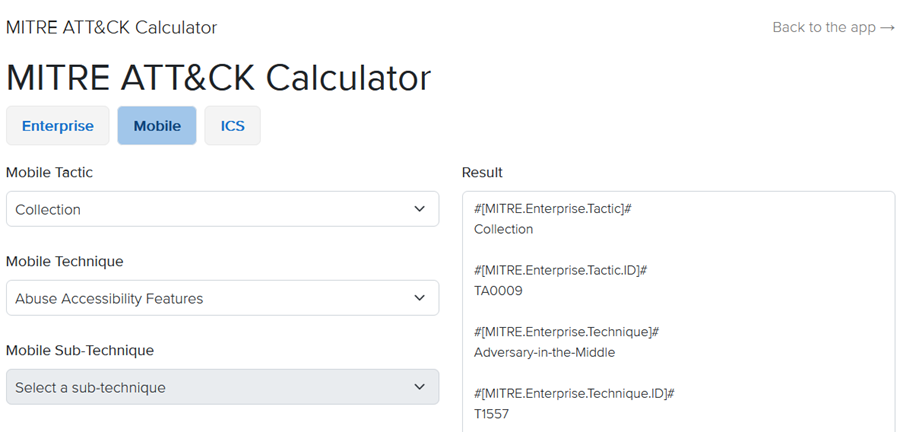
We have added a new MITRE ATT&CK calculator, based on the MITRE ATT&CK matrices for Enterprise, Mobile, and ICS (more details: https://attack.mitre.org/). You can now add MITRE ATT&CK metrics to Issues from the MITRE tab.

Once you select a Tactic, the calculator will load the associated list of Techniques, followed by Sub-Techniques based on your selection. You can include Enterprise, Mobile, and ICS data all within the same Issue.

Additionally, the calculator is available as a standalone tool from the Tools menu in the top navigation bar.

Kit downloads

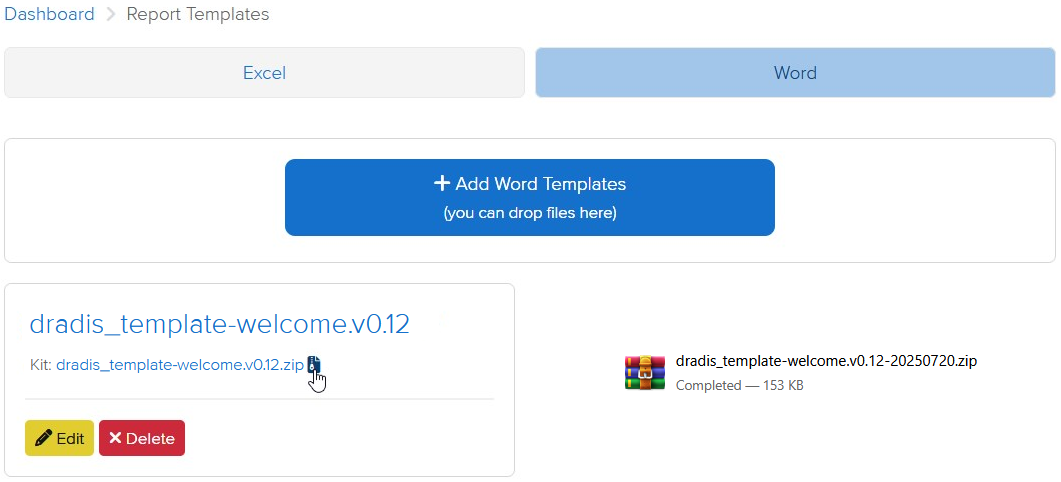
Report templates can now be downloaded as a Kit, including report template properties and mappings. This makes it easier to share and reuse report templates while maintaining all of the associated context.

Release Notes

  • Activation:
    • Add offline activation option for when online activation fails
  • Active project cards:
    • Display the most recently updated Methodology
    • Render empty states instead of hiding content
  • Admin settings:
    • Add ability to white label contributor-facing views
    • Update UI to match other settings-related UIs
  • Analyzer:
    • Add support for multi-word fields
  • Calculators:
    • Add MITRE ATT&CK
  • Contributors:
    • Use Contributor login by default
  • Hera:
    • Update brand colors
    • Add sub-navigation icons to improve consistency
  • Jobs:
    • Add /jobs view to view and manage background jobs
  • Logs:
    • Update logs to use string UIDs
  • Mailer:
    • Fix email footer incorrectly redirecting to tester login
  • Profile:
    • Add click-to-reveal functionality for the API token
  • Report Templates:
    • Add option to download a kit for each report template
  • Upgraded gems:
    • nokogiri
  • Bugs fixes:
    • Avatars:
      • Fix avatars disappearing after enabling/disabling an integration
    • Calculators:
      • Render Calculator links in tools menu
    • Quote Selector:
      • Scroll to comment box in Safari after selecting quote content
  • Word:
    • Only process scoped issues in node content controls
    • Don’t create an analytics event when validating the project
  • Integration enhancements:
    • Gateway:
      • Add dynamic project title to Ares theme
    • Issue Library:
      • Update issues import to be more consistent with the table search
    • LDAP:
      • Enable installation and editable configuration through the Tool Manager
    • Nessus:
      • Ignore entries that have blank values
    • SAML:
      • Add name_identifier_format in the config generator and default to ’emailAddress’ instead of ‘unspecified’
  • Reporting enhancements:
    • Adjust the default styles for unordered bulleted lists
    • Excel:
      • Track failed job states using JobTracker
    • Filters:
      • Fix filters with double quotes (“) not catching the correct values
    • Word:
      • Track failed job states using JobTracker
  • REST/JSON API enhancements:
    • Export: Add endpoints for exporting and downloading Word/Excel reports
    • Upload: Add endpoint for uploading tool outputs

    Not using Dradis Pro?

    New in Dradis Pro v4.16

    New visual redesign

    Our designers have been working to completely overhaul the application interface to be more modern and integrated. Both the main interface and the individual projects view now use the same visual style, and you have access to all the application’s sections from the project view, so now you can go straight to your mappings or IssueLibrary from your project, rather than having to go through the Dashboard first.

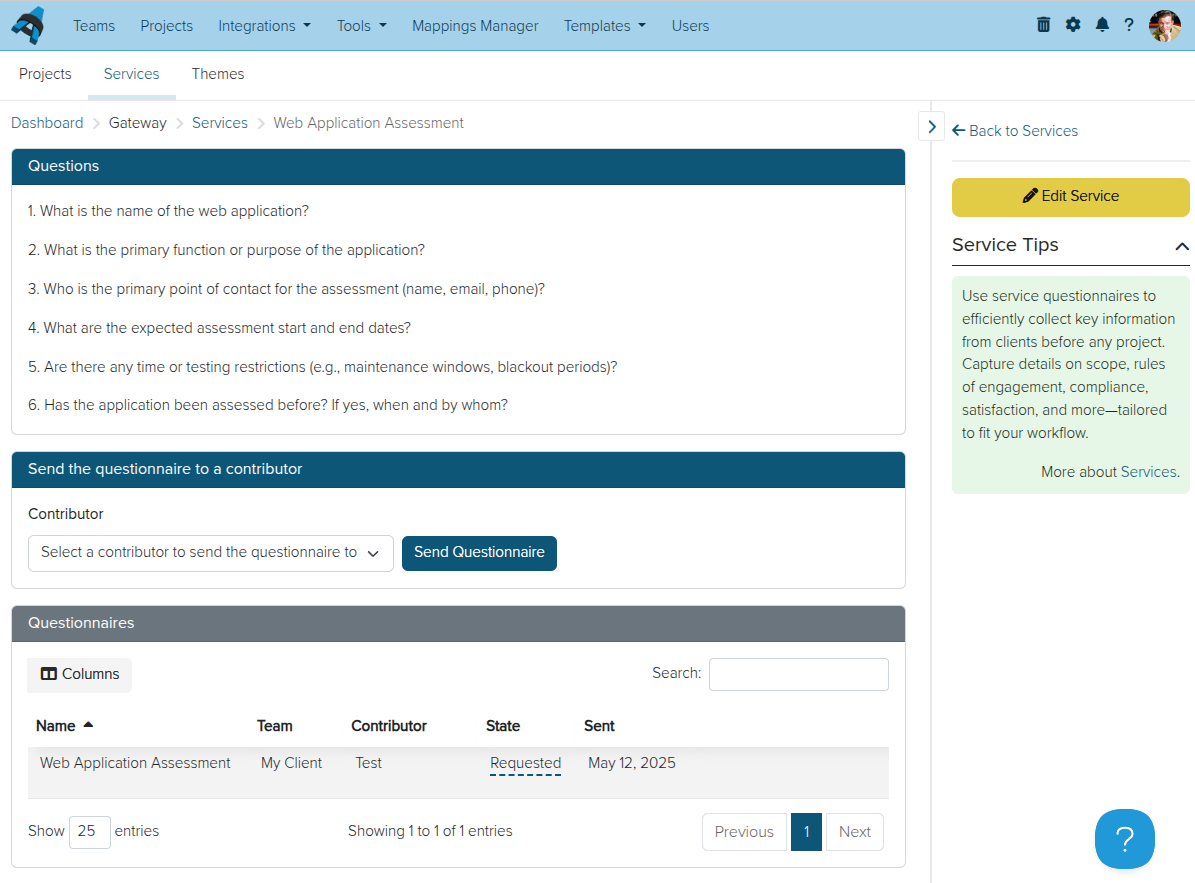
    Gateway Services and Questionnaires

    As we continue to improve the features and possibilities of the Dradis Gateway, we have now created a new Services section of the portal. Here you can create questionnaires, which you can then send to Gateway Contributors. For example, you could use a questionnaire to establish the scope and goals of a penetration test before starting a Dradis project for them. On the basis of their responses, you can create a new project for their team right from the questionnaire results.

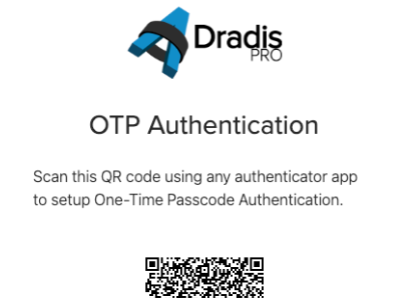
    MFA with one-time passcodes

    We have now created our own multi-factor authentication integration, Dradis OTP. You are no longer limited to using DuoWeb for free MFA in Dradis. With Dradis OTP, you can create and scan a QR code to use for MFA in whichever MFA app you prefer.

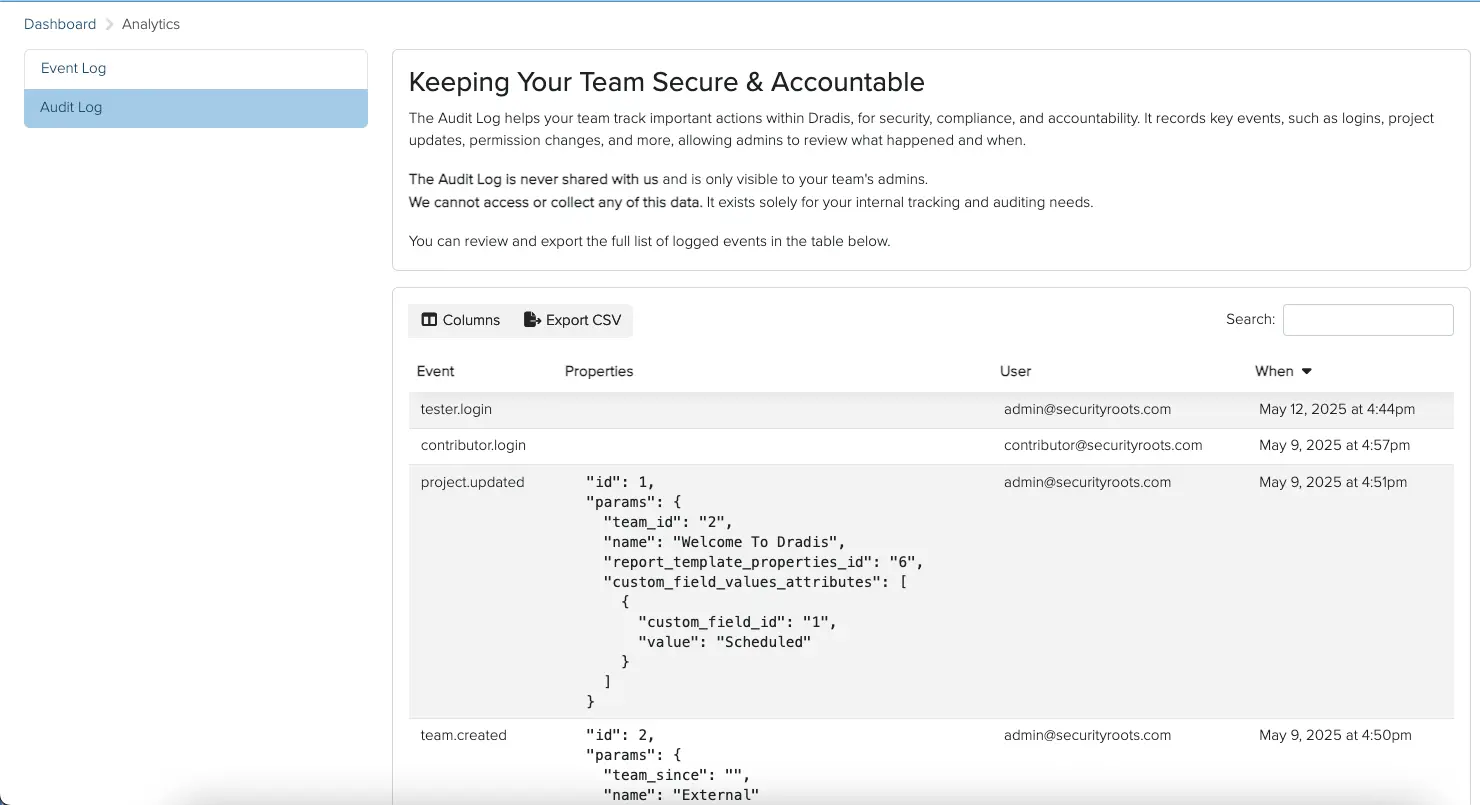
    Audit logging

    By popular request, we have created the Dradis Audit integration, which tracks activity in Dradis on a deeper level than the Recent Activity tabs and gathers it in one place. Your logs for the whole Dradis instance are now easily accessible for your security, compliance, and accountability needs.

    Release Notes

    • Contributors:
      • Add an intermediate login page to prevent Microsoft Safe Links from consuming the one-time token
      • Add Notification Settings link
    • Forms: Add a combobox for selecting, filtering, and creating options
    • Hera: Add new layout with redesigned navigation
    • Navigation: Replace Turbolinks with Hotwire
    • QA:
      • Add project states and QA stats in the active projects card
      • Add View History link when viewing Issues/Content blocks
      • Add a ‘Reviewer’ role for publishing Issues/Content blocks
      • Automatically go to the next record after reviewing
    • Revisions: Show state changes in the revisions view
    • Usage Tracking: Track the choice of toggling on/off
    • Upgraded gems:
      • capybara, mysql2, net-imap, nokogiri, paper_trail, rack, rails, rails-html-sanitizer, rexml, rspec-rails, selenium-webdriver
    • Bug fixes:
      • Report Templates: Make the uploaded template available in the “copy template properties” select menu for subsequent template uploads
    • New integrations:
      • Dradis Pro OTP: two-factor authentication using OTP
      • Dradis Pro Audit: enable tracking of key actions for improved visibility and compliance
    • Integration enhancements:
      • Azure DevOps: Add support for ‘Iteration Path’ and ‘Tags’ fields
      • Burp: Fix HTML importer associating issues in the wrong node
      • Dradis Plugins: Default to ‘Draft’ state on tool upload
      • Gateway:
        • Add overview of projects using active project cards
        • Services: Implement Services and Questionnaires to initiate a pre-project process
      • Issuelib: Update syntax of default entries
      • Netsparker: Add support for Additional Websites as nodes
      • Nexpose: Fix UnorderedList/OrderedList formatting to work with Textile
      • PDF Export: Add table of contents
    • Reporting enhancements:
      • Export: Default export button to ‘All’ if all records in project are in ‘draft’ state
      • Word: Fix links containing special characters by no longer double escaping
    • REST/JSON API enhancements:
      • Nodes: include Node properties

    Not using Dradis Pro?

    What We’re Watching at Black Hat Asia 2025 (And Where to Find Dradis)

    We’re heading to Singapore for Black Hat Asia 2025, and we’ll be showing off the latest in streamlined reporting and collaboration at our Dradis Arsenal demo. We’re excited to be part of the Black Hat Arsenal, demoing how Dradis helps security teams collaborate and report more effectively.

    Catch us here:

    🧪 Dradis @ Black Hat Arsenal  
    Business Hall – Arsenal Station 3
    📅 April 3, 10:05am-11:20am

    Learn how our most recent updates—which include in-app quality assurance workflows, easier deployment with Docker, and AI-driven enhancements—allow for the creation of reports faster and with greater quality.

    📍 See our Arsenal session

    When we’re not presenting, we’ll be diving into the briefings, trainings, and executive summits across AI, exploit development, cloud, and physical infrastructure. Here’s what we’re most excited about.

    🔐 Briefings We’re Watching

    🚗 DriveThru Car Hacking: Fast Food, Faster Data Breach

    Speakers: Alina Tan, George Chen, et al
    Tracks: Privacy, Network Security
    A real-world case study of how a popular drive-thru system was compromised—leading to credential theft, data exfiltration, and a full system takeover. (Search the schedule page for the talk title)

    Link: https://www.blackhat.com/asia-25/briefings/schedule/#drivethru-car-hacking-fast-food-faster-data-breach-43514

    🧠 Tinker Tailor LLM Spy: Investigate & Respond to Attacks on GenAI Chatbots

    Speaker: Allyn Stott
    Tracks: AI, Threat Hunting
    Learn how to detect and respond to attacks on GenAI chatbots, including jailbreaks, prompt leaks, and advanced threat scenarios targeting language model behaviors.

    Link: https://www.blackhat.com/asia-25/briefings/schedule/#tinker-tailor-llm-spy-investigate–respond-to-attacks-on-genai-chatbots-44556

    ☁️ The Illusion of Isolation: How Isolation Failures in CI/CD Servers Lead to RCE

    Speakers: Tian Zhou, Yiwen Wang
    Tracks: Enterprise Security, Application Security
    Demonstrates real-world RCE attacks exploiting shared resources in CI/CD environments. Focuses on sandbox bypasses, namespace collisions, and cross-tenant abuse.

    Link: https://www.blackhat.com/asia-25/briefings/schedule/#the-illusion-of-isolation-how-isolation-failures-in-cicd-servers-lead-to-rce-and-privacy-risks-43618

    🚀 Unveiling the Mysteries of Qualcomm’s QDSP6 JTAG: A Journey into Advanced Theoretical Reverse Engineering

    Speaker: Alisa Esage
    Track: Reverse Engineering
    An advanced reverse engineering walkthrough using QDSP6 JTAG on Qualcomm SoCs. Details undocumented memory regions, interface access, and mobile firmware analysis.

    Link: https://www.blackhat.com/asia-25/briefings/schedule/#unveiling-the-mysteries-of-qualcomms-qdsp-jtag-a-journey-into-advanced-theoretical-reverse-engineering-44550

    📱 Watch Your Phone: USB-Based File Access Attacks Against Mobile Devices

    Speakers: Florian Draschbacher, Lukas Maar
    Tracks: Mobile, Exploit Dev
    A look at how attackers can access sensitive data on Android phones simply by connecting over USB—even when locked. Includes analysis of newly discovered file access vectors.

    Link: https://www.blackhat.com/asia-25/briefings/schedule/#watch-your-phone-novel-usb-based-file-access-attacks-against-mobile-devices-43262

    🔥 One Bug to Rule Them All: Preauth RCE on Windows Server 2025

    Speakers: Zhiniang Peng, Lewis Lee
    Tracks: Exploit Dev, Platform Security
    Explores a novel pre-auth remote code execution vulnerability affecting Windows Server 2025, with a reliable exploitation chain and working proof of concept.

    Link: https://www.blackhat.com/asia-25/briefings/schedule/#one-bug-to-rule-them-all-stably-exploiting-a-preauth-rce-vulnerability-on-windows-server–44144


    🎓 Trainings Worth Highlighting

    🧬 A Complete Practical Approach to Malware Analysis and Threat Hunting Using Memory Forensics (Online)

    Trainers: Monnappa K A & Sajan Shetty
    Great for anyone bridging DFIR and reverse engineering in incident response.

    Link: https://www.blackhat.com/asia-25/training/schedule/index.html#a-complete-practical-approach-to-malware-analysis-and-threat-hunting-using-memory-forensics—-edition-online–42806

    🔐 Advanced Infrastructure Hacking

    Trainer: NotSoSecure / Tiago Carvalho
    Packed with practical labs for seasoned pentesters focusing on modern networks.

    Link: https://www.blackhat.com/asia-25/training/schedule/index.html#advanced-infrastructure-hacking–42864

    🤖 AI Red Teaming in Practice

    Trainers: Gary Lopez, Dr. Amanda Minnich (Microsoft AI Red Team)
    Learn how real AI systems get attacked—and how Microsoft red teams fight back.

    Link: https://www.blackhat.com/asia-25/training/schedule/index.html#ai-red-teaming-in-practice–43046


    🧑‍💼 From the Executive Summit

    🧠 Accelerating ML SecOps: Breaking Barriers, Fueling Innovation

    Speaker: Andrew Chen
    The opening keynote for the AI Summit—and a great signal on where the field is heading.

    Link: https://www.blackhat.com/asia-25/summit-sessions/schedule/index.html#opening-keynote–accelerating-ml-secops-breaking-barriers-fueling-innovation-44566

    💸 The War Against State Actors: Bleeding Edge Techniques Targeting Financial Services

    Speaker: Vivek Ramachandran
    If you’re defending high-value financial infrastructure, don’t miss this.

    Link: https://www.blackhat.com/asia-25/summit-sessions/schedule/index.html#the-war-against-state-actors-bleeding-edge-techniques-targeting-financial-services-44898

    🤖 LLM Firewalls: Are They the Future of AI Security?

    Speakers: Matthias Chin, Xiaojun Jia
    Fireside chat on securing AI models with perimeter-style defenses—what works, what’s hype?

    Link: https://www.blackhat.com/asia-25/summit-sessions/schedule/index.html#fireside-chat–llm-firewalls-are-they-the-future-of-ai-security-44576

    👋 Come say ‘Hi’

    If your team is tired of copying and pasting findings, fighting with Word templates, or working in silos—come see how Dradis makes reporting and collaboration painless.

    📍 Dradis @ Arsenal
    📅 Thursday, April 3 | 10:05am-11:20am
    🔗 Event link

    New in Dradis Pro v4.15

    We’re heading to Singapore for Black Hat Asia 2025, and we’ll be showing off the latest in streamlined reporting and collaboration at our Dradis Arsenal demo. We’re excited to be part of the Black Hat Arsenal, demoing how Dradis helps security teams collaborate and report more effectively.

    Catch us here:

    🧪 Dradis @ Black Hat Arsenal  
    Business Hall – Arsenal Station 3
    📅 April 3, 10:05am-11:20am

    Learn how our most recent updates—which include in-app quality assurance workflows, easier deployment with Docker, and AI-driven enhancements—allow for the creation of reports faster and with greater quality.

    📍 See our Arsenal session

    When we’re not presenting, we’ll be diving into the briefings, trainings, and executive summits across AI, exploit development, cloud, and physical infrastructure. Here’s what we’re most excited about.

    Cross-references in Word reports

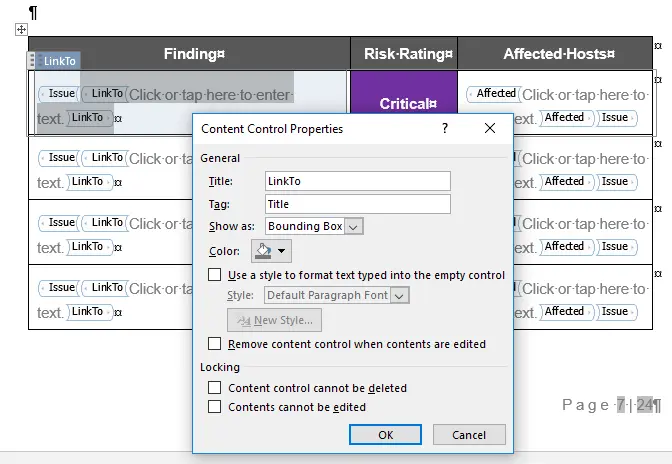
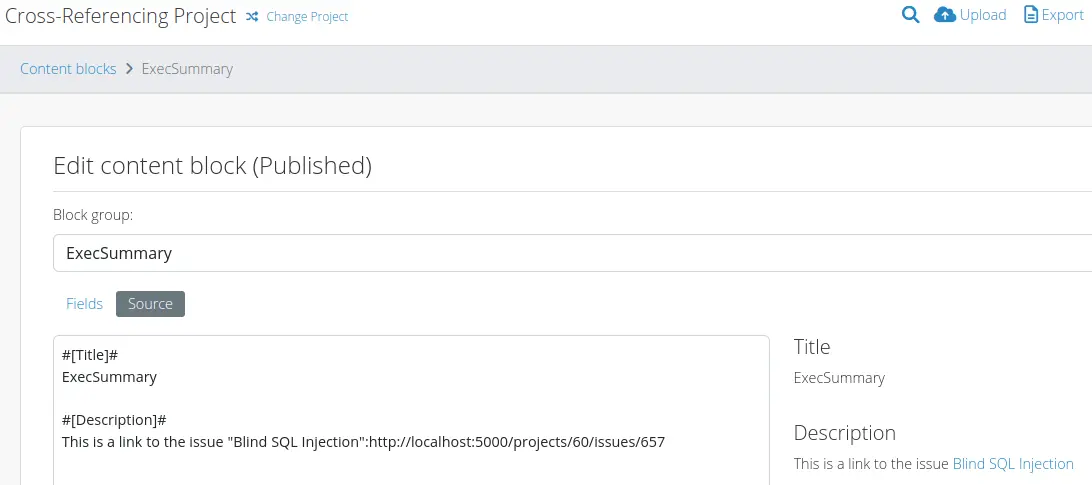
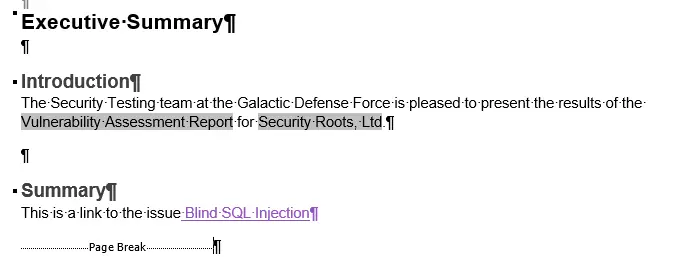
    A frequent report template request is being able to cross-reference Issues, so that you can have a summary table of issues in one part of the finished report that links to each full Issue description later in the report. Previously we have implemented this using VBA macros; now you can do it right in the Word template using content controls, no VBA needed!

    You can create links in summary tables, or even refer to specific issues in other blocks of text (such as Content Blocks) with links directly to each individual issue you want to reference. For example, maybe you have a “Most urgent issues” content block? Now you can refer to those individual issues with links in text.

    Reach out to us if you would like us to implement cross-referencing in your Word report templates, or if you currently have a VBA macro implementation of cross-referencing that you want to replace with the built-in cross-referencing feature.

    Custom Tag Order

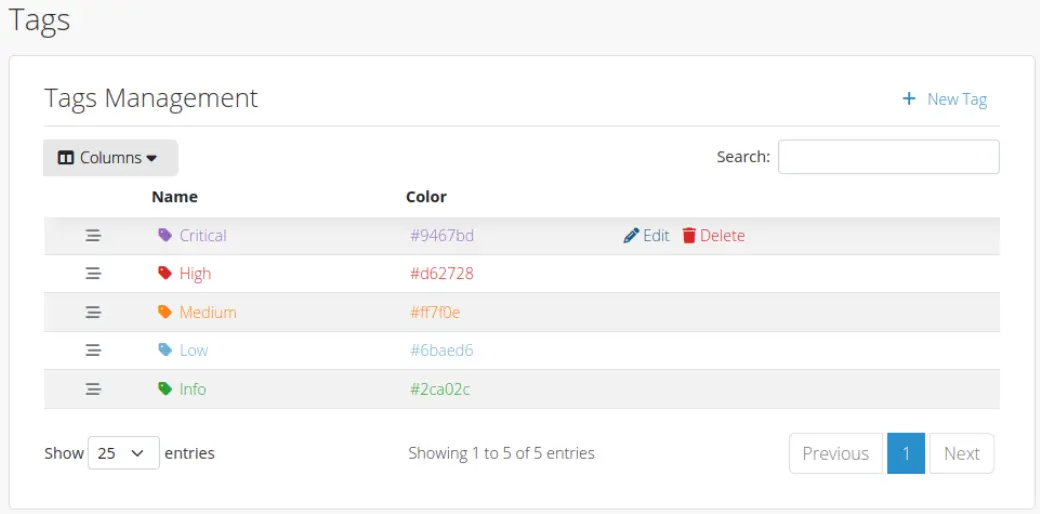
    You have been able to customise tags in Dradis for a while; now you can sort them dynamically as well. For example, maybe you have your own custom “Resolved” tag as well as your typical High/Medium/Low tags, and you want Resolved issues sorted first. Now you can do that! Change your mind and want to see High issues first? Re-order the tags and you’re done.

    Kit Updates

    We refreshed our built-in Kits with updated templates for reports, projects, issues, and more. We also included integration mappings and rules, along with an OWASP Top 10 methodology update.

    Kits can be deployed immediately on an instance (no upload required) and can be used immediately with some tool output for which mappings are included. Other tweaks like CVSSv4 support are also included.

    Release Notes

    • Projects: Add `Owner` column to projects data table
    • Tags: Add custom ordering
    • Welcome Kit:
      • Add HTML report template
      • Add issue and evidence templates
      • Add integration mappings
      • Add project template
      • Add rules for Rules Engine
      • Update OWASP Top 10 methodology to latest version (2021)
      • Update report templates
    • Upgraded gems: net-scp, net-ssh, rexml
    • Bug fixes:
      • Dashboard: refresh cache on recent project changes
      • Word export: allow charts to be edited post-export
    • Integration enhancements:
      • Gateway: Process Liquid in content block, evidence, issue and note text by default when rendering template
      • SAML: Bump ruby-saml dependency to 1.17
    • Reporting enhancements:
      • Word:
        • Add support for cross-references
        • Add support for mismatched nested lists
    • Security Fixes:
      • High: Authenticated (author) persistent cross-site scripting

    Not using Dradis Pro?

    A Year of Updates [2024] – Dradis Pro

    Dradis exists to give pentesting teams more time to do what they do best, cutting the busywork from cybersecurity projects by automating pentest reporting and streamlining collaboration.

    To achieve this, we’re continually improving the product. Fixing bugs and adding/improving features. 

    Let’s look back on the updates that shaped Dradis Pro in 2024. From major feature rollouts to smaller, user-requested enhancements, our focus remained on delivering tools that help streamline workflows and improve reporting efficiency.

    v4.12: Enhanced Mappings Manager and CVSSv4 Support

    Released in May 2024

    • Overhauled Mappings Manager: We’ve revamped the Mappings Manager to associate configurations directly with specific report templates and their properties. This change allows for distinct plugin mappings tailored to each report template, streamlining your reporting process.
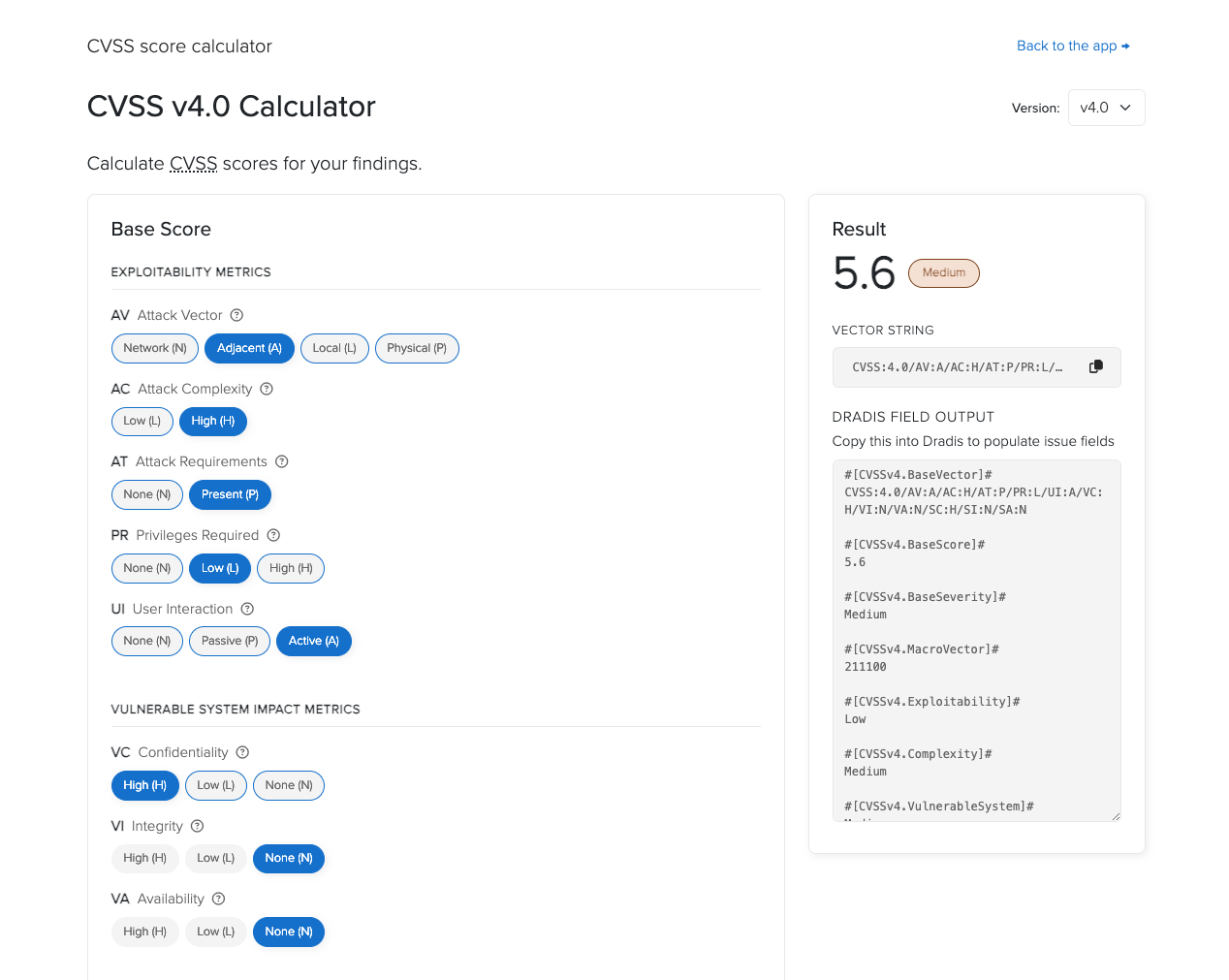
    • CVSSv4 Calculator Integration: Responding to user feedback, we’ve integrated a CVSSv4 calculator into Dradis Pro. You can now assess vulnerabilities using CVSSv4, with the flexibility to include outputs from multiple calculator versions within the same issue.
    • API Enhancements for Attachments: The API now provides additional functionalities for attachments, including access to size, creation date, and direct download links, enhancing automation and integration capabilities.
    • Official AWS and Azure Support: Our Dradis images for AWS and Azure have transitioned from beta to officially supported status, ensuring reliable deployments when following our documented methods.

    v4.13: Advanced Liquid Support and Scheduler Integration

    Released in August 2024

    • Expanded Liquid Functionality: We’ve broadened Liquid support, making Liquid drops available at more levels. This enhancement enables dynamic content generation, such as auto-generated executive summaries that summarize recommendations based on issue severity and evidence locations.
    • Project Scheduler Calendar Integration: The Project Scheduler now offers secure links to .ics files, facilitating integration with third-party calendar applications like Outlook, Thunderbird, and Apple Calendar. This feature ensures seamless scheduling and project management across platforms.
    • Auto-Detection of Word Report Template Properties: To simplify template configuration, Dradis Pro can now auto-detect report template properties upon template upload. This automation reduces manual setup, ensuring accurate project generation, validation, and export.

    v4.14: Issue Library Synchronization and Quality Assurance

    Released in October 2024

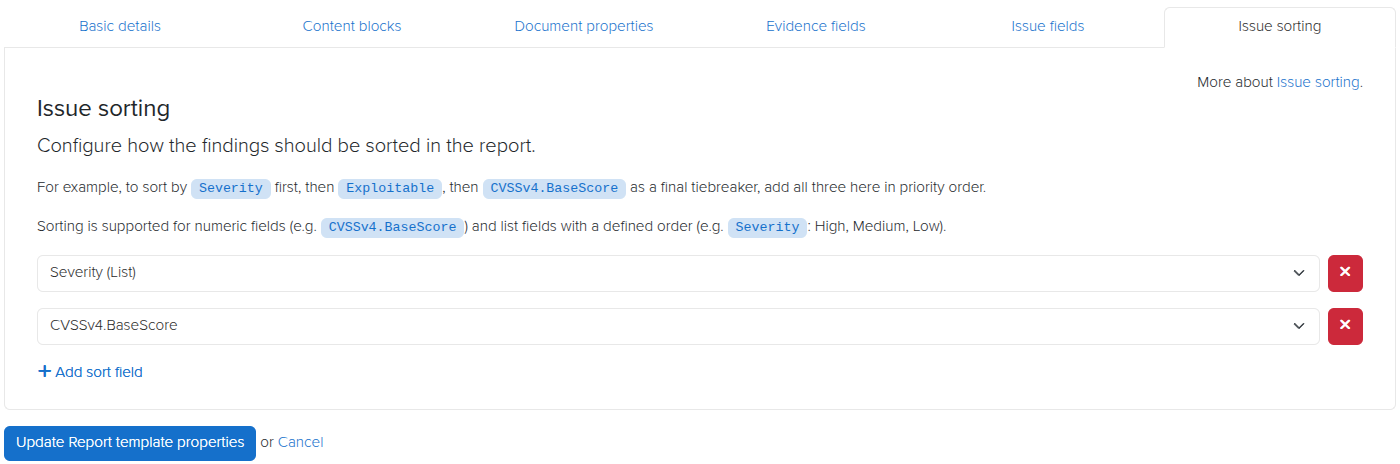
    • Synchronized Issues and Issue Library Entries: We’ve introduced synchronization between project issues and Issue Library entries. This feature allows for real-time updates and consistency, enabling you to sync content between associated issues and library entries seamlessly.
    • Quality Assurance for Issue Library: A new QA view for the Issue Library lets you review, edit, and manage entries with version history tracking. This addition ensures that reusable issues maintain high quality and consistency across projects.
    • Liquid Support for Issue Sorting Fields: We’ve added Liquid support for issue sorting fields, allowing you to use Liquid code within sorting fields without affecting the sort order. The evaluated result of the Liquid code determines the sorting, providing dynamic and customized report organization.

    v4.15 – the latest release

    We’ve continued releasing updates in 2025, here’s an overview of our latest release:

    🔑 What’s New in v4.15:

    • Cross-Reference Links: Automatically generate links in Word reports for better navigation.
    • Custom Tag Sorting: Sort Issues by Tags in a custom order to prioritize what matters most.
    • Updated Built-In Kits: Access refreshed templates for reports, projects, issues, and more.

    Check out the full release notes.

    Not using Dradis Pro?

    New in Dradis Pro v4.14

    We’re heading to Singapore for Black Hat Asia 2025, and we’ll be showing off the latest in streamlined reporting and collaboration at our Dradis Arsenal demo. We’re excited to be part of the Black Hat Arsenal, demoing how Dradis helps security teams collaborate and report more effectively.

    Catch us here:

    🧪 Dradis @ Black Hat Arsenal  
    Business Hall – Arsenal Station 3
    📅 April 3, 10:05am-11:20am

    Learn how our most recent updates—which include in-app quality assurance workflows, easier deployment with Docker, and AI-driven enhancements—allow for the creation of reports faster and with greater quality.

    📍 See our Arsenal session

    When we’re not presenting, we’ll be diving into the briefings, trainings, and executive summits across AI, exploit development, cloud, and physical infrastructure. Here’s what we’re most excited about.

    Associate and sync content between issues and Issue Library entries

    Issues and Issue Library entries are now synced. When you add an Issue to your project from the Issue Library, it is synced up with the original Issue Library entry. That way, you can identify when the two are out of sync and, if needed, sync them back up.

    You can update either the Issue in your project to match the Issue Library entry, or update Entry to match your Issue Library entry – it works both ways!

    This link between the issue and the entry is also created when you send an already existing Issue from your project to the Issue Library. Managing your reusable Issues has never been as easy as it is now!

    Quality Assurance for Issue Library

    We implemented QA for the Issue Library. You can now review your Issue Library entries and perform quality assurance on them.

    When entries are marked as “Ready For Review”, they’re available in the new QA view. You can edit them, change their state, and keep track of changes with the version history.

    Liquid support for Issue Sort fields

    Liquid support for Issue sorting fields. When you export a report to Word, you can set a numeric sorting field, and your issues will be sorted in descending order on export.

    This update allows that field to contain Liquid in the Val values without affecting the sort order. The result of the Liquid code will be used in the sorting, not the Liquid code itself.

    Release Notes

    • Issue Library:
      • Associate issues with Issue Library entries
      • Sync content between associated issues and Issue Library entries
      • Implement a Quality Assurance view for Issue Library entries
    • Kit Import:
      • Use file name sequencing when a template file with the same name exists
    • Upgraded gems:
      • concurrent-ruby, et-orbi, fugit, puma, rexml
    • Bug fixes:
      • Report Templates:
        • Fix confirmation on deleting a report template
      • Spelling:
        • Restore functionality of native browser back/forward buttons
    • Integration enhancements:
      • Business Intelligence:
        • Show search results in a data table
    • Reporting enhancements:
      • Word:
        • Allow fields that contain Liquid to be used as an export sorting field
        • Ignore Tag field when auto-generating word template properties

    Not using Dradis Pro?

    New in Dradis Pro v4.13

    We’re heading to Singapore for Black Hat Asia 2025, and we’ll be showing off the latest in streamlined reporting and collaboration at our Dradis Arsenal demo. We’re excited to be part of the Black Hat Arsenal, demoing how Dradis helps security teams collaborate and report more effectively.

    Catch us here:

    🧪 Dradis @ Black Hat Arsenal  
    Business Hall – Arsenal Station 3
    📅 April 3, 10:05am-11:20am

    Learn how our most recent updates—which include in-app quality assurance workflows, easier deployment with Docker, and AI-driven enhancements—allow for the creation of reports faster and with greater quality.

    📍 See our Arsenal session

    When we’re not presenting, we’ll be diving into the briefings, trainings, and executive summits across AI, exploit development, cloud, and physical infrastructure. Here’s what we’re most excited about.

    Liquid updates

    Dradis v4.13.0 expands what you can do with Liquid content. Support for Liquid drops has been expanded so that they are available at more levels. For example, perhaps you want to have an auto-magically generated text in an Executive Summary ContentBlock that summarises recommendations for Issues and their respective Evidence locations, in order of severity? Now you can do that!

    In addition, we have tweaked the Word exporter so that Liquid content is evaluated before Word filters. That means that you can use Liquid syntax to programmatically set filters. For example, perhaps you have filters in your Word template that separate Internal and External Issues. Now you can use Liquid to, for example, specify that if an Issue is found on a Node beginning in 192. then the Type should be set to “Internal”.

    Or perhaps you want to select which ContentBlock sections to display based on the Project type as defined in a document property? Now, with some Liquid code in the relevant ContentBlock filter sections, you can do that!

    Project Scheduler integration

    The Project Scheduler is one of our most downloaded add-ons, and a frequently requested feature has been integrated with third-party calendars. This is now implemented in v4.13.0! The Scheduler now has a secure link to a .ics that will let you integrate the Dradis Project Scheduler with apps like Outlook, Thunderbird, and Apple Calendar. The .ics file can of course also be downloaded rather than linked.

    Auto-generate Word report template properties

    Correct configuration of Word templates’ Report Template Properties is essential to ensure that projects are correctly generated, validated, and exported. With our recent Mappings Manager overhaul with per-template mappings, the correct configuration of report template properties is also essential to tool uploads. To make this process easier for you, Dradis can now auto-detect report template properties when you upload a report template to your Dradis instance. If you create or tweak your own templates, and don’t want to go through a fiddly .rb file to configure a new Kit each time, this feature is for you!

    Release Notes

    • Liquid: Make project-level collections available for Liquid syntax
    • Validations: Evaluate Liquid syntax before validating the fields
    • Upgraded gems: nokogiri, rails, redcloth, rexml
    • Bug fixes:
      • Business Intelligence:
        • Prevent the “Business Intelligence” navigation label overflowing (in Project and Team forms) on mid-size view ports
        • Prevent the “Compare” chart y-axis label from being covered by chart data
      • Navigation: Restore functionality of native browser back/forward buttons
      • Rules Engine: Prevent issues from getting multiple tags
      • Tables: Enable sorting by validation column status
      • Word: Prevent EvidenceCounter filters from being ignored
    • Integration enhancements:
      • Calculators: Add CVSS/Dread calculators to the Tools Manager
      • Rules Engine: Process Liquid syntax before matching field condition
    • Reporting enhancements:
      • Word:
        • Auto-generate fields for uploaded templates
        • Process Liquid before generating the Word report
        • Remove the NoSpacesInNodesValidator
        • Skip QA validation when exporting all the records
    • Security Fixes:
      • Medium: Authenticated (author) horizontal privilege escalation affecting attachments

    Not using Dradis Pro?