Dradis Pro v5.3 focuses on smoother workflows and better collaboration. Echo conversations are now shared and interactive; CSV and ServiceNow integrations gain reusable field mappings; and Gateway HTML and PDF exports are now available directly from your projects.
Here’s what’s new!
Echo Multiplayer Chat
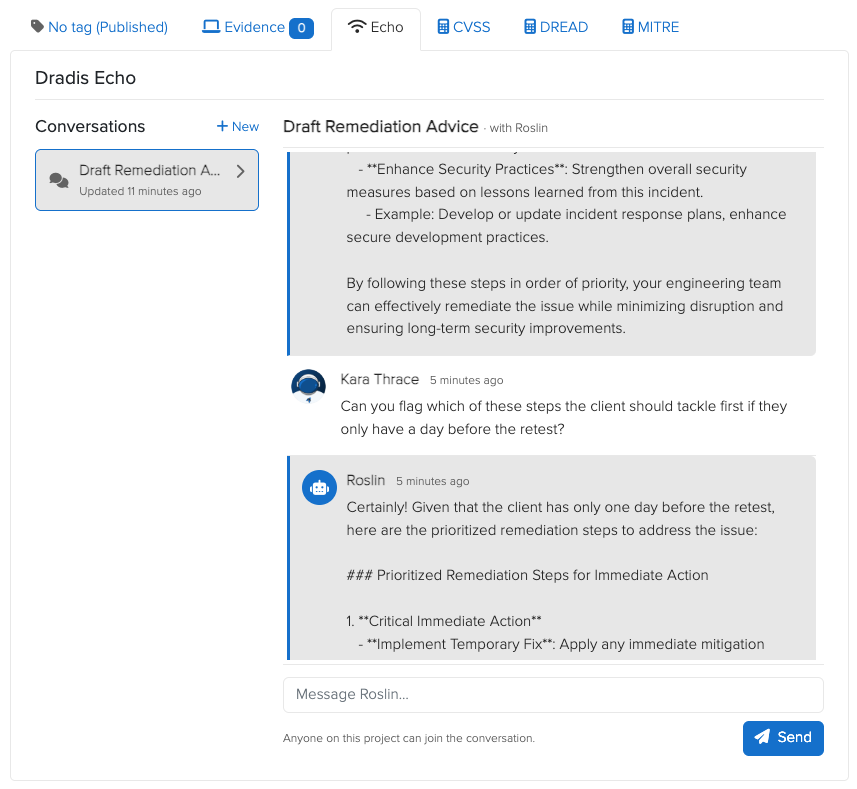
Echo conversations are now shared, ongoing threads instead of one-off prompts.
In Dradis Pro v5.3, you can start a conversation with Roslin from a saved prompt on an Issue and continue from there with follow-up messages. Ask for a revision, add more context, clarify a point, or challenge part of the response without having to start again from scratch.
The conversation is also visible to everyone with access to the project. Replies appear live as they are generated, so teammates viewing the same Issue can follow the discussion in real time and add their own messages to the thread.
This makes it much easier to refine findings collaboratively, with the full conversation kept in one place instead of split across separate Echo sessions.
To try it, open an Issue, head to the Echo tab, choose a saved prompt, and start the conversation.
CSV Field Mappings
With Dradis Pro v5.3, recurring CSV imports no longer require you to map the same columns by hand every time.
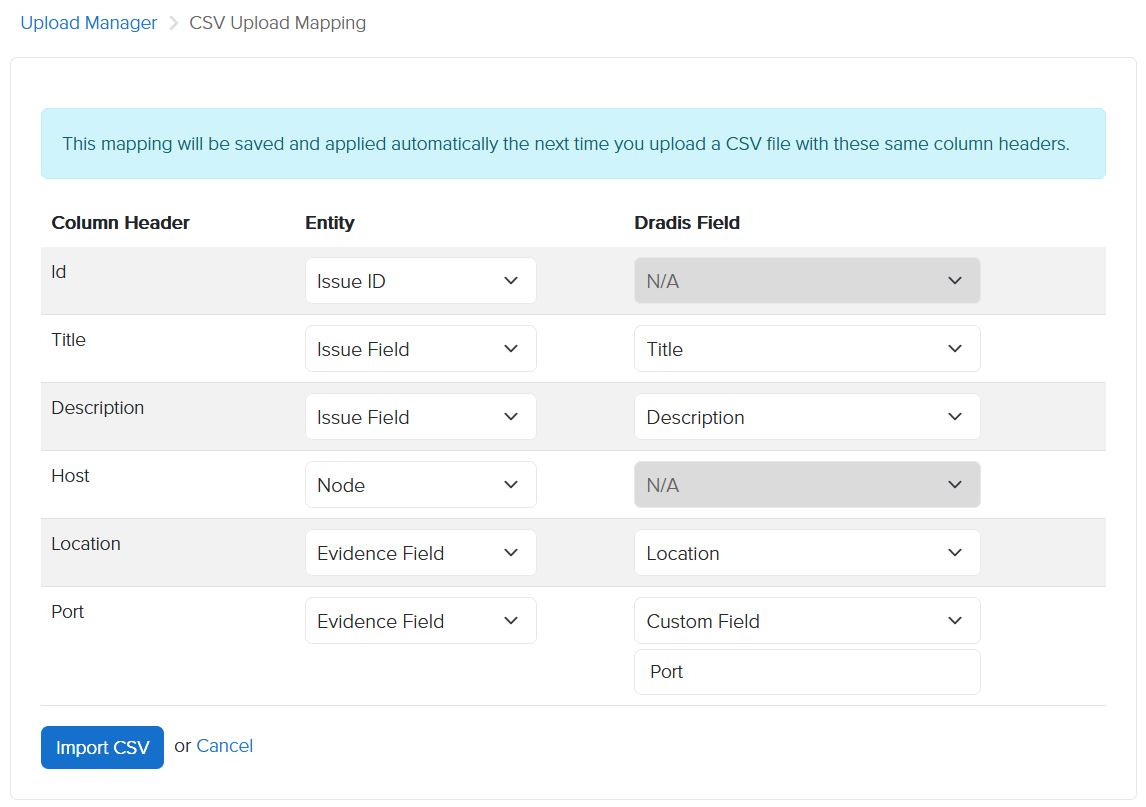
CSV imports now integrate with the Mappings Manager, allowing you to define how each CSV column maps to your Issue and Evidence fields and reuse that configuration on future uploads.
When a project is associated with a Report Template, Dradis saves the mapping for that CSV structure. The next time you upload a file with the same column headers, the saved mapping is applied automatically.
This makes recurring imports much quicker to process, while also helping keep imported data consistent from one upload to the next.
ServiceNow Field Mappings
Dradis Pro v5.3 makes sending findings to ServiceNow much more streamlined.
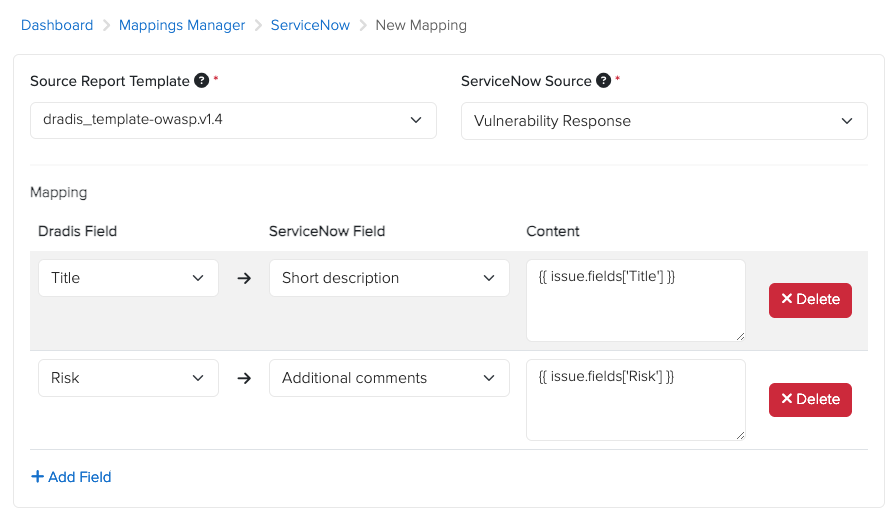
Dradis Pro v5.3 adds ServiceNow to the Mappings Manager, so you can define how your Dradis fields map to ServiceNow fields instead of filling them in manually each time you create a Vulnerable Item.
Mappings are available across the Application, Container, and Vulnerability Response modules. Once configured, the mapped fields are populated automatically whenever a Vulnerable Item is created from Dradis.
You can also use Liquid in your mappings, giving you more control over the content sent to each ServiceNow field rather than simply copying a Dradis field as-is.
This makes repeated exports to ServiceNow faster and more consistent, especially when your team follows the same field structure across projects.
To set it up, head to “Mappings Manager” → “ServiceNow” → “New ServiceNow Mapping” and define how your Dradis content should map to ServiceNow.
Gateway PDF Exports
Gateway’s themed HTML reports are no longer limited to the Results Portal. With Dradis Pro v5.3, you can generate them directly from your project.
Head to the Export tab, select HTML / PDF, and choose the Gateway theme you want to use. Dradis generates the same themed HTML output available through Gateway, ready to view in your browser or print to PDF — alongside your existing Word, Excel, and CSV export options.
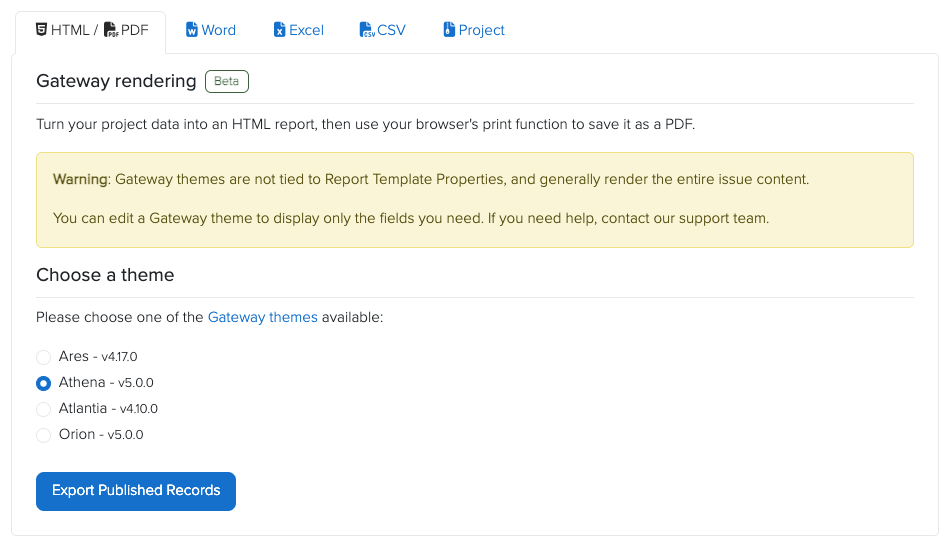
For PDF reports, we recommend the Athena theme. It was designed with printable reports in mind: the browser view resembles the finished report, while print-specific styles remove interactive elements such as the comment box when you save or print it as a PDF.
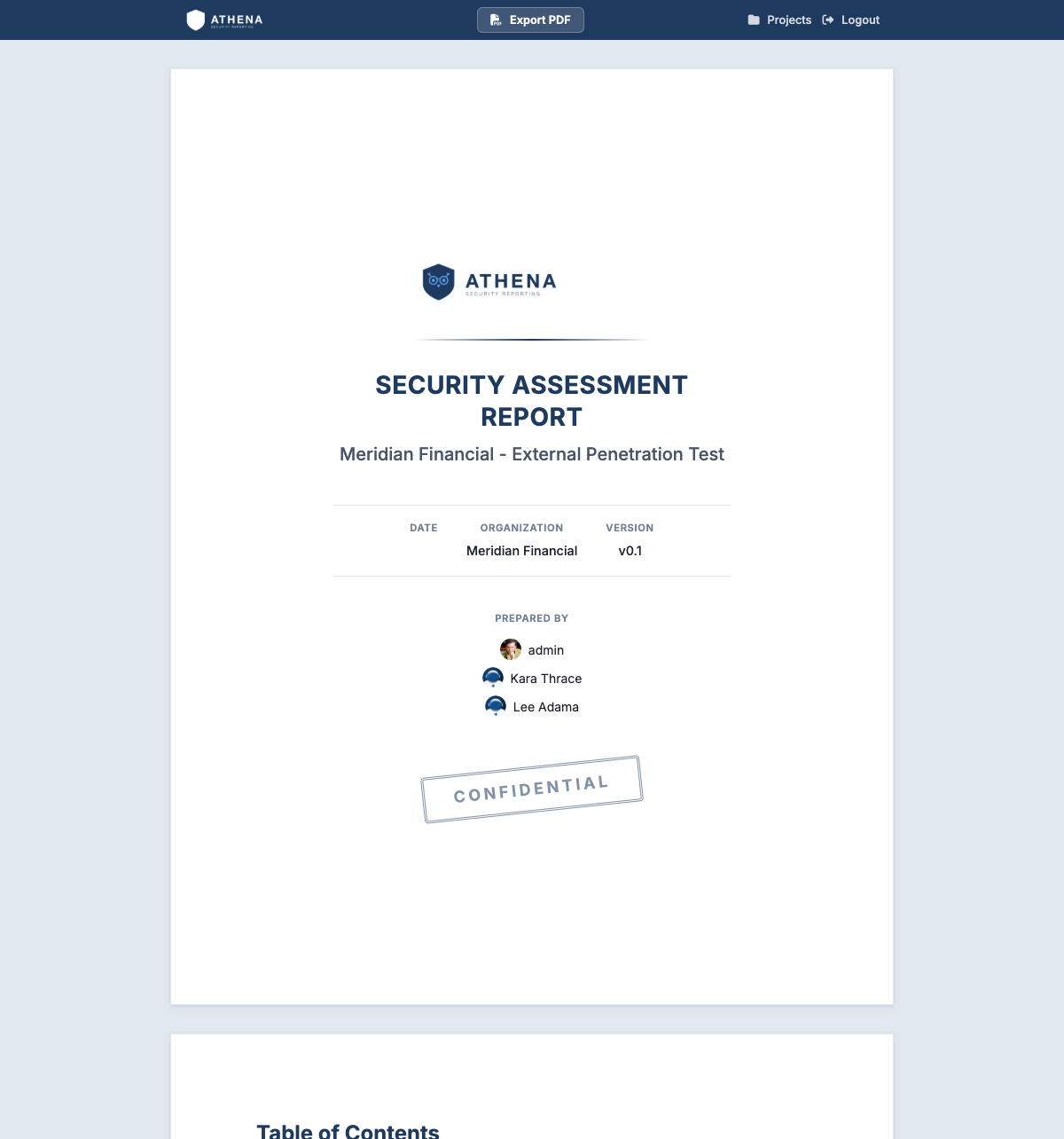
You no longer need to go to the Results Portal just to produce this output, making it useful when you want a polished PDF deliverable without sharing the project through Gateway with contributors.
Release Notes
- Dashboard:
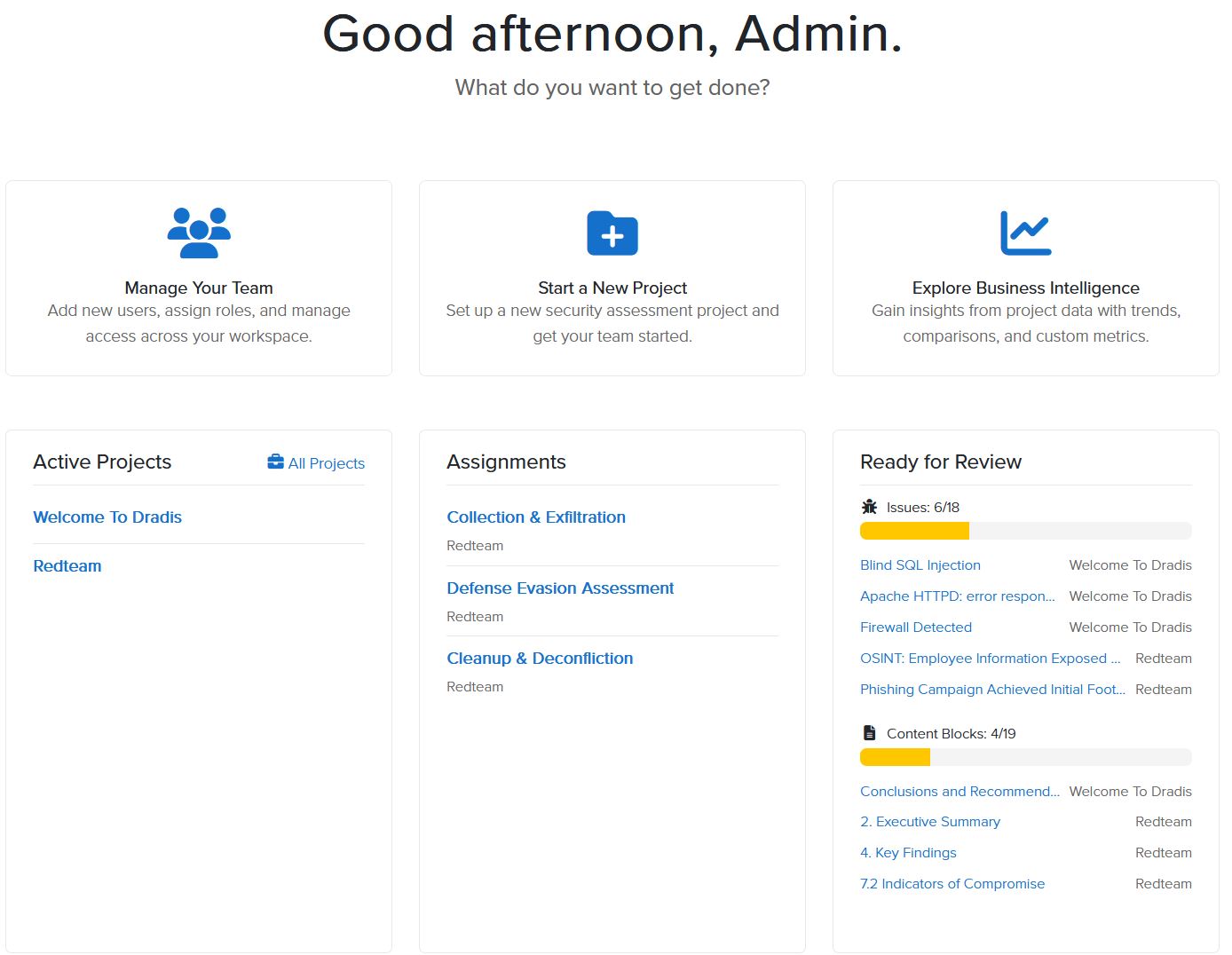
- redesign author dashboard with contextual widget panels and What’s New feed
- add CTA cards and onboarding view for authors without active projects
- Issue Library:
- point to the library in the Issue import empty state when it doesn’t have entries yet
- Users:
- allow Admins to request 1:1 training for new users
- Cards:
- add option to move a task to a different list
- Upgraded gems:
- rails, rails-html-sanitizer, websocket-driver
- Bug fixes:
- Echo:
- Preserve line breaks in streamed Ollama responses for models that emit them as standalone tokens
- Remove a stray leading blank line from streamed responses
- Send only completed conversation turns to the AI provider, so a failed or in-progress reply can no longer break the next one
- Show a generic message when a reply fails instead of surfacing the provider’s raw error
- Return a graceful error instead of a server error when a chat session is started with a blank prompt
- Kit import:
- correctly associate the imported project with its Word report template when multiple export integrations are enabled
- Navbar:
- apply white-label styling to the theme toggle so it stays visible in white-labeled contributor portals
- REST API:
- Return a 404 instead of a server error for project-scoped endpoints requested without a valid project
- Echo:
- Echo enhancements:
- Add multiplayer chat sessions on Issues — start a conversation from a saved prompt, follow up with more messages, and watch Roslin’s reply stream live to everyone viewing
- Integration enhancements:
- Burp:
- Add Type as an available Issue field
- CSV:
- Add support for the Mappings Manager
- Gateway:
- Use theme rendering for Project export to HTML/PDF
- Projects:
- Fix error handling of the package upload when an invalid template is found
- ServiceNow:
- Add support for the Mappings Manager
- VSTS:
- Add support for Work Item attachments
- Burp:
- REST/JSON API enhancements:
- Content Blocks:
- Add Recent Activity entry for API edits
- Set the author field to the authenticated user when creating notes and evidence
- Content Blocks:
Not using Dradis Pro?
- Automated pentest reporting tool: the cybersecurity reports you’re used to, generated in a fraction of the time
- Combine the output from 20+ different tools into a single report.
- Deliver consistent results. Never forget any steps; always know what has been covered and what is still ahead.
- Pentesting collaboration: all information is available across the team.