Author Archives: Pavels Samoilovs

New in Dradis Pro v5.1

v5.1 is a focused release. Echo gets its first Agent, more LLM providers, and inline grammar checking. Business Intelligence gains a date field type. Also included are a raft of bug fixes.

Here’s what’s new!

Writing quality checks with Roslin

Report writing is where the work lives. The content your clients receive reflects the care your team put in, and a single typo in a critical finding can undermine that impression before they’ve finished reading it.

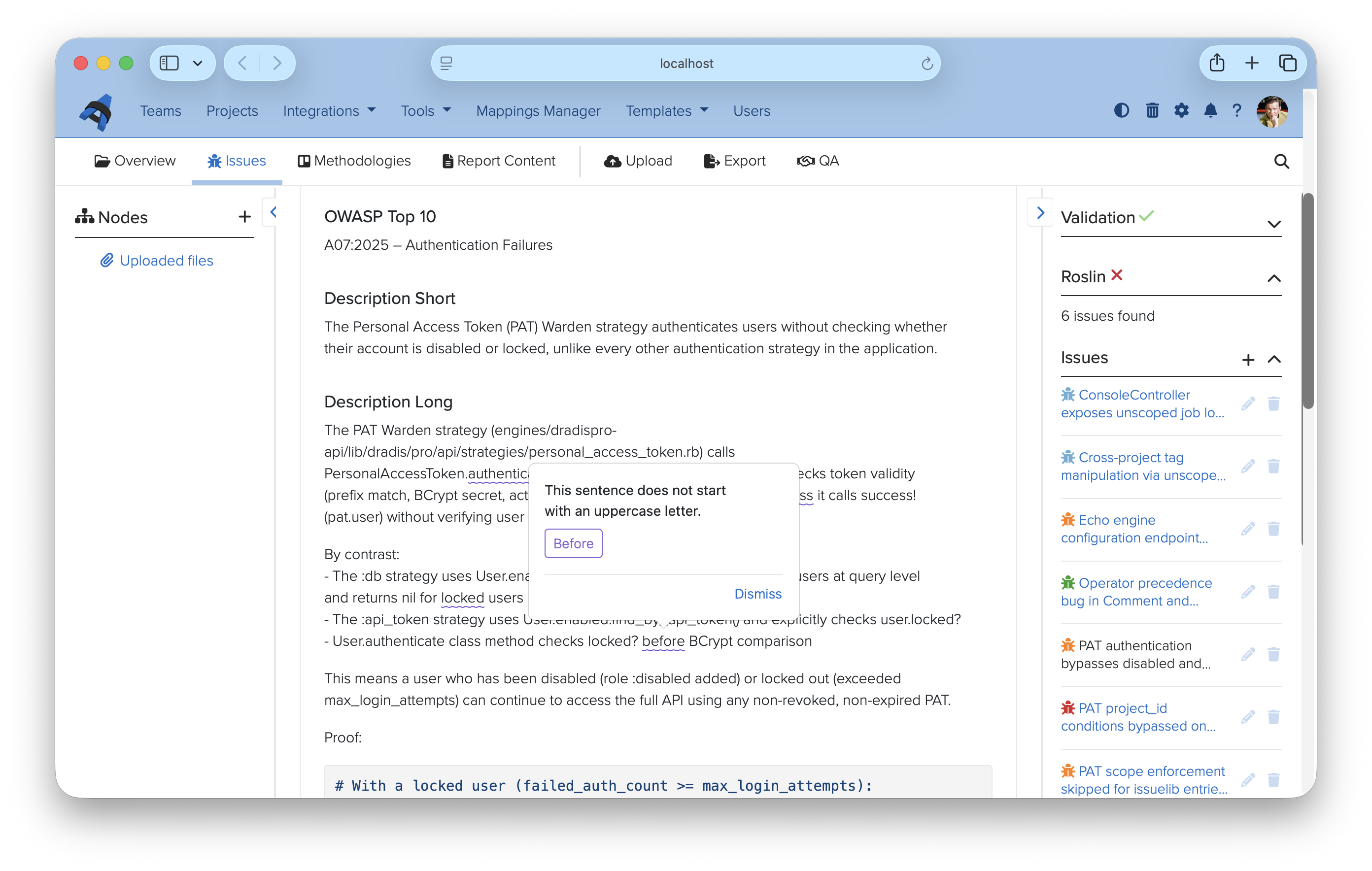
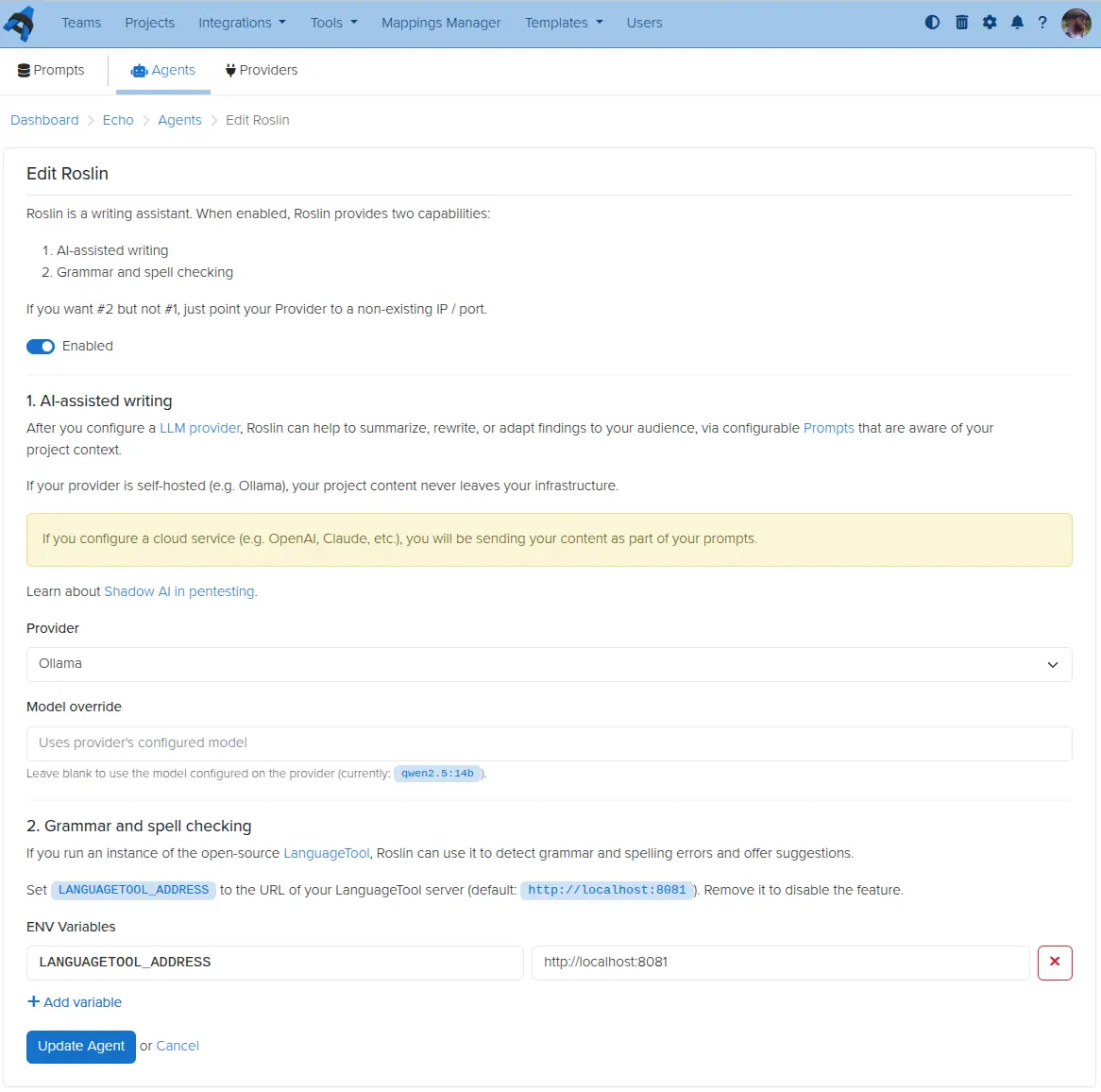
Roslin is our first Echo Agent — a configurable assistant that extends Echo beyond prompts and into the editing experience itself. Connect it to a LanguageTool instance (self-hosted or local) and it checks grammar, spelling, and style inline as you work. Issues are highlighted directly in the findings editor, with suggestions shown in context and one-click replacements. Dismissed suggestions are remembered per-browser, so they won’t surface again on your next visit.

The grammar and spell check side of Roslin runs entirely on LanguageTool, which means your finding content never has to leave your network to use it. If you also configure an LLM provider on the agent, Roslin picks that up for AI-assisted writing too — the two capabilities are independent and can be enabled in any combination.

To get started, visit Tools → Echo → Agents and click Edit next to Roslin. The Roslin setup guide walks through the LanguageTool configuration.
Echo for more providers

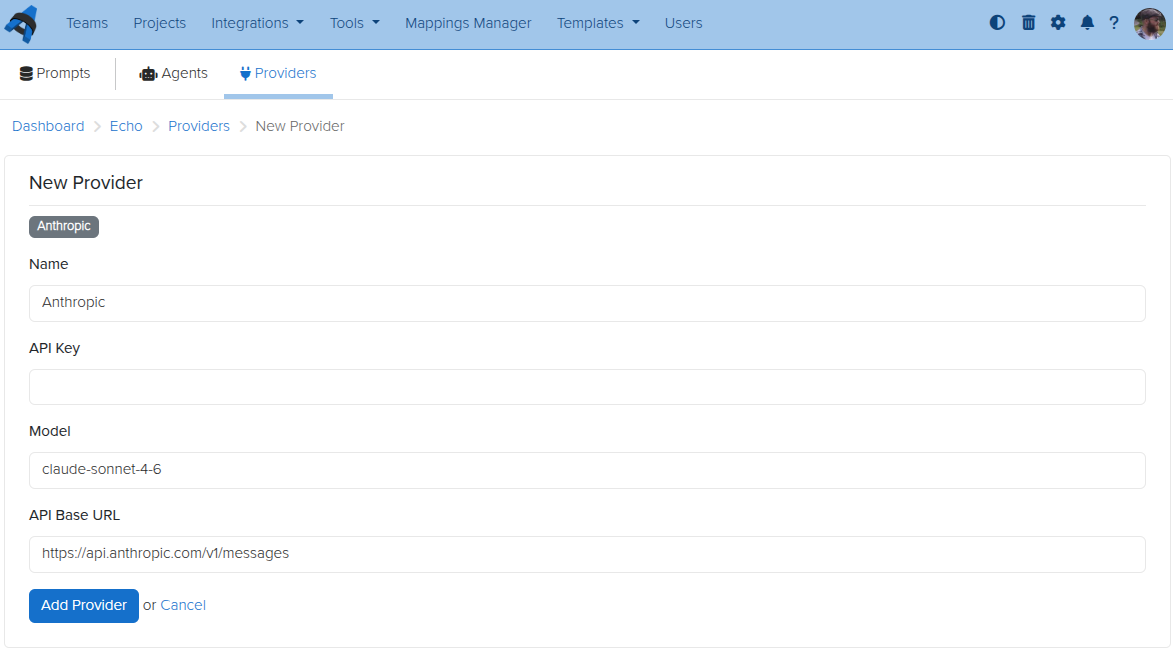
Echo launched with Ollama — a great option for teams that want local, private LLM processing. With v5.1, you can now also connect to OpenAI, Anthropic, and Google Gemini as provider options.

Each provider is configured separately under Tools → Echo → Providers, giving you a named connection with its own API key, endpoint, and default model. You can have multiple providers configured at once and choose between them per agent or per use case. If you prefer to keep everything on-premises, Ollama remains fully supported.

For cloud providers, be aware that your finding content will be sent to the external service as part of each prompt. If data residency matters for your engagements, Ollama is still the right choice.

Full provider setup details are in the Echo Providers guide.
Date fields in Business Intelligence

Business Intelligence custom properties have supported text and numeric values since launch. v5.1 adds a dedicated date field type.

That means you can now store structured date values — engagement start dates, remediation deadlines, retest windows — as first-class BI properties rather than free-text workarounds. Date fields behave like other custom properties: they are available in your dashboards, filterable, and can be tracked across projects over time.

If you have existing date values stored as text fields, now is a good time to migrate them over to take advantage of proper date filtering.


Release Notes

  • DataTables:
    • Add sticky table toolbar that tracks below the navigation bar when scrolling
  • Mail:
    • Add support for SMTP configuration via environment variables for Docker deployments; smtp.yml remains supported for VM deployments during the deprecation transition
  • Business Intelligence:
    • Add date custom property type
  • Upgraded gems:
    • addressable, erb, faraday, net-imap, nokogiri, rack
  • Bug fixes:
    • Contributors:
      • Don’t show license expiry warning for contributor users in notifications view
    • Field validations:
      • Fix false ‘Field is empty’ errors by ensuring Liquid drops can access associations
    • Fields:
      • Show a visible border on dropdown fields in the editor
    • Issue Library:
      • Show dropdown fields when creating entries from a template
    • Projects:
      • Count all user nodes instead of only root nodes on the projects index
    • Liquid:
      • Stop stripping comparison operators from Liquid tags in issue and evidence fields
  • Echo enhancements:
    • Providers: add OpenAI, Anthropic, and Google Gemini as LLM provider options alongside Ollama
    • Add inline grammar checking via LanguageTool
  • Integration enhancements:
    • Audit: track when a report or kit is downloaded
    • Gateway: track when a deliverable is downloaded

Not using Dradis Pro?

New in Dradis Pro v4.17

White-labeling

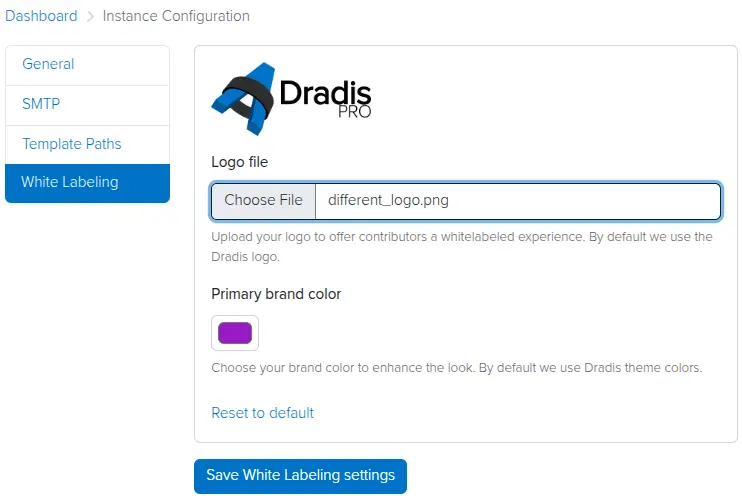
Admin testers can now add a custom logo and brand color in the Instance Settings view. Contributors will see this logo and color in the Dradis UI, providing a white-labeled experience that reflects your brand identity.

Simply click on the cogwheel to the top right, click Instance Configuration, then White Labeling, and set your preferred logo and brand colour.

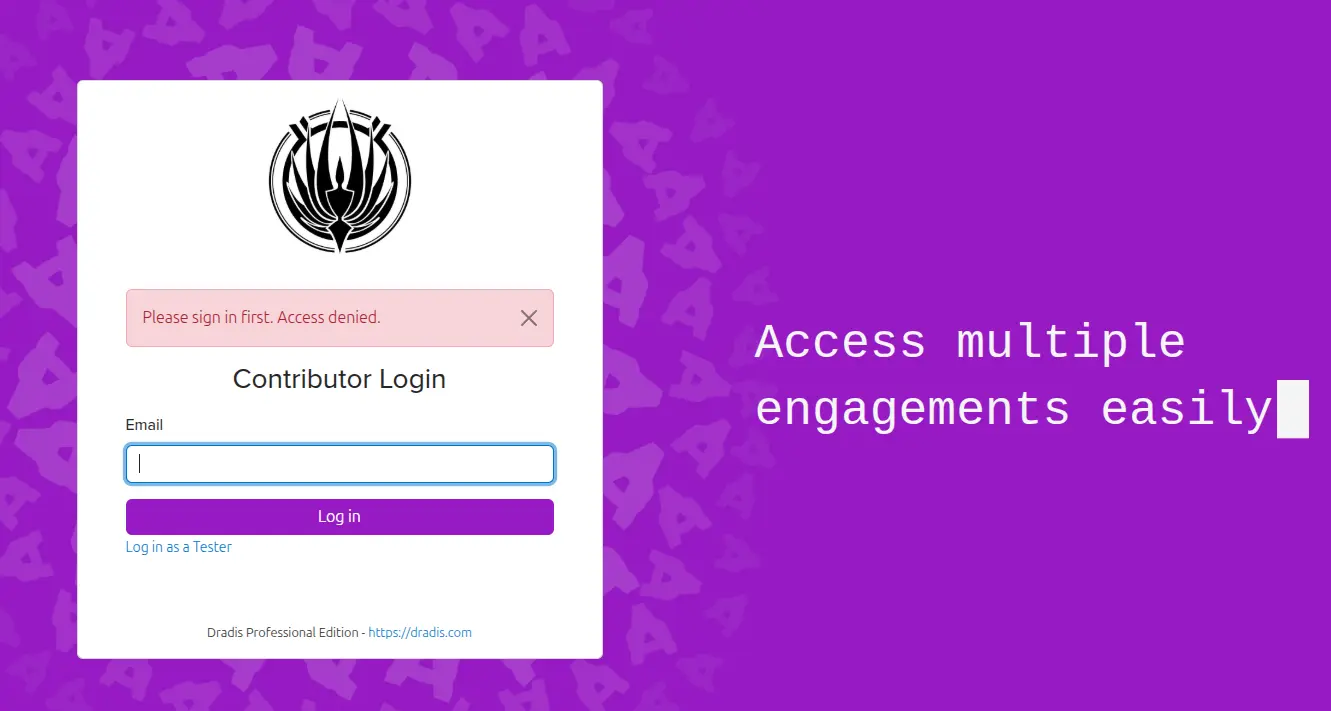
Now your Contributor Login page will be branded with your logo and colour scheme.

MITRE ATT&CK calculator

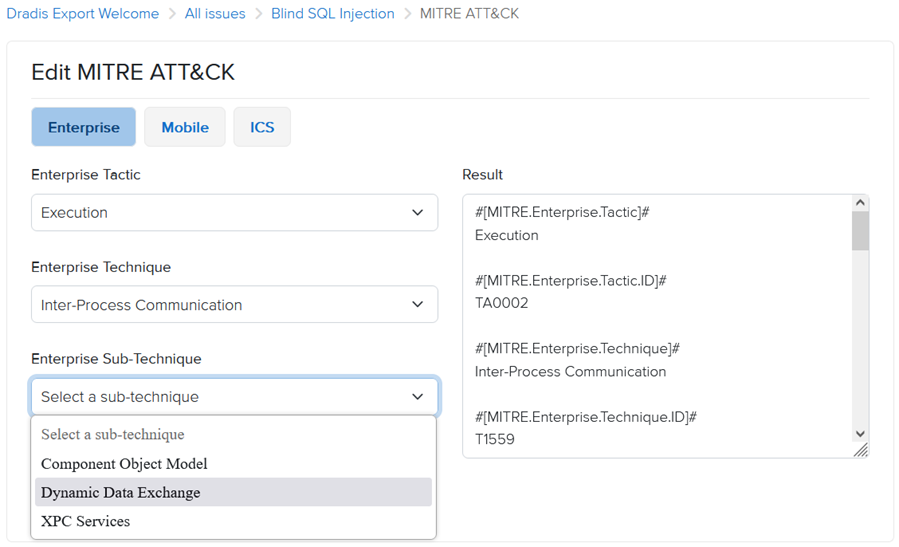
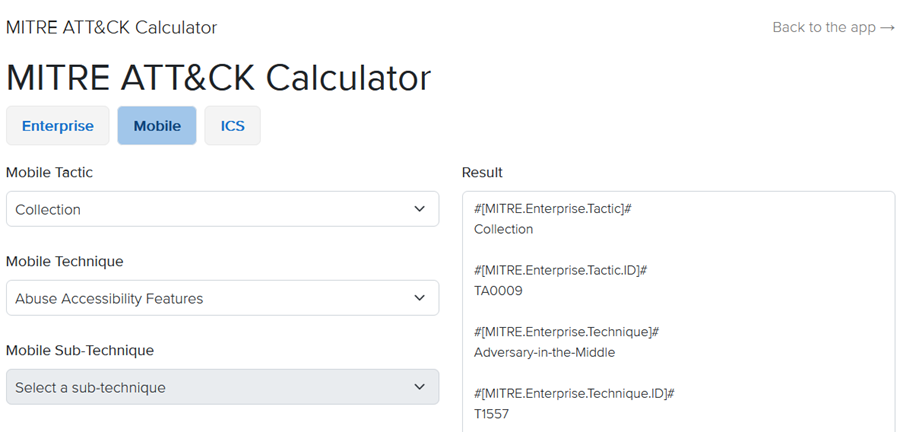
We have added a new MITRE ATT&CK calculator, based on the MITRE ATT&CK matrices for Enterprise, Mobile, and ICS (more details: https://attack.mitre.org/). You can now add MITRE ATT&CK metrics to Issues from the MITRE tab.

Once you select a Tactic, the calculator will load the associated list of Techniques, followed by Sub-Techniques based on your selection. You can include Enterprise, Mobile, and ICS data all within the same Issue.

Additionally, the calculator is available as a standalone tool from the Tools menu in the top navigation bar.

Kit downloads

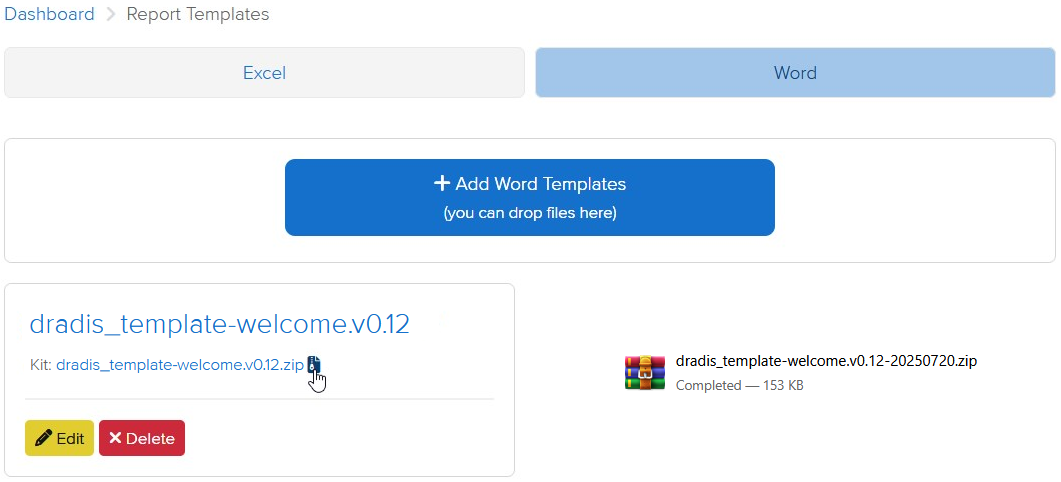
Report templates can now be downloaded as a Kit, including report template properties and mappings. This makes it easier to share and reuse report templates while maintaining all of the associated context.

Release Notes

  • Activation:
    • Add offline activation option for when online activation fails
  • Active project cards:
    • Display the most recently updated Methodology
    • Render empty states instead of hiding content
  • Admin settings:
    • Add ability to white label contributor-facing views
    • Update UI to match other settings-related UIs
  • Analyzer:
    • Add support for multi-word fields
  • Calculators:
    • Add MITRE ATT&CK
  • Contributors:
    • Use Contributor login by default
  • Hera:
    • Update brand colors
    • Add sub-navigation icons to improve consistency
  • Jobs:
    • Add /jobs view to view and manage background jobs
  • Logs:
    • Update logs to use string UIDs
  • Mailer:
    • Fix email footer incorrectly redirecting to tester login
  • Profile:
    • Add click-to-reveal functionality for the API token
  • Report Templates:
    • Add option to download a kit for each report template
  • Upgraded gems:
    • nokogiri
  • Bugs fixes:
    • Avatars:
      • Fix avatars disappearing after enabling/disabling an integration
    • Calculators:
      • Render Calculator links in tools menu
    • Quote Selector:
      • Scroll to comment box in Safari after selecting quote content
  • Word:
    • Only process scoped issues in node content controls
    • Don’t create an analytics event when validating the project
  • Integration enhancements:
    • Gateway:
      • Add dynamic project title to Ares theme
    • Issue Library:
      • Update issues import to be more consistent with the table search
    • LDAP:
      • Enable installation and editable configuration through the Tool Manager
    • Nessus:
      • Ignore entries that have blank values
    • SAML:
      • Add name_identifier_format in the config generator and default to ’emailAddress’ instead of ‘unspecified’
  • Reporting enhancements:
    • Adjust the default styles for unordered bulleted lists
    • Excel:
      • Track failed job states using JobTracker
    • Filters:
      • Fix filters with double quotes (“) not catching the correct values
    • Word:
      • Track failed job states using JobTracker
  • REST/JSON API enhancements:
    • Export: Add endpoints for exporting and downloading Word/Excel reports
    • Upload: Add endpoint for uploading tool outputs

    Not using Dradis Pro?

    New in Dradis Pro v4.14

    We’re heading to Singapore for Black Hat Asia 2025, and we’ll be showing off the latest in streamlined reporting and collaboration at our Dradis Arsenal demo. We’re excited to be part of the Black Hat Arsenal, demoing how Dradis helps security teams collaborate and report more effectively.

    Catch us here:

    🧪 Dradis @ Black Hat Arsenal  
    Business Hall – Arsenal Station 3
    📅 April 3, 10:05am-11:20am

    Learn how our most recent updates—which include in-app quality assurance workflows, easier deployment with Docker, and AI-driven enhancements—allow for the creation of reports faster and with greater quality.

    📍 See our Arsenal session

    When we’re not presenting, we’ll be diving into the briefings, trainings, and executive summits across AI, exploit development, cloud, and physical infrastructure. Here’s what we’re most excited about.

    Associate and sync content between issues and Issue Library entries

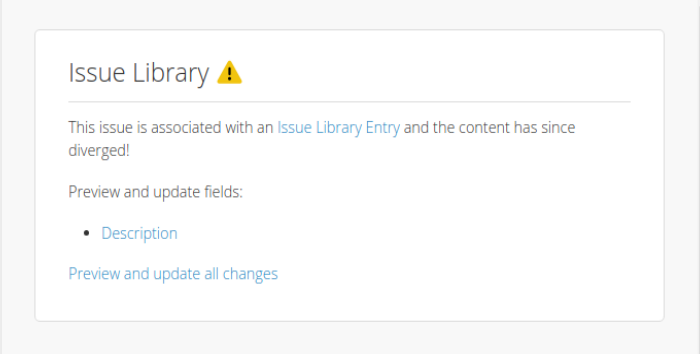
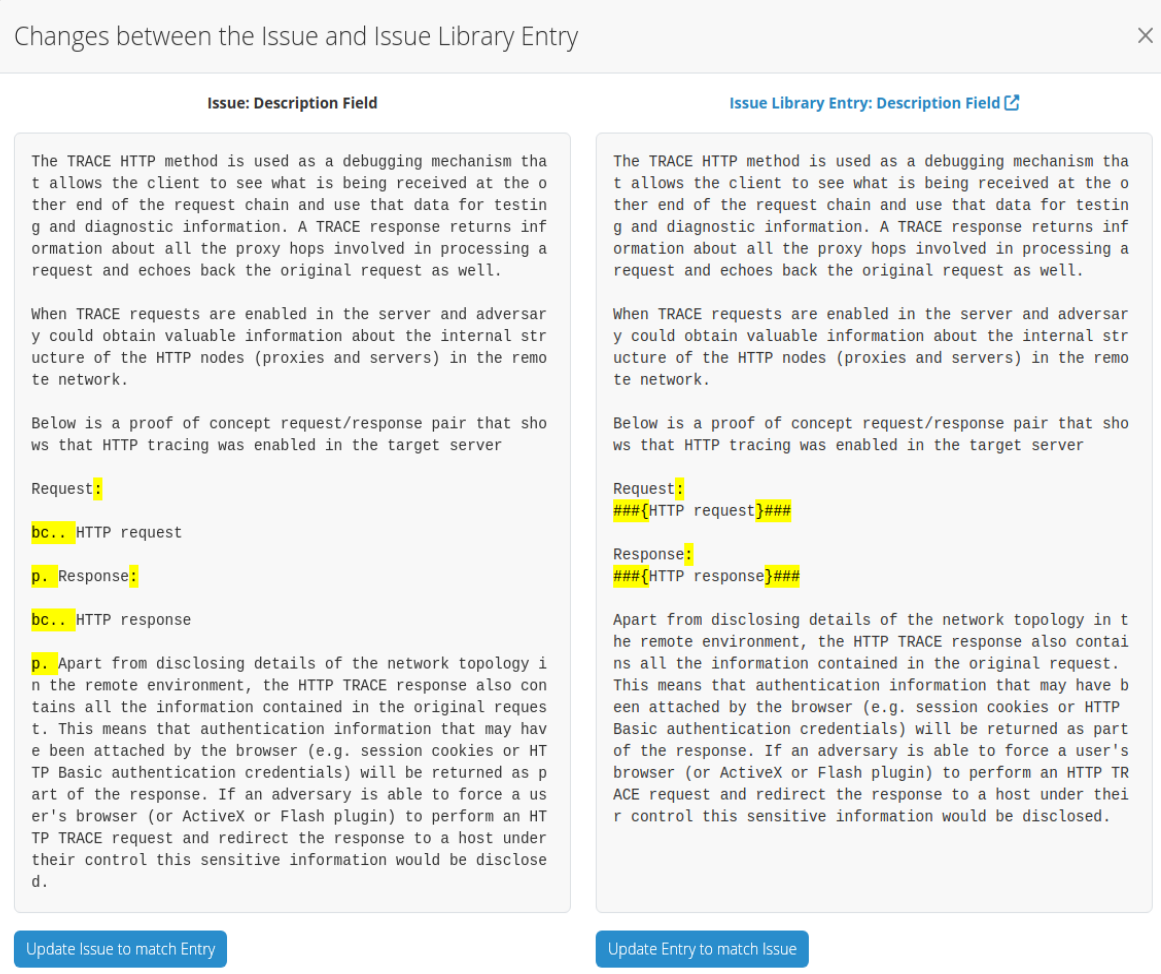
    Issues and Issue Library entries are now synced. When you add an Issue to your project from the Issue Library, it is synced up with the original Issue Library entry. That way, you can identify when the two are out of sync and, if needed, sync them back up.

    You can update either the Issue in your project to match the Issue Library entry, or update Entry to match your Issue Library entry – it works both ways!

    This link between the issue and the entry is also created when you send an already existing Issue from your project to the Issue Library. Managing your reusable Issues has never been as easy as it is now!

    Quality Assurance for Issue Library

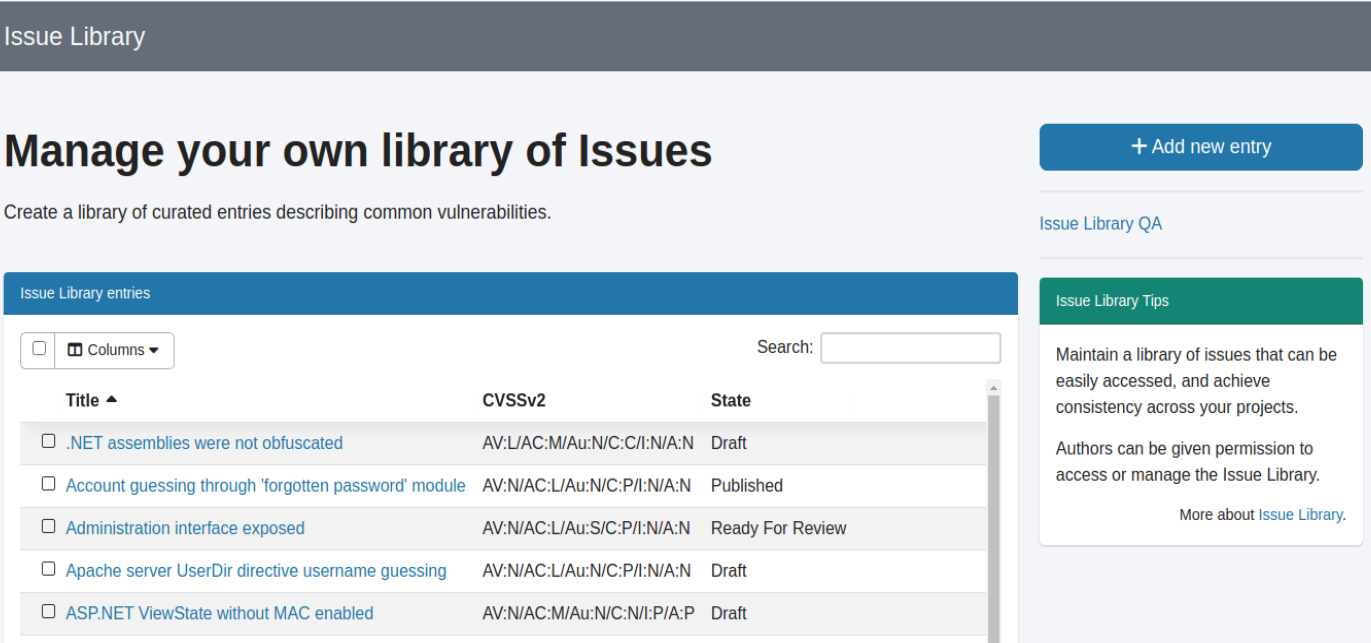
    We implemented QA for the Issue Library. You can now review your Issue Library entries and perform quality assurance on them.

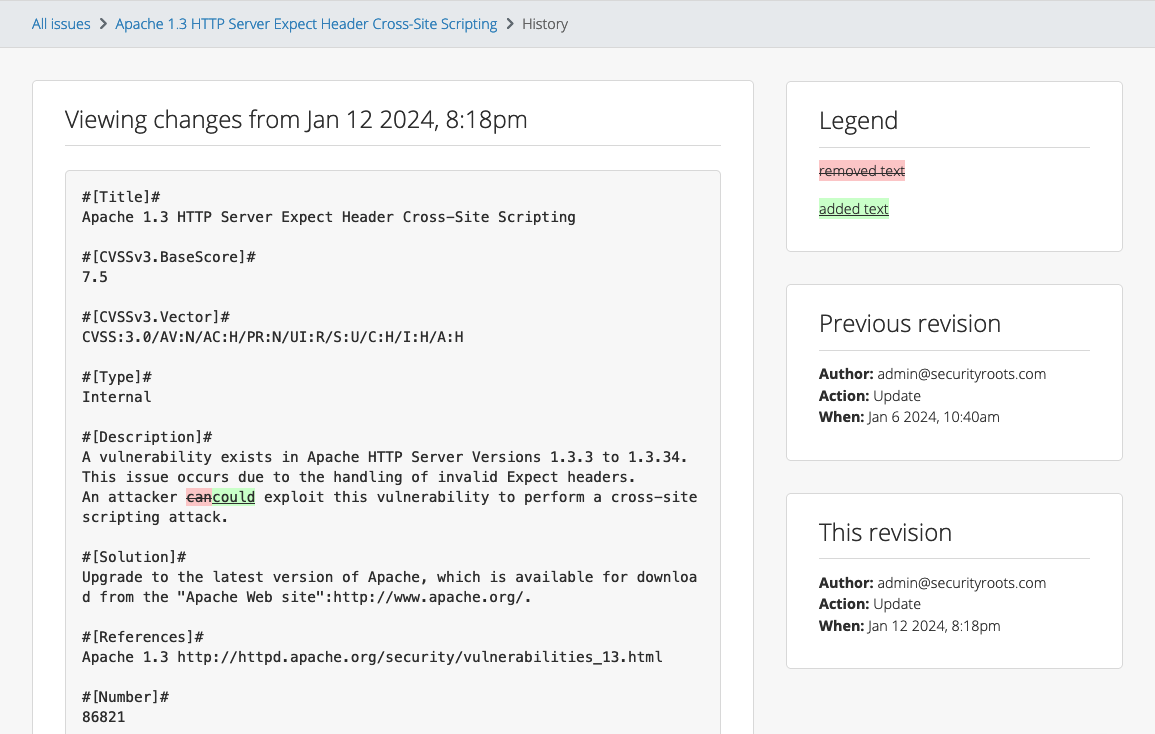
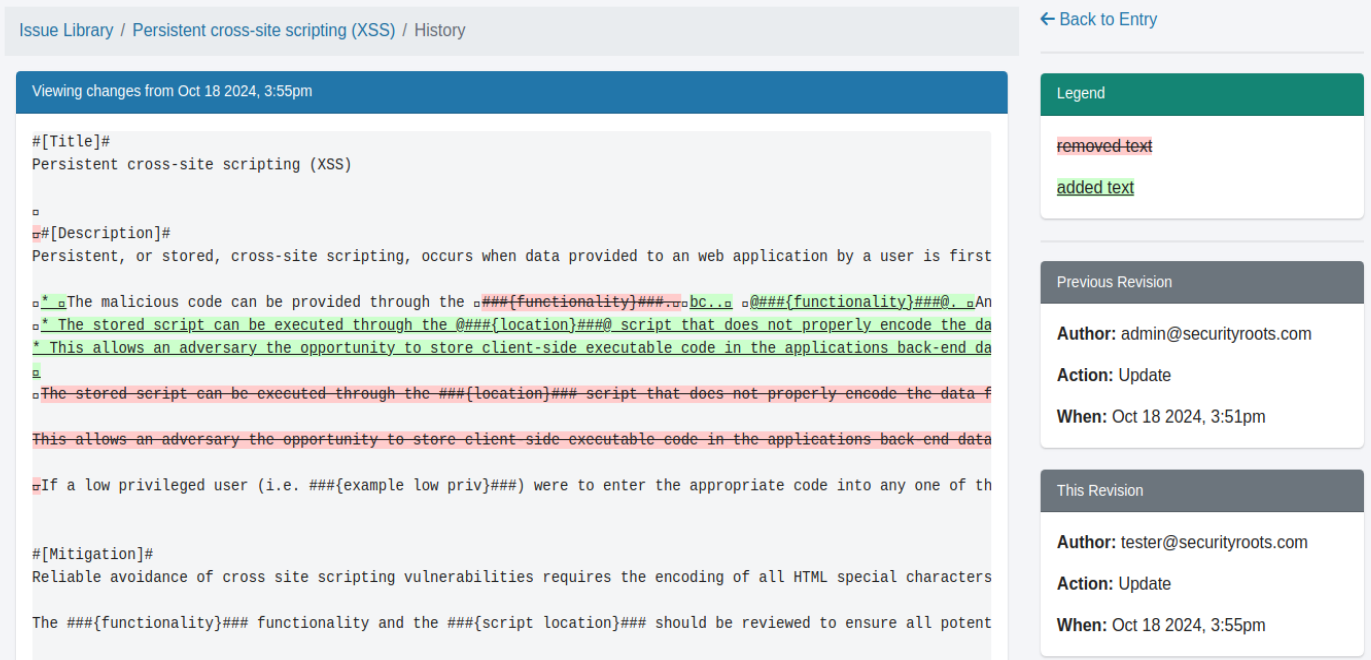
    When entries are marked as “Ready For Review”, they’re available in the new QA view. You can edit them, change their state, and keep track of changes with the version history.

    Liquid support for Issue Sort fields

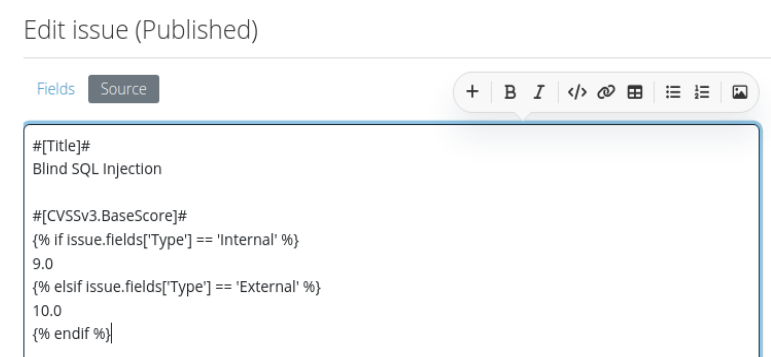
    Liquid support for Issue sorting fields. When you export a report to Word, you can set a numeric sorting field, and your issues will be sorted in descending order on export.

    This update allows that field to contain Liquid in the Val values without affecting the sort order. The result of the Liquid code will be used in the sorting, not the Liquid code itself.

    Release Notes

    • Issue Library:
      • Associate issues with Issue Library entries
      • Sync content between associated issues and Issue Library entries
      • Implement a Quality Assurance view for Issue Library entries
    • Kit Import:
      • Use file name sequencing when a template file with the same name exists
    • Upgraded gems:
      • concurrent-ruby, et-orbi, fugit, puma, rexml
    • Bug fixes:
      • Report Templates:
        • Fix confirmation on deleting a report template
      • Spelling:
        • Restore functionality of native browser back/forward buttons
    • Integration enhancements:
      • Business Intelligence:
        • Show search results in a data table
    • Reporting enhancements:
      • Word:
        • Allow fields that contain Liquid to be used as an export sorting field
        • Ignore Tag field when auto-generating word template properties

    Not using Dradis Pro?