Unlock custom Excel reports with Dradis Pro
Dradis Pro gives you automated Excel generation with custom templates, functions, and embedded charts - create client-ready reports in minutes, not hours.
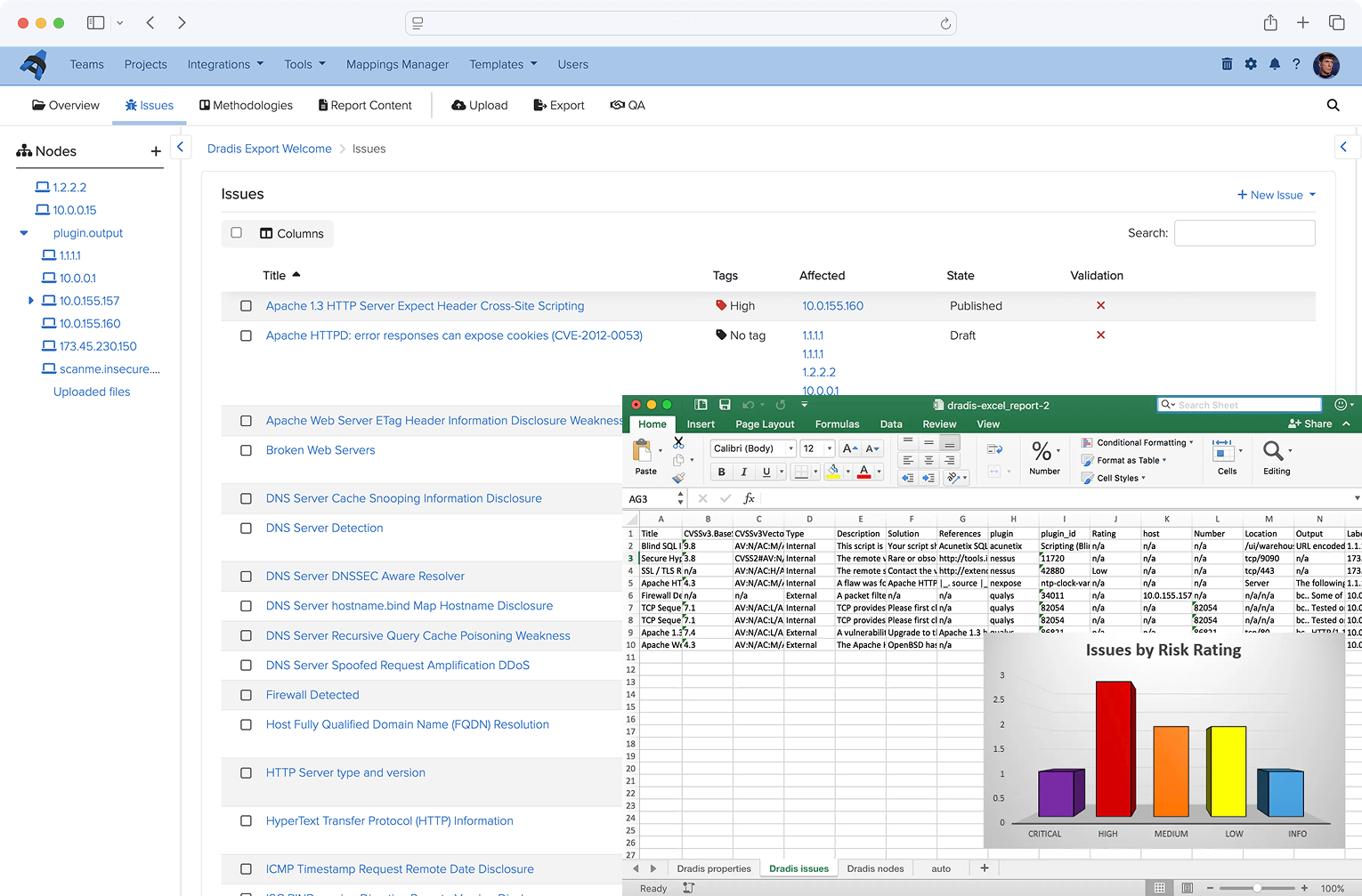
Dradis Pro gives you automated Excel generation with custom templates, functions, and embedded charts - create client-ready reports in minutes, not hours.
Book a 15-minute discovery call
Trusted by over 1,177 InfoSec teams in 81 countries over 19 years


Dradis CE doesn't include custom Excel reports. Pro adds automated Excel generation with templates, functions, and charts. Both are self-hosted and offline-capable.
Stop fighting with spreadsheets. Let Dradis handle the formatting, calculations, and charts.
Design templates with your branding, formatting, and layout once. Reuse them across every engagement with one-click generation.
Pull data from Issues, Evidence, Nodes, or Properties automatically. No more copy-paste errors or manual data entry.
Perform calculations, conversions, and data manipulation with native Excel functions. Transform raw findings into actionable insights.
Automatically generate and embed charts, pivot tables, and graphs. Visualize vulnerabilities by severity, type, or any custom metric.
Generate executive summaries, vulnerability matrices, or custom analytics dashboards - all from your Dradis data.
CE has no Excel export. Pro adds custom templates, automated data population, and full Excel functionality.
| Feature | CE (Free) | Pro Assess | Pro Remediate |
|---|---|---|---|
| HTML/PDF reports | |||
| Custom Excel templates | |||
| Automated data population | |||
| Excel functions support | |||
| Embedded charts/graphs | |||
| Custom branded reports | |||
| Issue Library (60+ entries) | |||
| Multiple projects | |||
| Business Intelligence dashboard |
Everything you need to know about upgrading for Excel functionality.
Assess includes Excel reports, unlimited projects, onboarding, training, and email support. No per-report fees, no hidden costs. See all editions and pricing info
Yes. You can import existing Excel files as templates and add Dradis template tags to populate data automatically. Or start from scratch with our sample templates and customize from there.
You can pull Issues (vulnerabilities and findings), Evidence (screenshots and proof), Nodes (hosts and systems), and custom Properties. Use template tags to map data to specific cells or ranges.
No. Pro is self-hosted on your infrastructure, just like CE. You maintain full control over your data and can generate Excel reports entirely offline. No cloud dependencies.
View full feature comparison or read the Excel reporting guide
Join 1,177+ security teams generating custom Excel reports in seconds with Dradis Pro.
If Dradis doesn't meet your expectations for any reason, simply let us know and we'll refund you in full. No questions asked.
No risk. No questions asked. Full refund if you're not completely satisfied.
We'll discuss your current challenges and how Dradis can help. No pressure, just conversation.
🕒 20 minutes | 🎯 Custom to your workflow | 💬 Led by a Dradis expert
Loading form...
Here's what teams using Dradis say

"Creating reports with Dradis Pro saves us up to 4 hours per project compared to using Word manually."
Case Study: see the real results Include is getting in this short case study .

“In our rather complex report, we do things differently, adding a challenge. But the challenge was accepted and it works out great. Today, 90% of our reporting process has been automated.”
Loading form...
Your email is kept private. We don't do the spam thing.