Dradis v5.2 touches a wide array of functionalities. List fields bring ordered value sets to Issue prioritization and sorting, the ServiceNow integration gets broader coverage across modules, and the CVSS Calculator gets a redesign built around the workflow of actually scoring a finding.
Here’s what’s new!
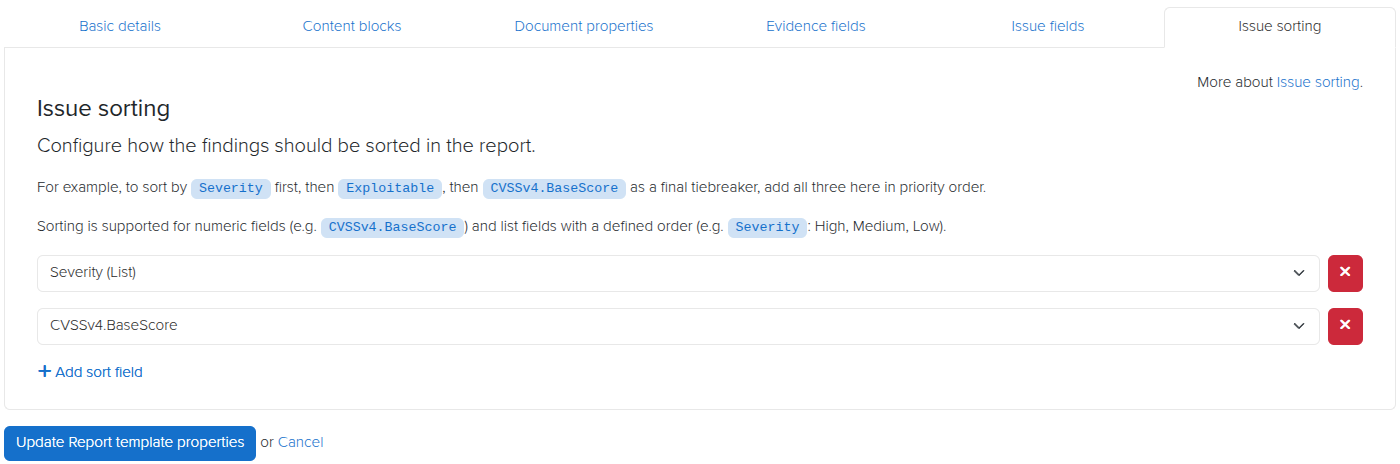
List Fields and Multi-Column Issue Sorting
Not every Issue field fits neatly into score-based sorting alone. Severity ratings, new vs existing vulnerabilities, remediation priority, OWASP category, and more are values worth sorting issues by that a CVSS score alone doesn’t capture.
The new List field type lets you define an ordered set of values for an Issue field, so “Critical > High > Medium > Low” (or whatever set makes sense for your methodology) is captured as a label to sort by. Once defined, List fields can work alongside numeric fields or even other List fields as sort criteria. You can now sort Issues by multiple fields at once, in a defined order, and get precise control over how findings are prioritized and ordered in your reports.
This is particularly useful when a single sort key isn’t enough: sort by OWASP category first, then by a custom List field for remediation urgency, then by CVSS score, and your report comes out exactly as your reviewers expect it.
You can even define colours for lists, so you can specify font colours or table cell background colours to match your list preferences.
ServiceNow Vulnerable Items
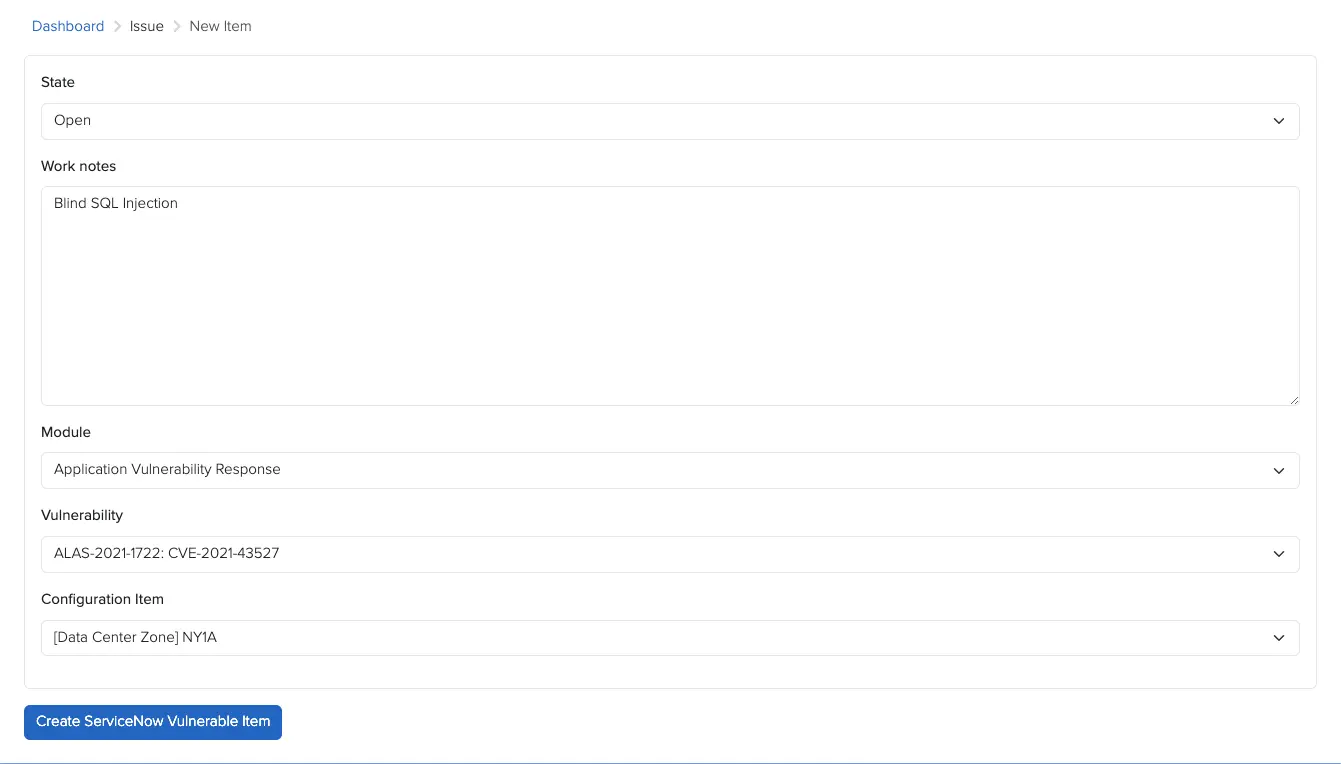
The ServiceNow integration has historically created Vulnerable Items in a single module. With v5.2, that coverage expands: Vulnerable Items are now created across the Application, Container, and Vulnerability Response modules.
If your ServiceNow environment spans more than one of these modules, you’ll now get broader coverage without any extra configuration on your end — the integration handles the routing automatically based on where the vulnerability applies.
CVSS Calculator Redesign
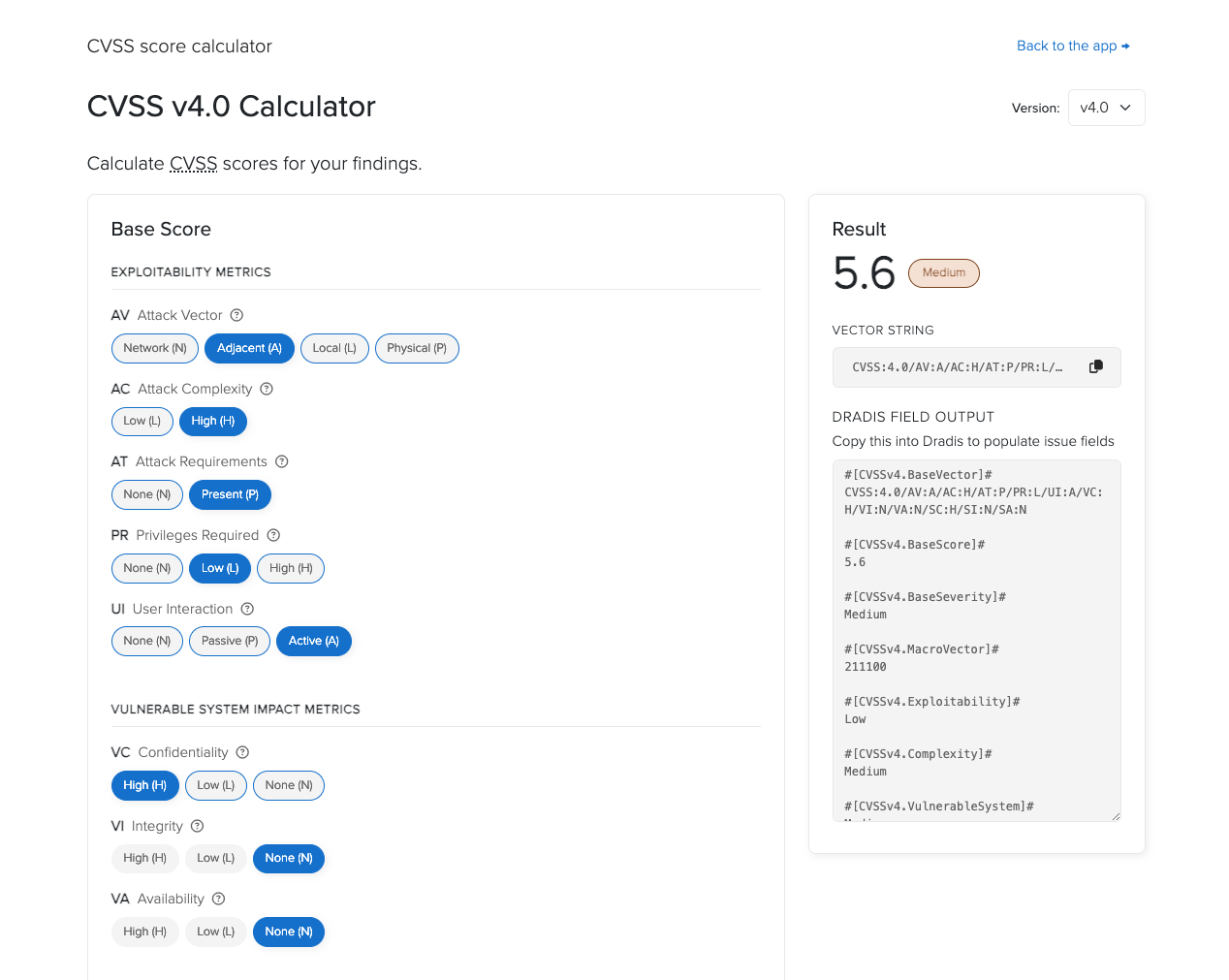
The CVSS Calculator has a new two-column layout with a sticky results panel, so your score stays visible as you work through the metrics instead of scrolling back and forth to check it.
Severity badges give instant visual context as you adjust metrics, and a one-click button copies the vector string straight to your clipboard — no more selecting and copying text by hand when you need to paste the vector elsewhere.
Release Notes
- UI: add dark mode support to the login and setup wizard pages
- Issue Library: default imported issue state to draft
- Kits: new default Welcome kit option
- Report templates: allow sorting issues by list fields in addition to numeric fields
- Upgraded gems:
- concurrent-ruby, crass, faraday, msgpack, net-imap, nokogiri, puma
- Integration enhancements:
- CVSS Calculator: redesign with two-column layout, sticky results panel, severity badges, and vector string copy
- ServiceNow: create Vulnerable Items under Application, Container, and Vulnerability Response modules
- Reporting enhancements:
- Report Templates:
- Add List field type for issue fields to define ordered value sets
- Report Templates:
- Add support for multiple ordered sort fields for issues
Not using Dradis Pro?
- Automated pentest reporting tool, the cybersecurity reports you’re used to, generated in a fraction of the time
- Combine the output from 20+ different tools into a single report.
- Deliver consistent results. Never forget any steps, always know what has been covered and what is still ahead.
- Pentesting collaboration: all information available across the team.