We’re heading to Singapore for Black Hat Asia 2025, and we’ll be showing off the latest in streamlined reporting and collaboration at our Dradis Arsenal demo. We’re excited to be part of the Black Hat Arsenal, demoing how Dradis helps security teams collaborate and report more effectively.
Catch us here:
🧪 Dradis @ Black Hat Arsenal
Business Hall – Arsenal Station 3
📅 April 3, 10:05am-11:20am
Learn how our most recent updates—which include in-app quality assurance workflows, easier deployment with Docker, and AI-driven enhancements—allow for the creation of reports faster and with greater quality.
When we’re not presenting, we’ll be diving into the briefings, trainings, and executive summits across AI, exploit development, cloud, and physical infrastructure. Here’s what we’re most excited about.
Project Soft-Delete and Instance Level Trash
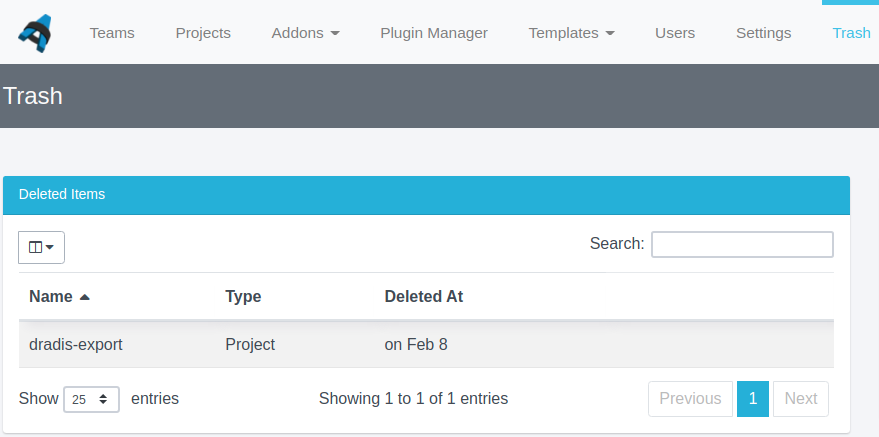
Previously, once you deleted a project or a team, it was gone forever! We have now added soft-delete and an instance-level trash. So, if you delete a project or team, you can find it in your instance’s Trash, and you can recover it from there.
Choose Which Fields to Display by Default in Projects
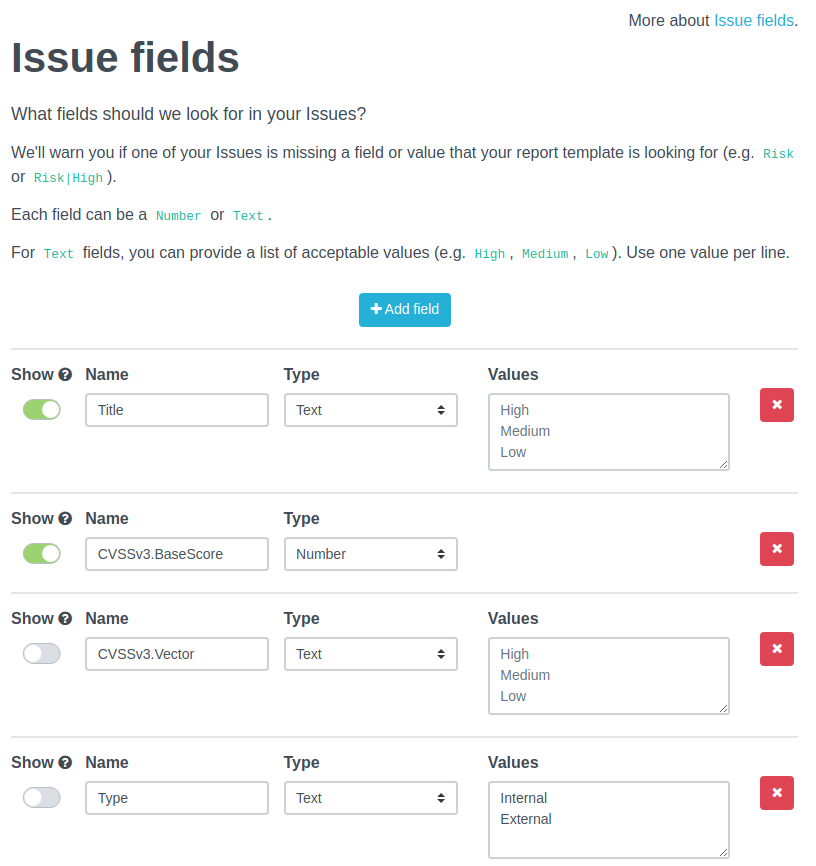
In recent versions of Dradis, new projects will display all fields for Issues and Evidence in their respective tables by default. This can lead to a cluttered view. You can update which columns to display, but this is stored on a per-project basis. Now, you can select which Issue and Evidence fields to display by default in the Report Template Properties for your project’s associated report template in Templates –> Reports. Simply switch the toggle to “Show” to whichever fields you want to display by default, and that will apply instance-wide from then on. Of course, if you have project-specific preferences, or if you have multiple people working on the same project but with different preferences of which columns to display, each user can still manually set their preferences on a per-project basis as before.
Improved Evidence Creation from the Issue Level
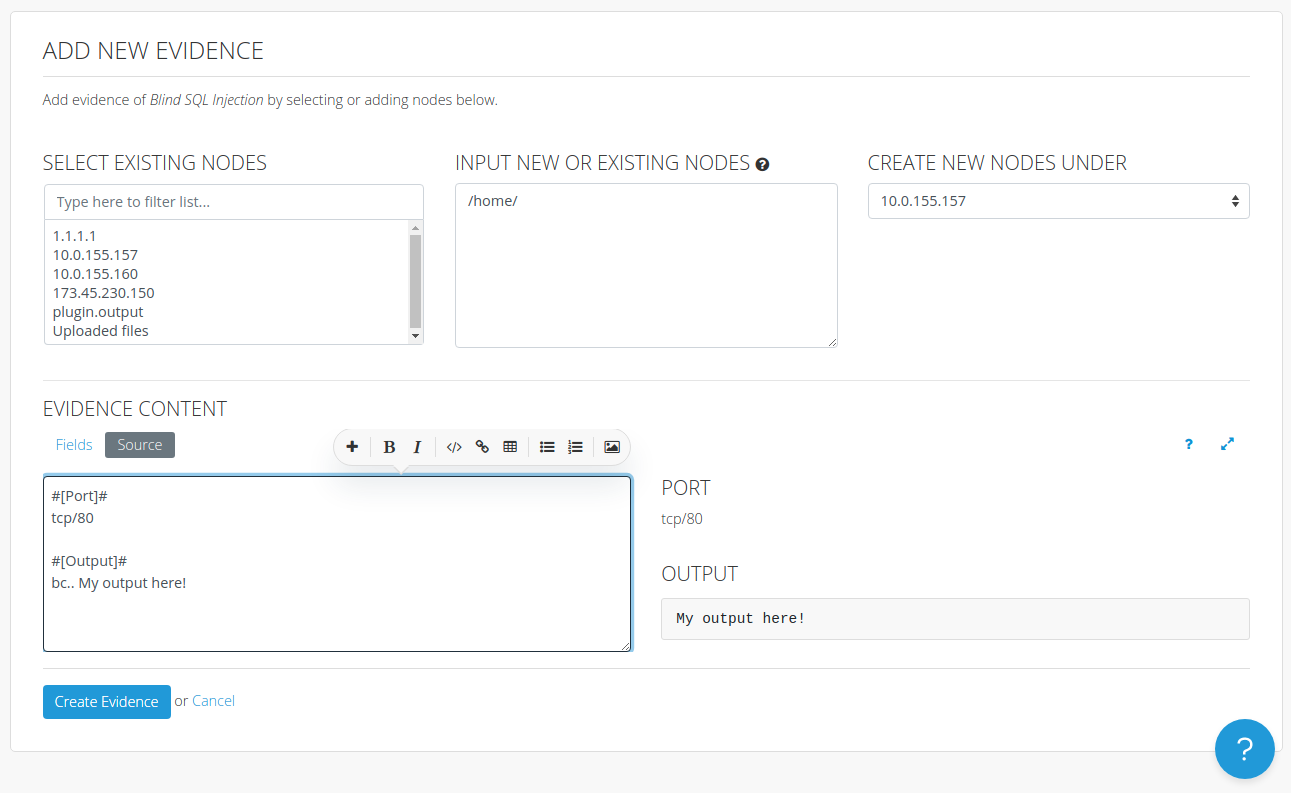
Dradis lets you add Evidence directly from Issues by going to the Evidence tab of an Issue and hitting the “+ New Evidence” button. Previously that only allowed you to add a blank piece of Evidence or adding a Note template with no customised content. Now, you can customise the content right in the “Add New Evidence” form and choose where to put it, including in new nested Nodes.
Release Notes
- Editor: Support fields with the same name in the Fields View
- Increased table loading performance on Issues, Evidence, and Notes for projects with a lot of issues, evidence, or notes
- Issues:
- Display evidence in a table
- Load evidence tab content asynchronously
- Multi-delete evidence at the issue level
- Update evidence content while creating evidence records at the issue-level
- Notifications Navbar Dropdown:
- Improve font-sizes
- Wrap long notifications links
- Projects:
- Generate default report content when updating the report template
- Truncate long team name badges in active project cards
- Report Templates: Add
Showoption to display certain evidence and issue fields by default in tables - Trash: Allow projects and teams to be soft deleted
- Tylium:
- Import CSS manifests from addons
- Move ‘…’ (more actions) menu closer to the content affected by the actions of the menu
- Move the ‘Edit’ action out of the ‘…’ (more actions) menu for issues, evidence, notes, etc.
- Remove extra left padding from the first line of content in a code block
- Remove height restriction from code blocks
- Simplify issues table columns
- Updates focus state outline color
- Upgraded gems:
- mini_racer, puma, rails
- Bug fixes:
- Comments: Show sticky toolbar when adding long comments
- Issues: Send To menu updates when new plugins are installed
- Fixes background services from not restarting after upgrades
- Liquid drops: Allow author collection to be called in ProjectDrop
- Methodology: Fix misformatted cards when saving a methodology as a template
- Redirect back to issue when updating evidence from the issue level
- Rules Engine: Allow authors with “update” permission to sort rules
- Tables: Prevent the select all button from selecting filtered out rows when a filter is been applied
- Subscriptions: Fixed a caching issue preventing users from subscribing or unsubscribing after the first cache was stored
- Integration enhancements:
- Dradis Projects:
- Fixes missing parent nodes during template and package imports
- Fixes missing nodes for attachments during template and package imports
- Gateway:
- Bug fixes:
- Fixes ‘authors’ call for the atlantia theme
- Fixes missing attachments crashing Gateway
- Select a default pane when Authors edit a Gateway project instead of loading a mostly blank screen
- Bug fixes:
- Nexpose:
- Add the Hostname Node property from the
namerather thansite-nametag
- Add the Hostname Node property from the
- Nipper:
- Add Nipperv1 fields to issues
- PDF Export:
- Add Thor task for console export
- Add view hook for Export#index
- Qualys:
- Add ‘element.qualys_collection’ as issue field
- Add Qualys Web Application Scanner (WAS) support
- Remediation Tracker:
- Bug fixes: Hide the tickets’ “edit” and “delete” buttons for unauthorized users
- SAML:
- Add PingIdentity support
- Add SAML logo to Log in button
- Increases log verbosity on errors
- Scheduler
- No longers shows disabled projects in the calendar
- VSTS:
- Format issue content when sending to VSTS
- Dradis Projects:
- REST/JSON API enhancements:
- Projects/Teams:
- Discard Projects through the DELETE endpoint
- Hide discarded projects/teams from endpoints
- Projects/Teams:
- Security Fixes:
- Low: Authenticated author broken access control: read access to screenshots